
What Quick Edit Does
Quick edit lets you update record fields faster from entity lists or detail pages. It is useful for small changes, such as correcting a phone number, updating an email, changing an owner, or adjusting a custom field.
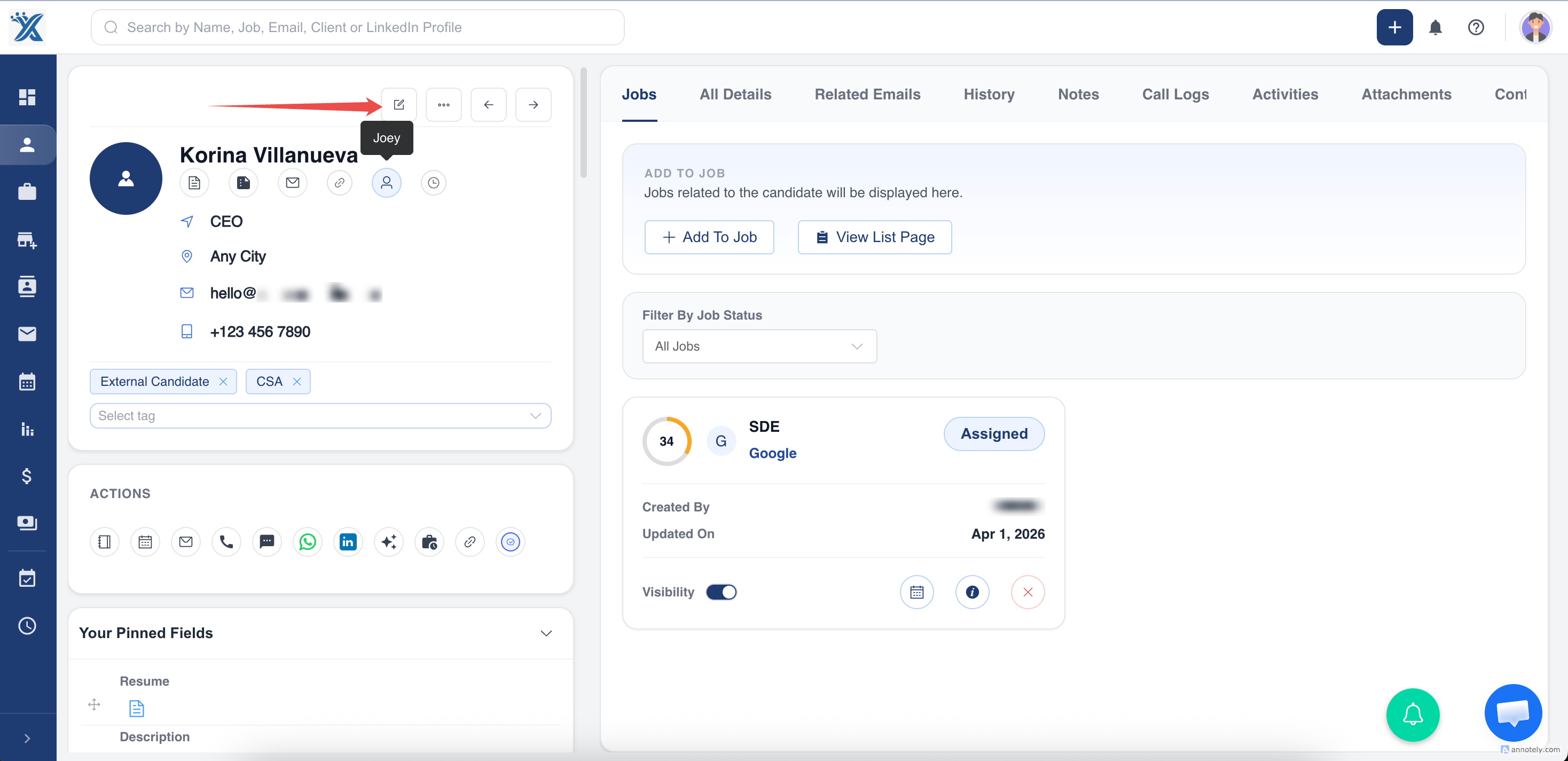
Quick Edit a Record
- Log in to ATZ CRM.
- Open the relevant entity, such as Jobs, Deals, Candidates, Contacts, or Organizations.
- Search for the record.
- Select the pencil icon or click the editable field.
- Make the change.
- Select Update or save.
Use Cases
Correcting Contact Details
Fix phone numbers, email addresses, or names without opening a full edit screen.
Updating Operational Fields
Change owner, source, stage, status, or custom fields when the update is simple.
Keeping Lists Accurate
Quick edits help recruiters clean visible list data during daily work.
Troubleshooting
Field Is Not Editable
Some fields may be locked, system-managed, or restricted by permissions.
Pencil Icon Is Missing
Check whether the field is visible and editable for your role.
Change Did Not Persist
Make sure you selected the save or update action after editing.
Frequently Asked Questions
Can I quick edit custom fields?
Yes, where custom fields are visible and editable.
Is quick edit available on every screen?
Availability depends on the entity, field, list view, and permissions.
Can quick edits be used for bulk changes?
No. Use bulk update when the same field needs to change across multiple records.