
AI AutoSense turns rough notes, call transcripts, and meeting transcripts into clearer recruiter-ready updates.
Quick Answer
Open a note or transcript, click AutoSense, choose Extract Key Points, Improve, or Summarize, review the output, and insert it into the record.
Where AutoSense Is Available
AutoSense can be used in:
- Notes.
- File viewer notes.
- Call transcripts.
- Meeting transcripts from AI Notetaker.
AutoSense Actions
Extract Key Points
Turns text into a structured list of important points.
Improve
Rewrites the text for clarity and readability.
Summarize
Creates a concise summary of the content.
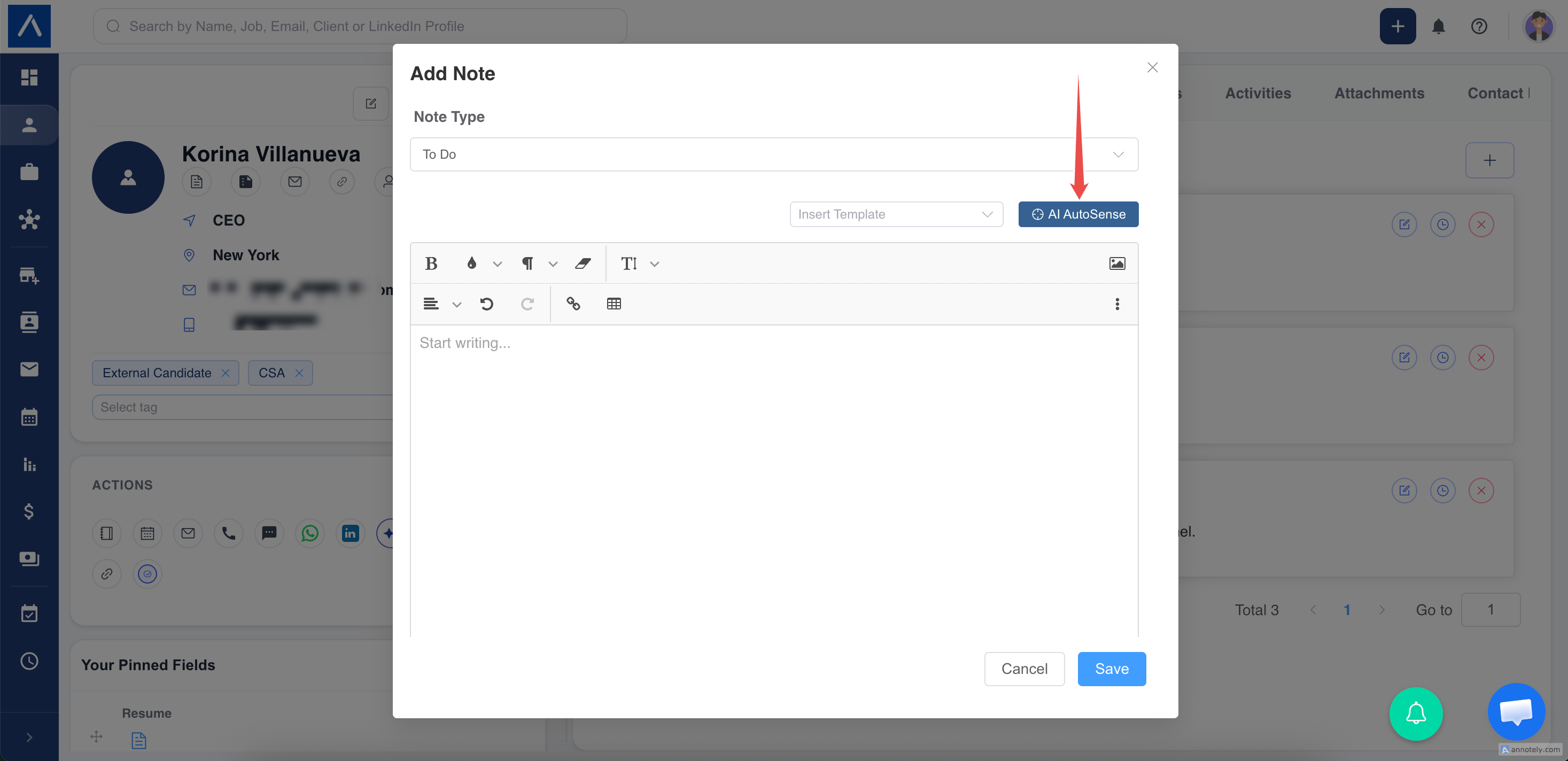
Use AutoSense for Notes
- Open a candidate, contact, organization, job, or deal record.
- Add or edit a note.
- Enter note content.
- Click AutoSense.
- Choose an action.
- Review the result.
- Click Insert and save.
Use AutoSense for Call Logs
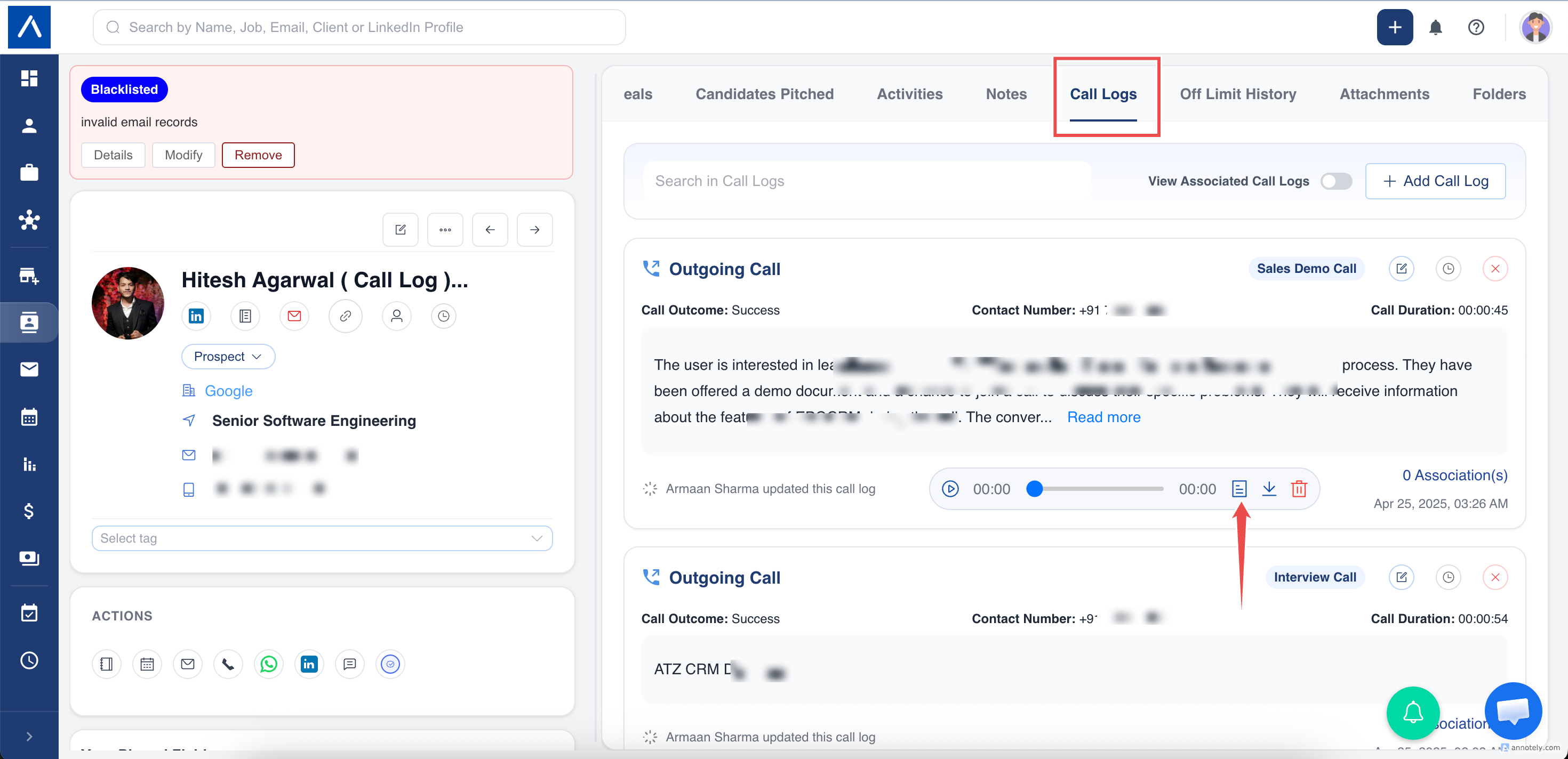
- Open call logs.
- Open the call recording transcript.
- Click AutoSense.
- Choose an action.
- Click Insert as Call Log Note.
Use AutoSense for Meeting Transcripts
Open the activity transcript from AI Notetaker, click AutoSense, choose the action, and insert the result as the activity description.
Best Practices
- Add enough context before using AutoSense.
- Use key points for interviews and client requirements.
- Use summarize for long calls or meetings.
- Review generated text before saving.
Troubleshooting
AutoSense Is Not Available
Confirm a transcript exists and contains enough text.
Generated Note Is Missing Context
Add more original note detail or use a longer transcript.
Result Needs Edits
Insert it and edit manually before saving.
FAQs
Does AutoSense replace recruiter judgment?
No. Review generated notes for accuracy.
Can I copy instead of insert?
Yes. Use copy when you do not want to replace or insert into the record.
Can it summarize meetings?
Yes, when AI Notetaker has produced a meeting transcript.