
What Job Status Customization Does
Job statuses help your team track where each role stands. ATZ CRM includes protected predefined statuses and lets admins add custom statuses that match your recruitment workflow.
Predefined Job Statuses
These statuses are available by default:
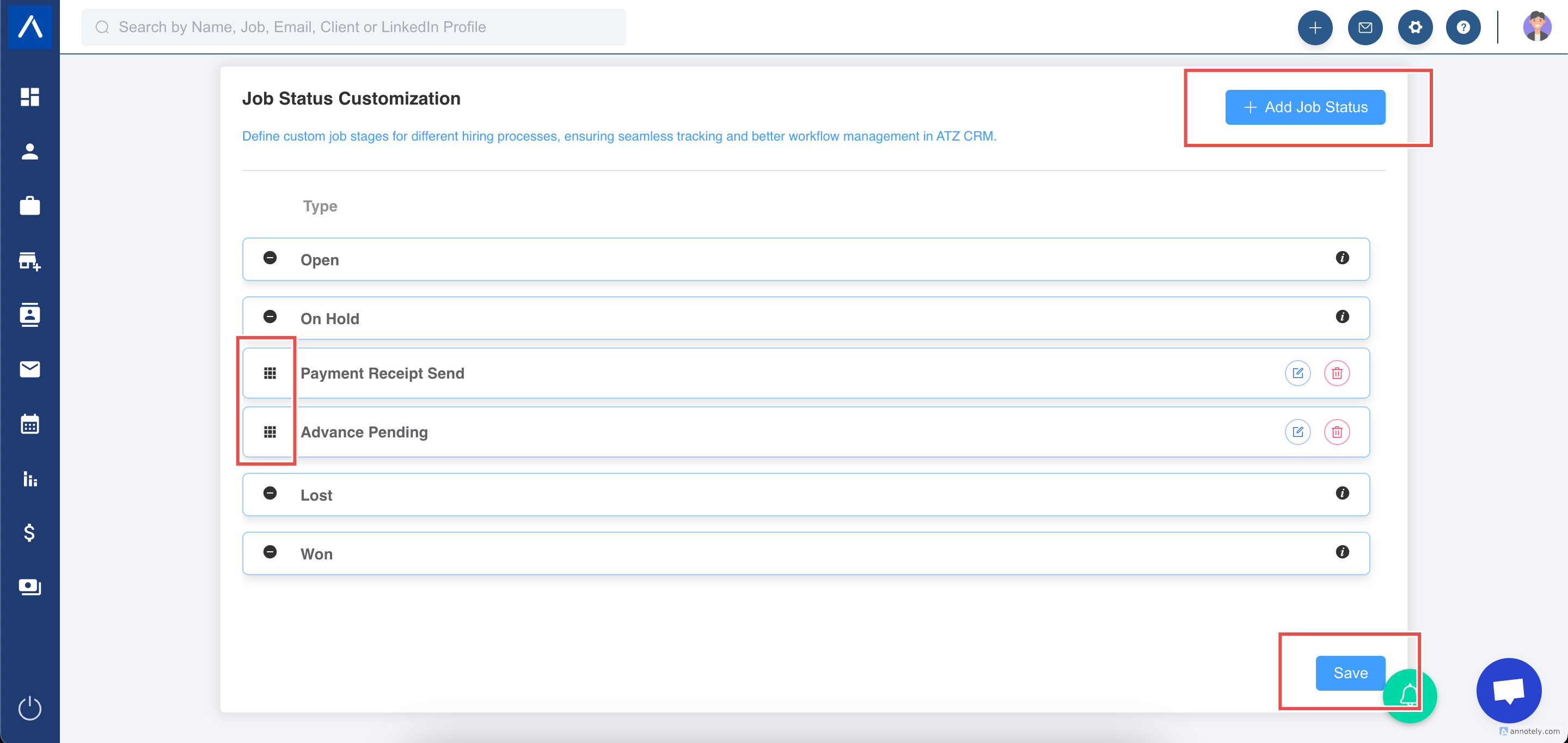
- Open: Active jobs accepting applications.
- Won: Completed jobs.
- On Hold: Temporarily paused jobs.
- Lost: Withdrawn or called-off jobs.
Predefined statuses cannot be edited or deleted.
Create a Custom Job Status
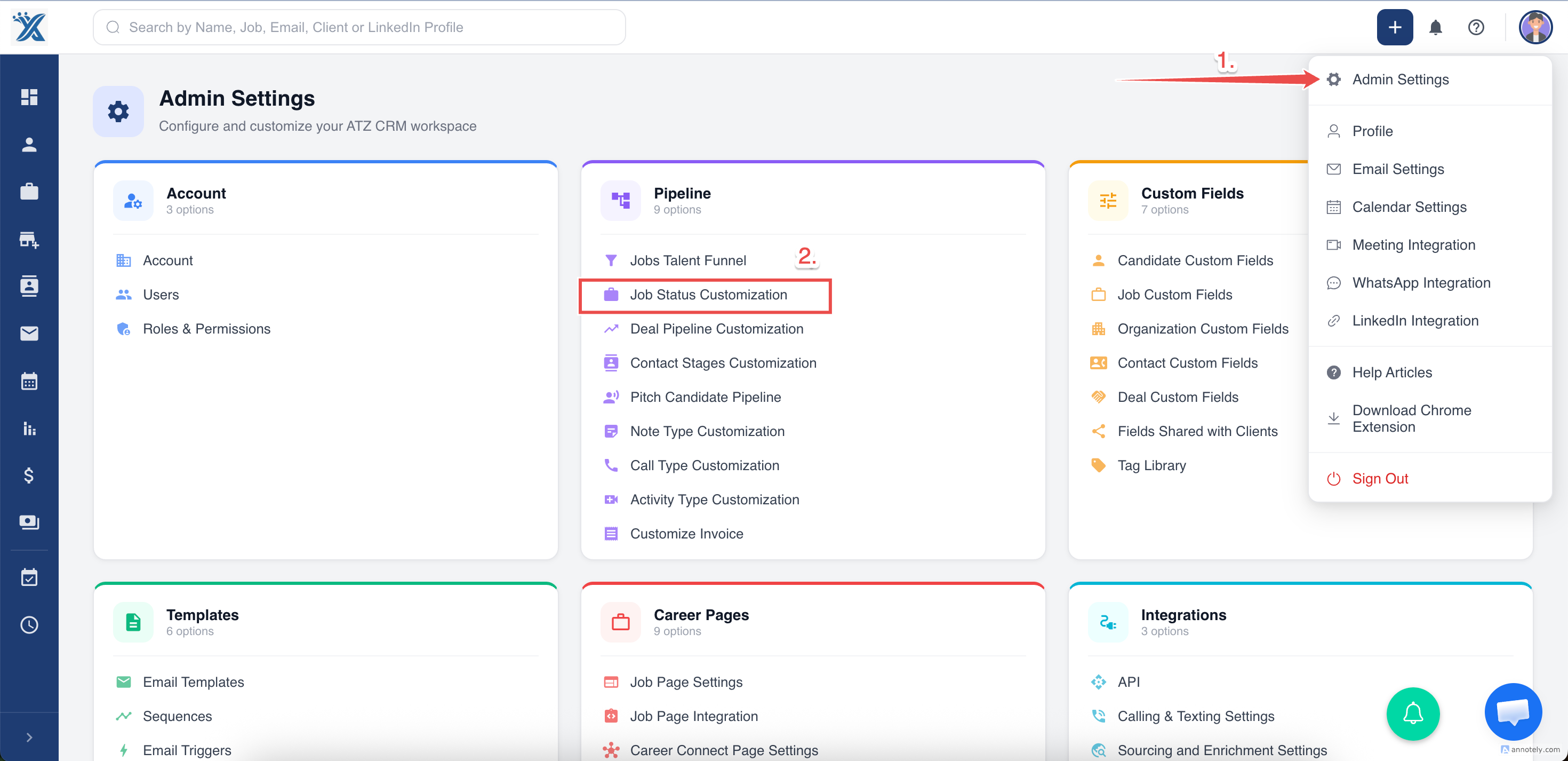
- Go to Admin Settings > Job Status Customization.
- Select or review predefined statuses.
- Click Add Job Status.
- Enter the custom status name.
- Save the new status.
Manage Job Visibility
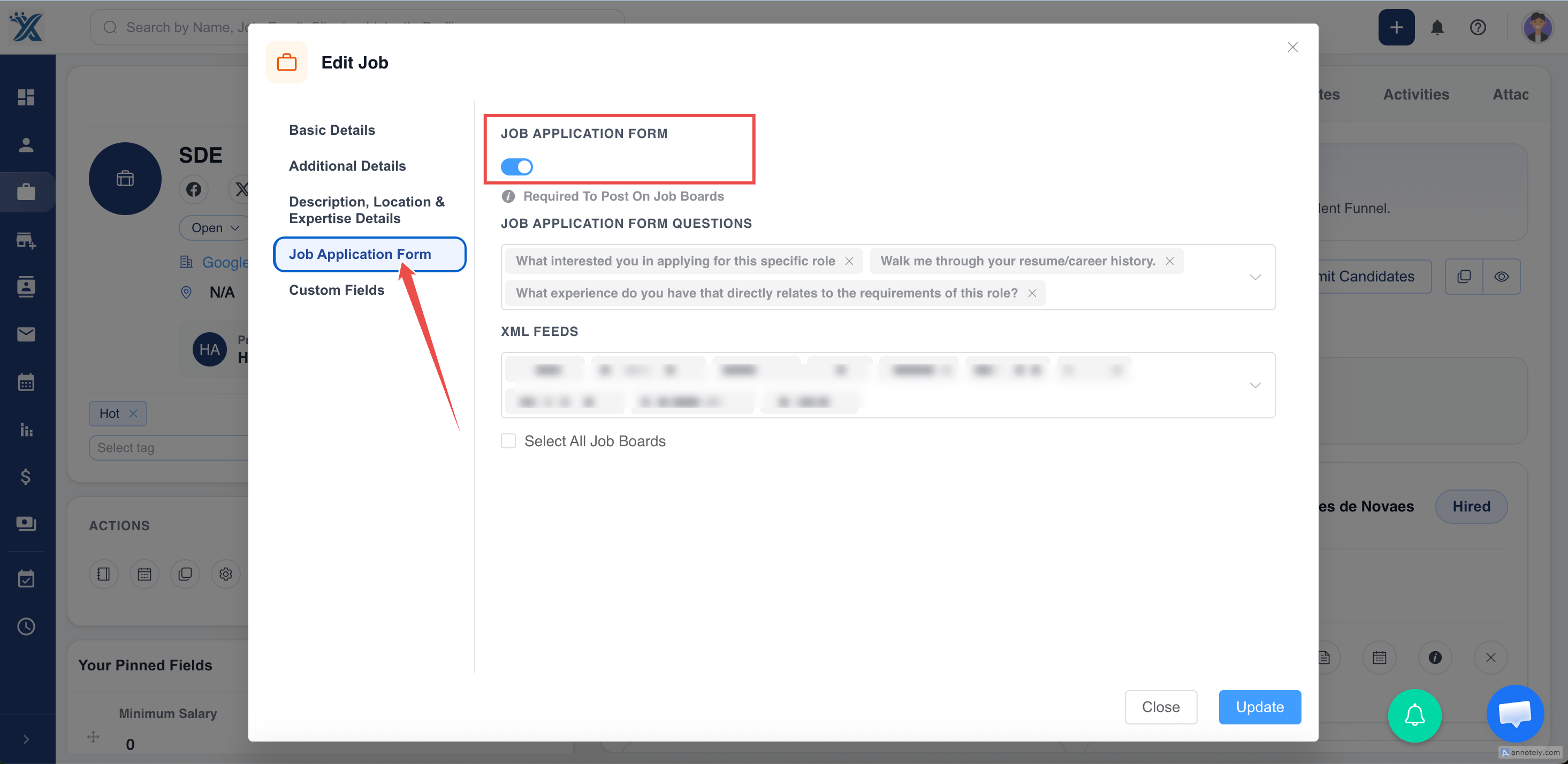
Jobs with a status other than Won or Lost are considered active in the source workflow and can be posted to free job boards when the job application form link is enabled.
To prevent a job from appearing externally:
- Set the job status to Won or Lost, or
- Disable the job application form link.
Use Cases
Match Internal Workflow
Add statuses such as Under Review, Client Feedback, or Interview Stage.
Improve Reporting
Use consistent statuses so managers can report on active, paused, won, and lost roles.
Control Job Visibility
Use status with application form settings to control whether jobs appear externally.
Troubleshooting
Custom Status Is Not Visible
Refresh the job page and check that the status was saved.
Job Appears on Boards Unexpectedly
Review status and job application form link visibility.
Cannot Edit a Default Status
Default statuses are protected. Create a custom status instead.
Frequently Asked Questions
Can I create many custom statuses?
Yes, but keep the list manageable so recruiters use statuses consistently.
Should custom statuses replace Open, Won, Lost, or On Hold?
No. Use predefined statuses for core workflow events and custom statuses for extra operational detail.
Can status be changed with quick edit?
Use quick edit or bulk update where available, depending on your permissions and list setup.