
Workflow Structure
ATZ CRM uses a layered workflow for contract staffing:
| Layer | Purpose |
|---|---|
| Job | Role and client context |
| Contract | Commercial agreement, rates, and duration |
| Shifts | Daily work schedule |
| Daily Timesheets | Actual hours worked |
| Monthly Timesheets | Client approval view |
| Invoice | Billing document |
Create a Contract
A contract represents the commercial agreement with the client.
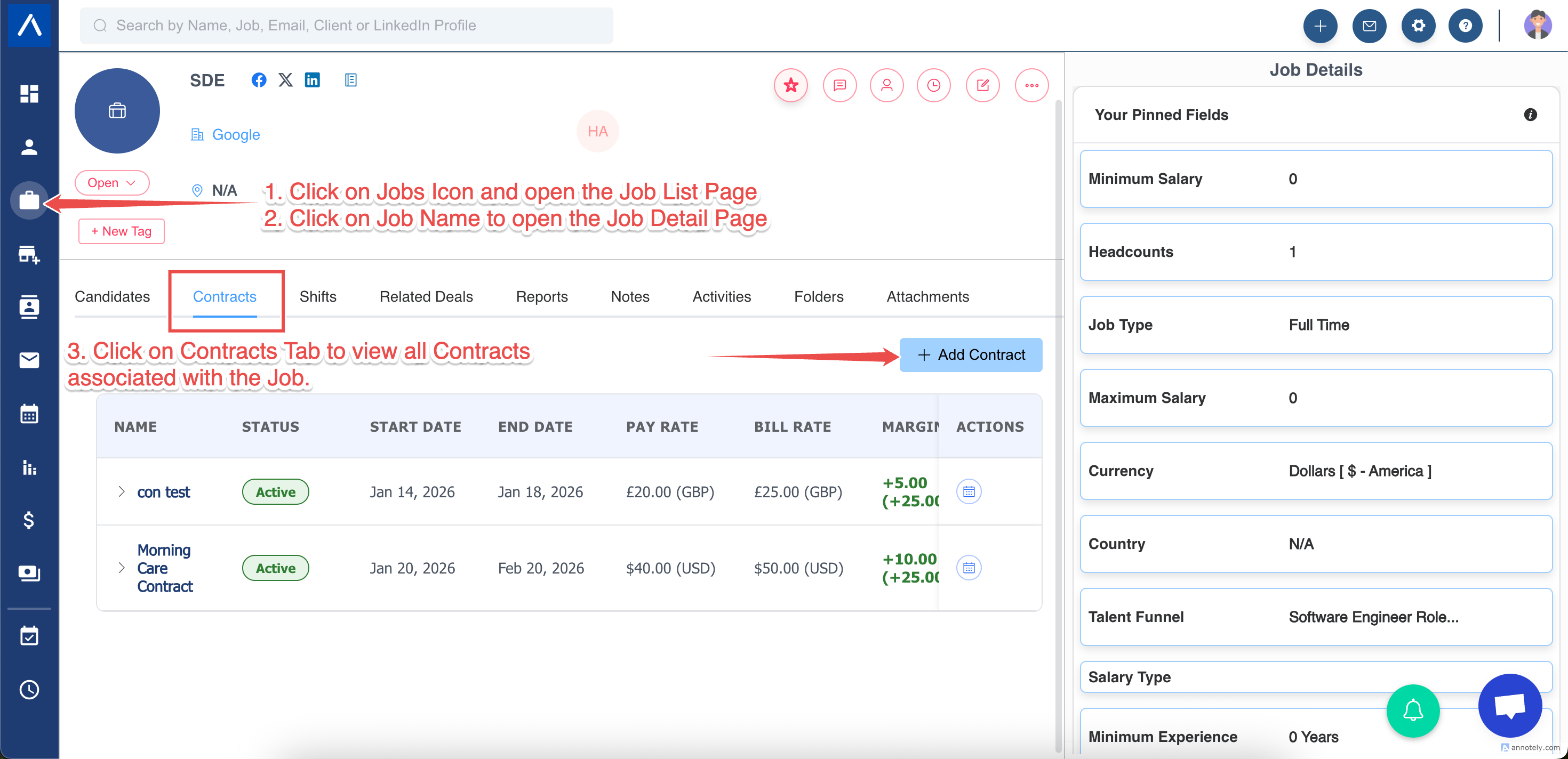
- Create a job.
- Open the job detail page.
- Open the Contracts tab.
- Select Add Contract.
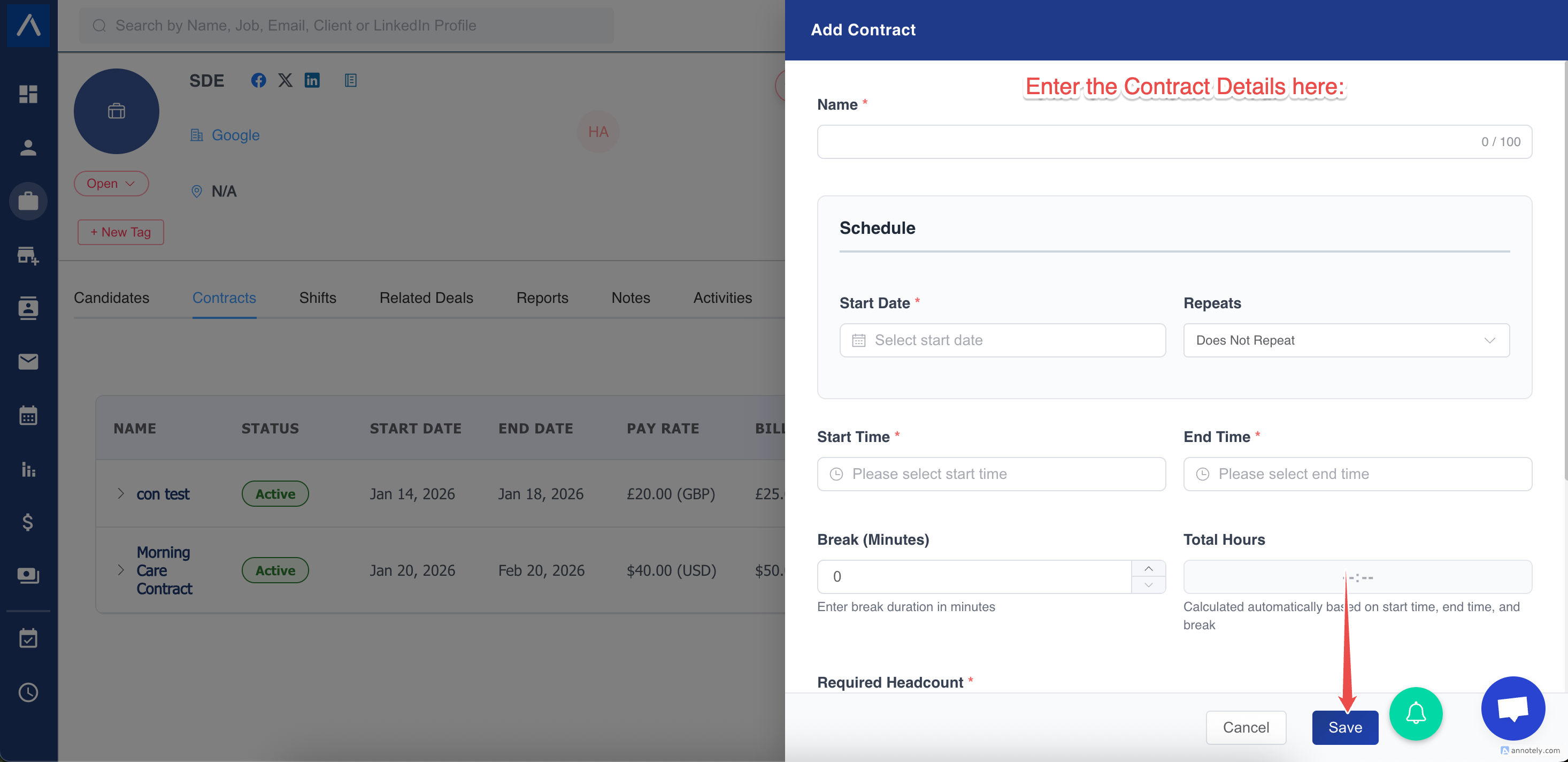
Define contract details such as:
- Name
- Schedule
- Pay rate
- Bill rate
- Currency
- Start date and either an end date or No end date
- Working days
- Start time and end time
- Required headcount
Create an Open-ended Contract
Use an open-ended contract when the assignment has no confirmed finish date.
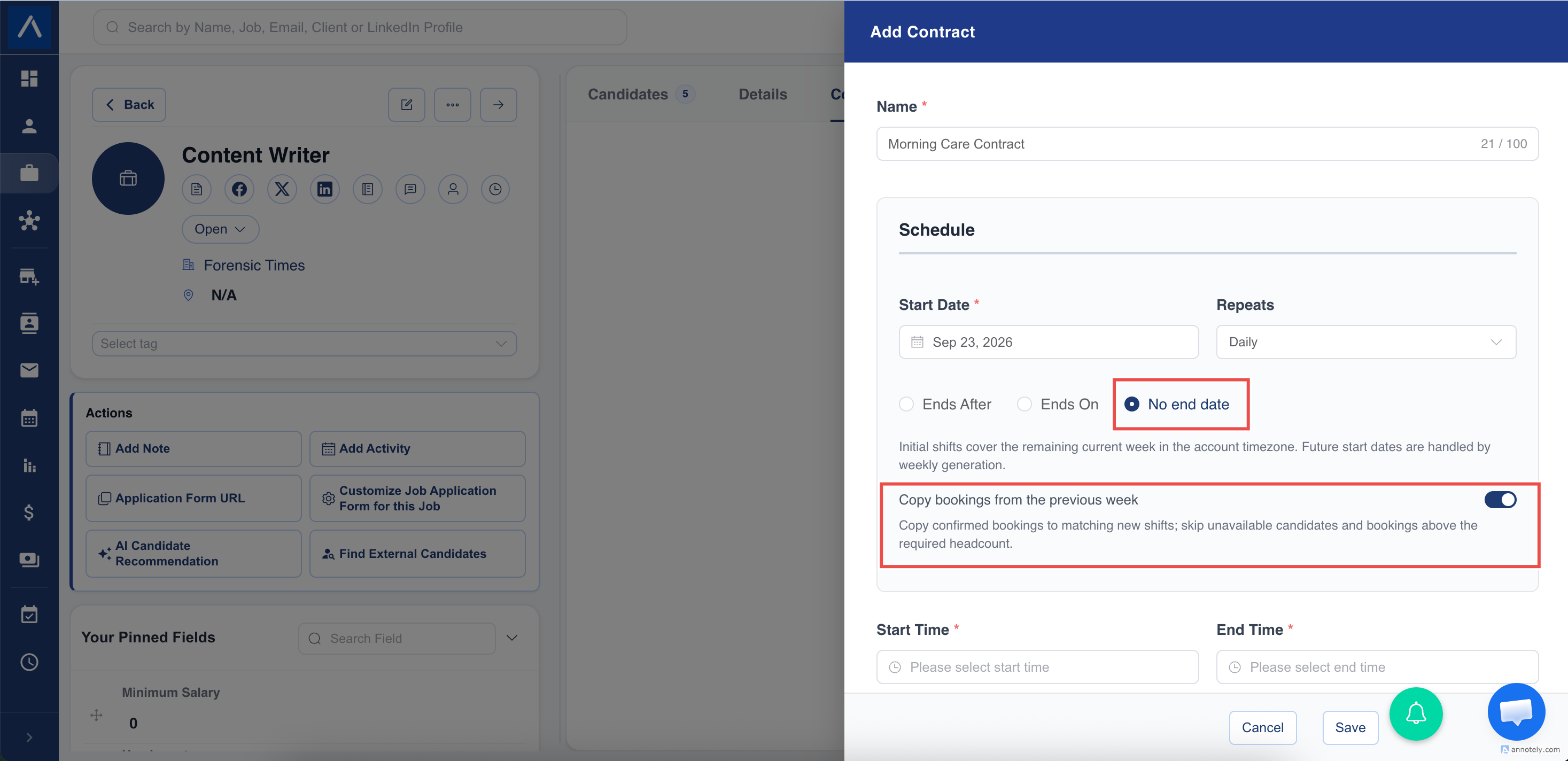
- Create a repeating contract schedule.
- For the ending option, select No end date.
- Review the working days, start and end times, break, rates, and headcount.
- Save the contract.
ATZ CRM creates the initial shifts for the remaining current week in the account timezone. A weekly background process then extends active open-ended contracts into the next week. Shifts are not generated for cancelled accounts.
Copy Confirmed Bookings into New Weeks
Turn on Copy bookings from the previous week when the same candidates normally continue on matching weekly shifts.
For each newly generated shift, ATZ CRM checks the matching weekday and shift from the previous week and copies eligible confirmed bookings. It skips candidates who are unavailable, have a conflicting booking, are no longer assigned to the job, or would exceed required headcount.
The user who created the contract receives a notification summarizing skipped bookings.
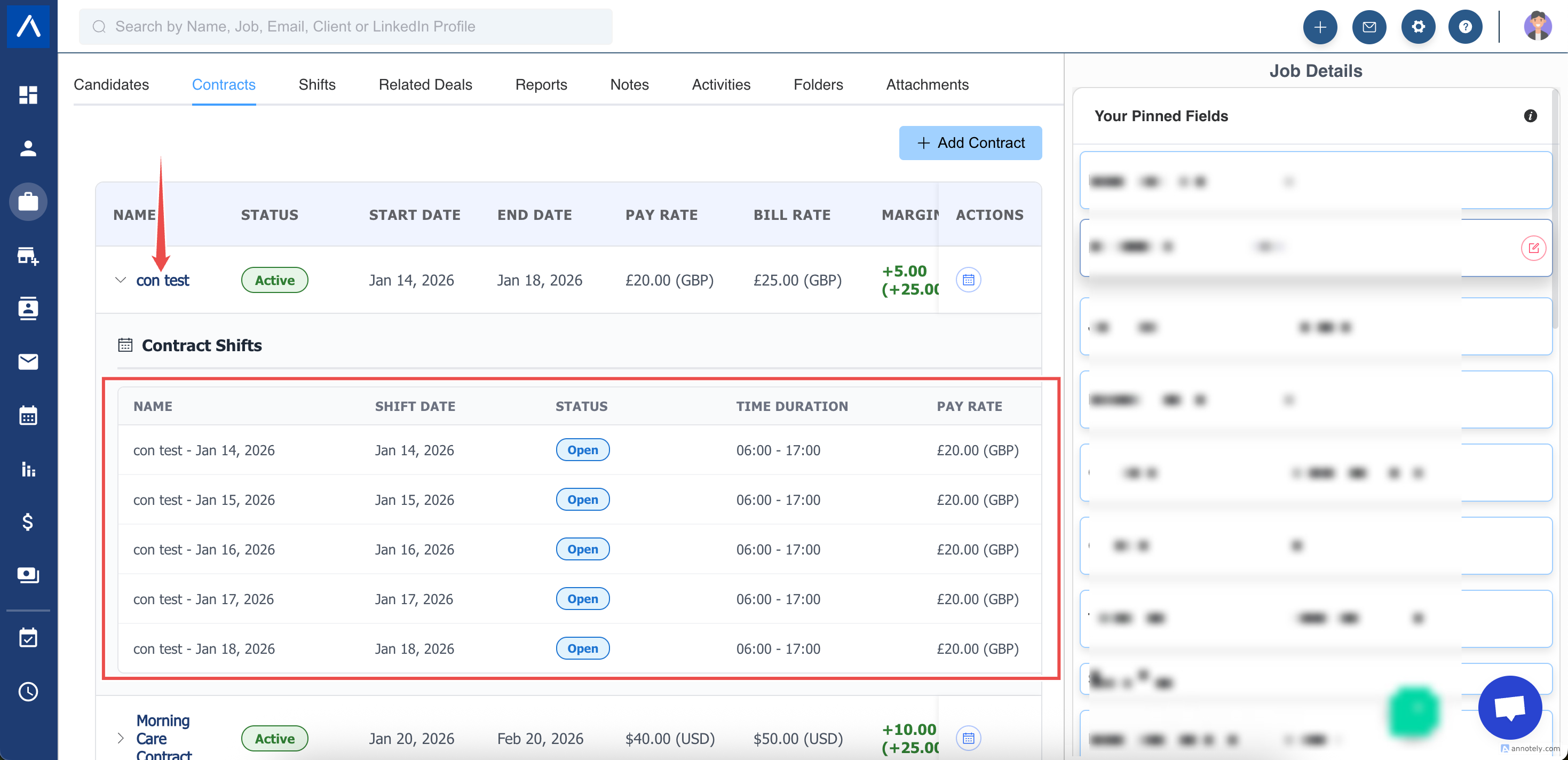
Generate and Review Shifts
Shifts are generated from the contract schedule. For example, a Monday-Friday 9am-6pm contract generates one shift per working day.
For shift booking and daily timesheet details, see manage shifts and timesheets.
End an Open-ended Contract
Use End Contract when the assignment receives a confirmed finish date.
- Open the job’s Contracts tab.
- Find the open-ended contract and select End Contract.
- Choose a date later than the current date.
- Review the impact preview.
- Confirm End Contract.
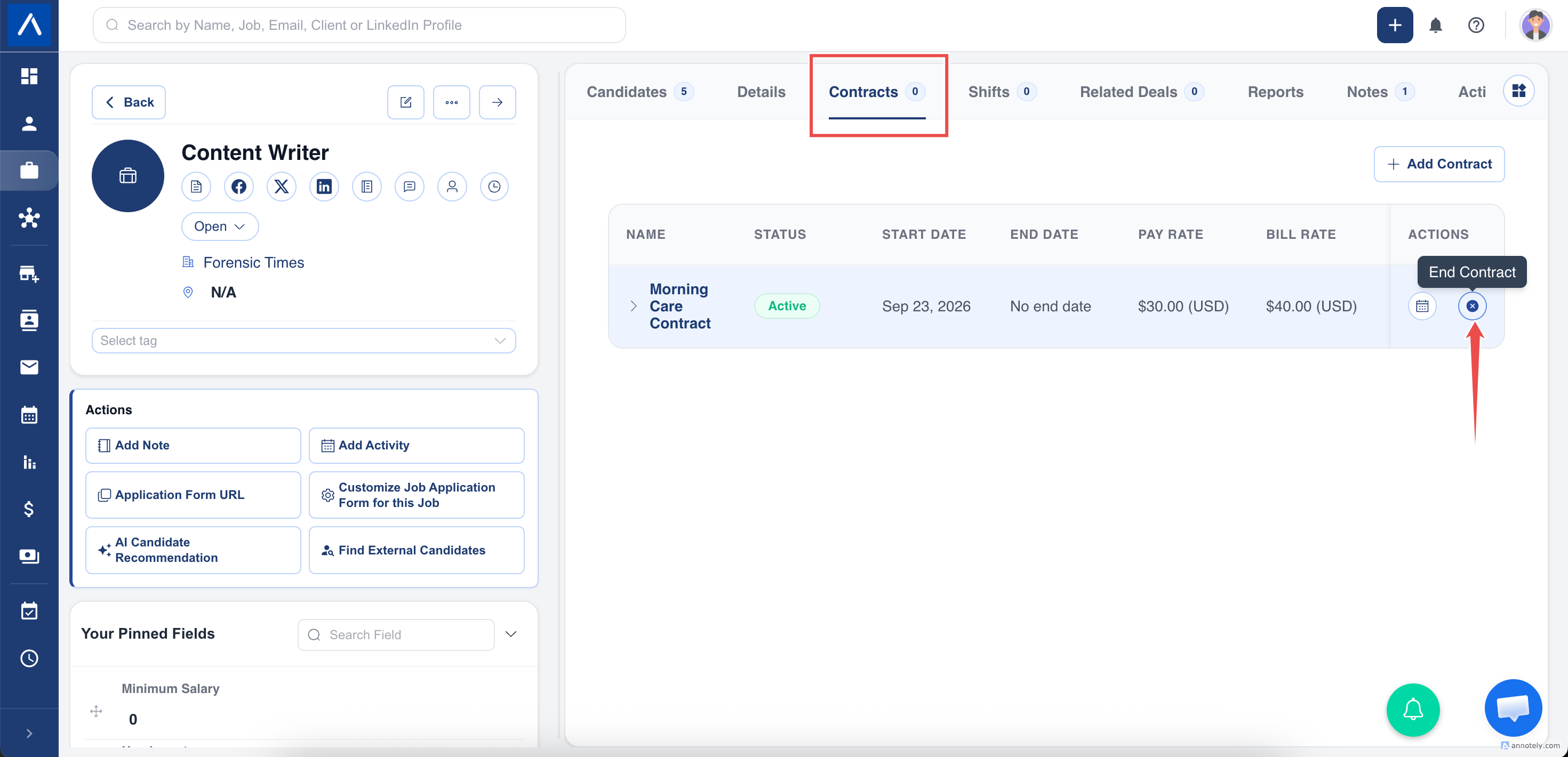
The preview shows whether shifts and confirmed bookings after the selected date will be cancelled. A completed shift after the proposed date blocks the change, so choose a later date.
When confirmed, ATZ CRM:
- Saves the selected contract end date.
- Generates every remaining scheduled shift through that end date immediately.
- Cancels future shifts outside the new contract range.
- Cancels confirmed bookings attached to those out-of-range shifts.
- Stops weekly generation for that contract.
Book Candidates to Shifts
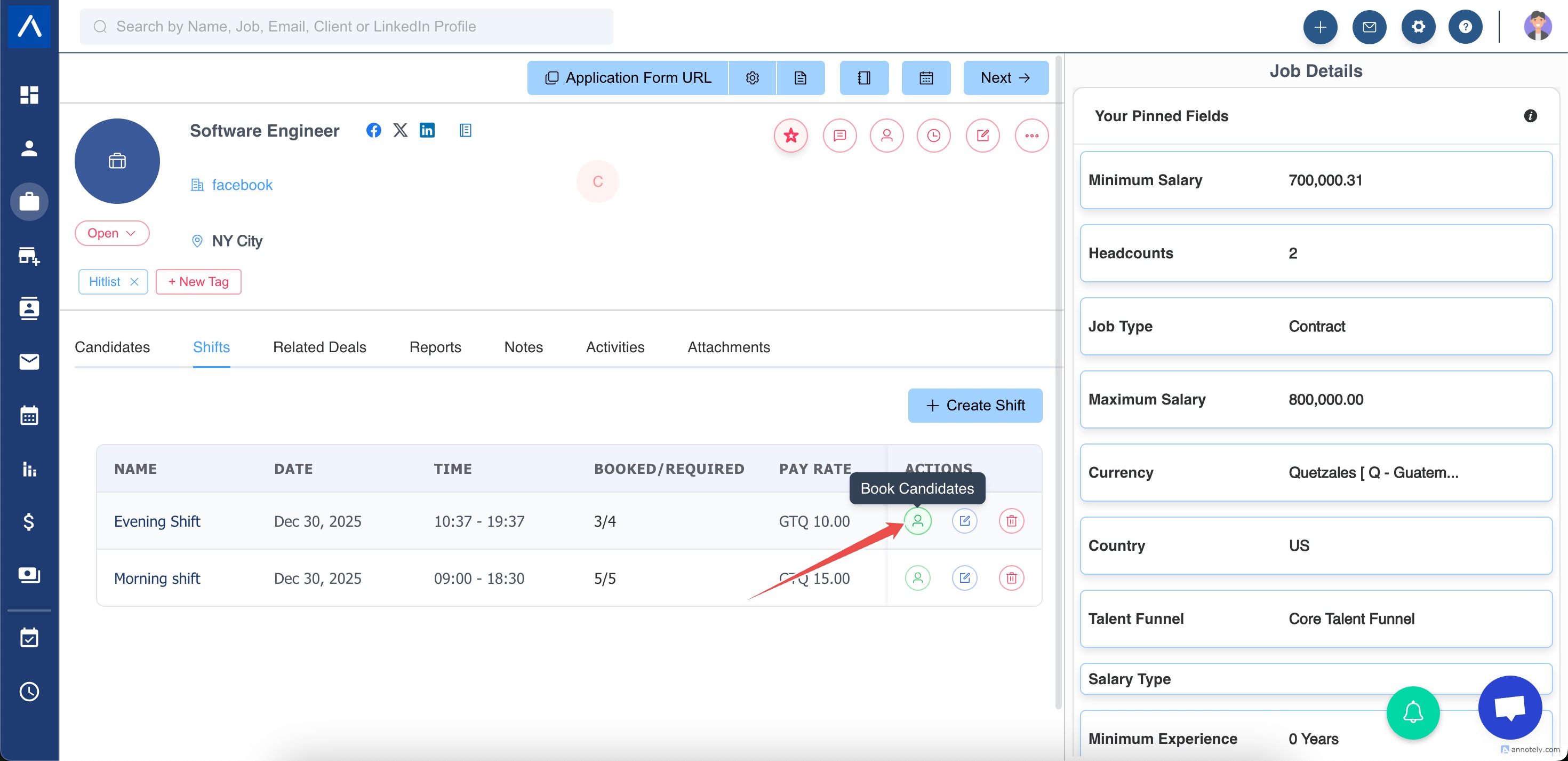
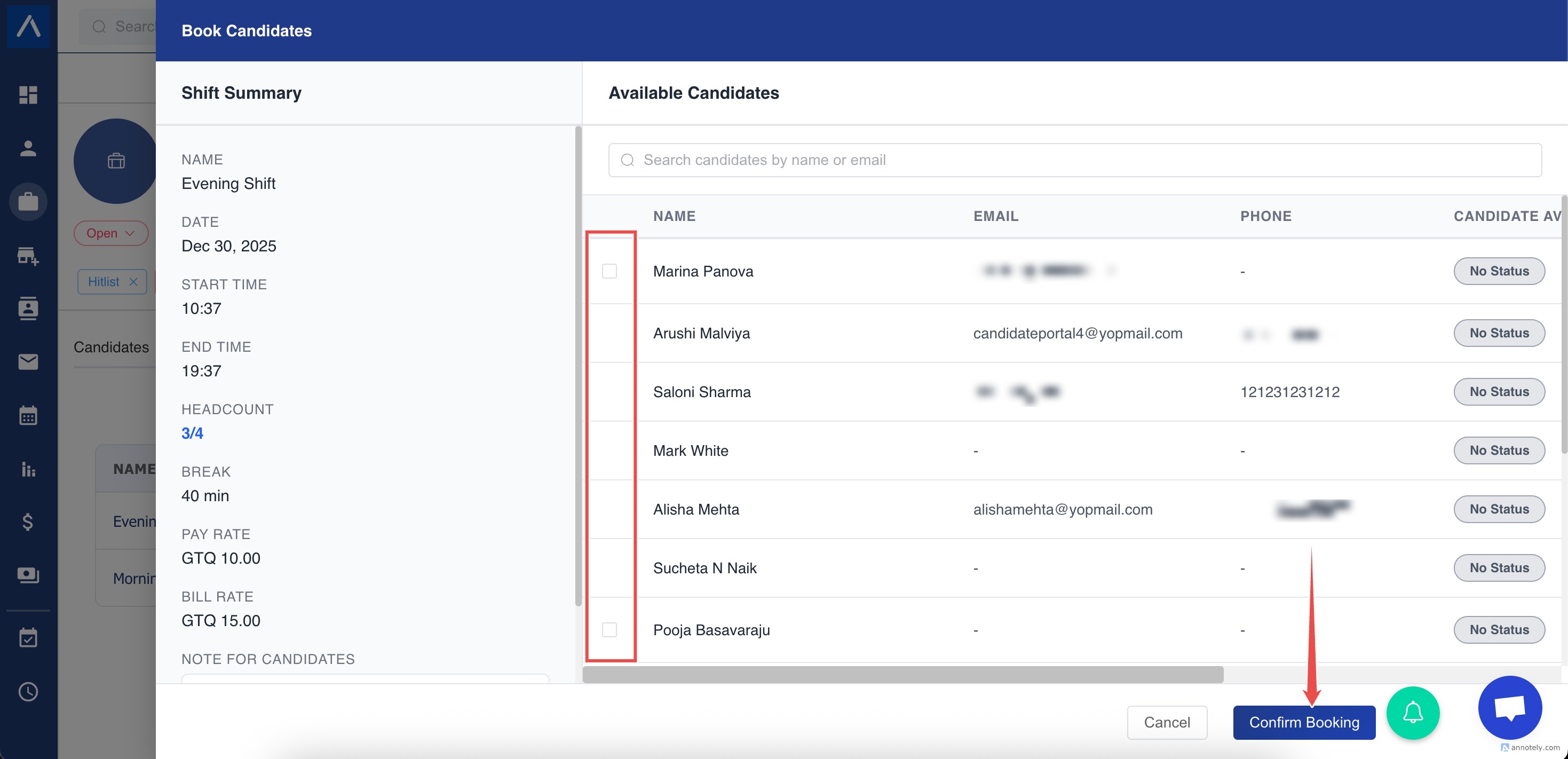
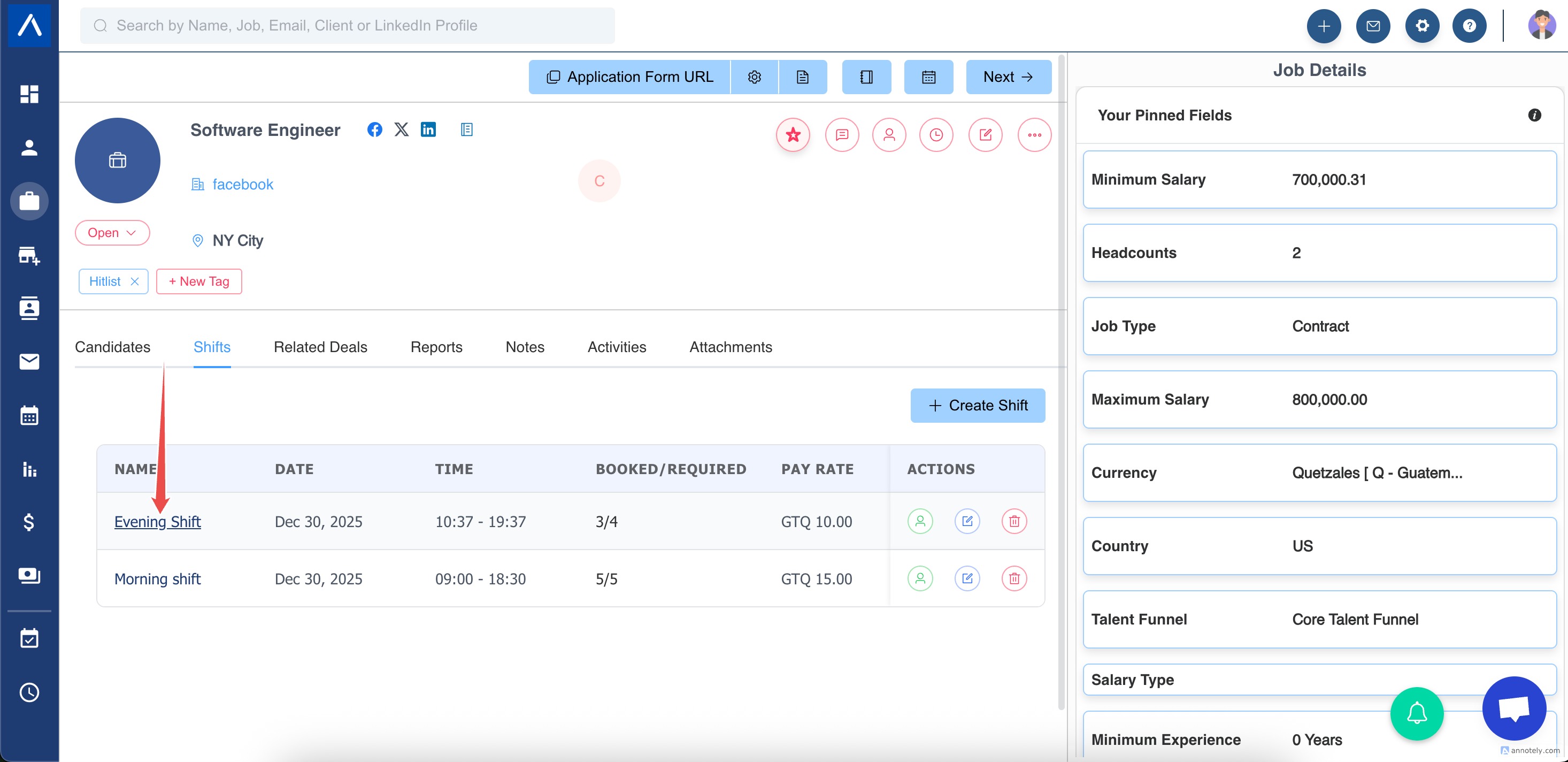
Open a shift and book one or more candidates. ATZ CRM helps prevent double booking and enforces headcount.
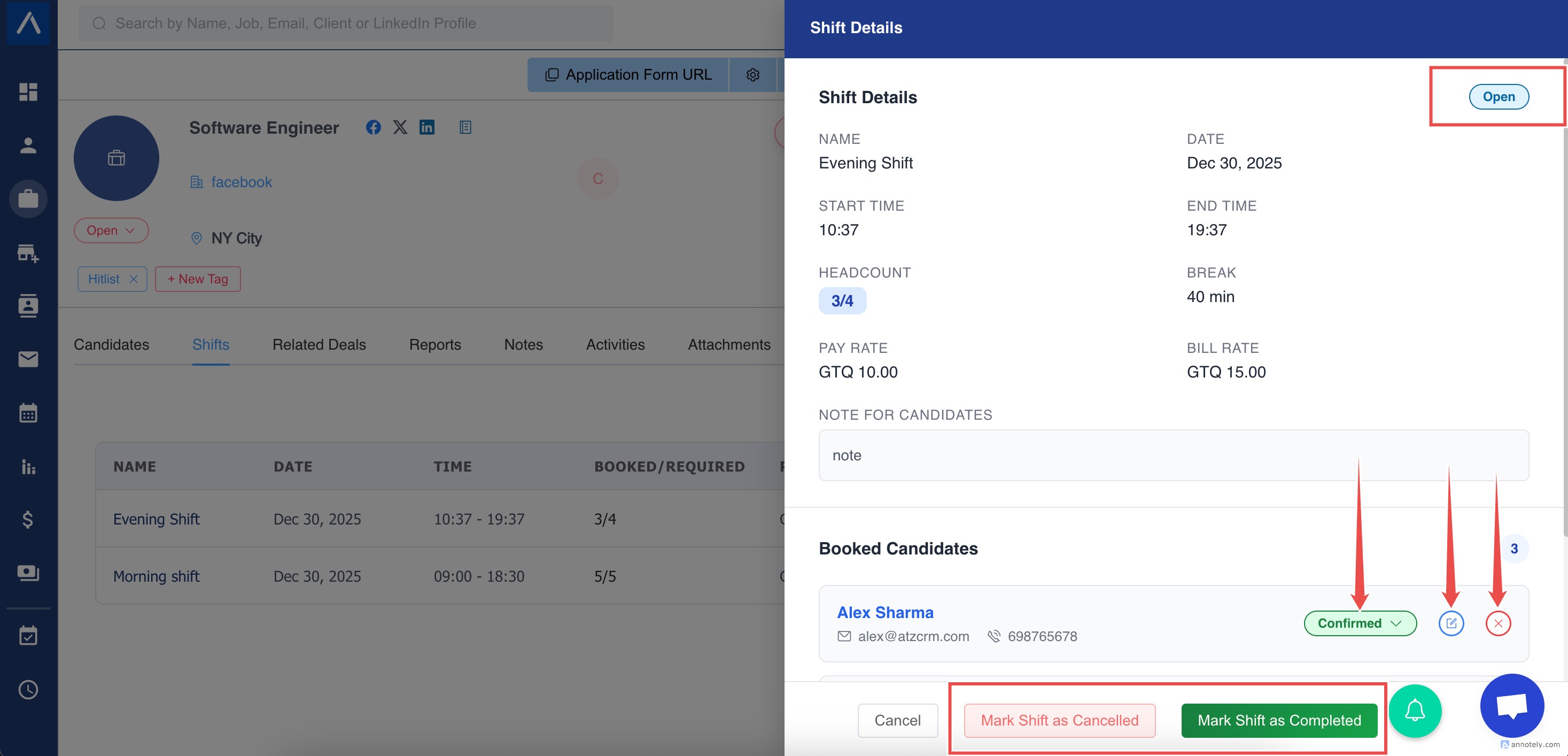
Complete Shifts and Create Timesheets
After work is done, mark the shift completed. ATZ CRM creates draft timesheets for booked candidates.
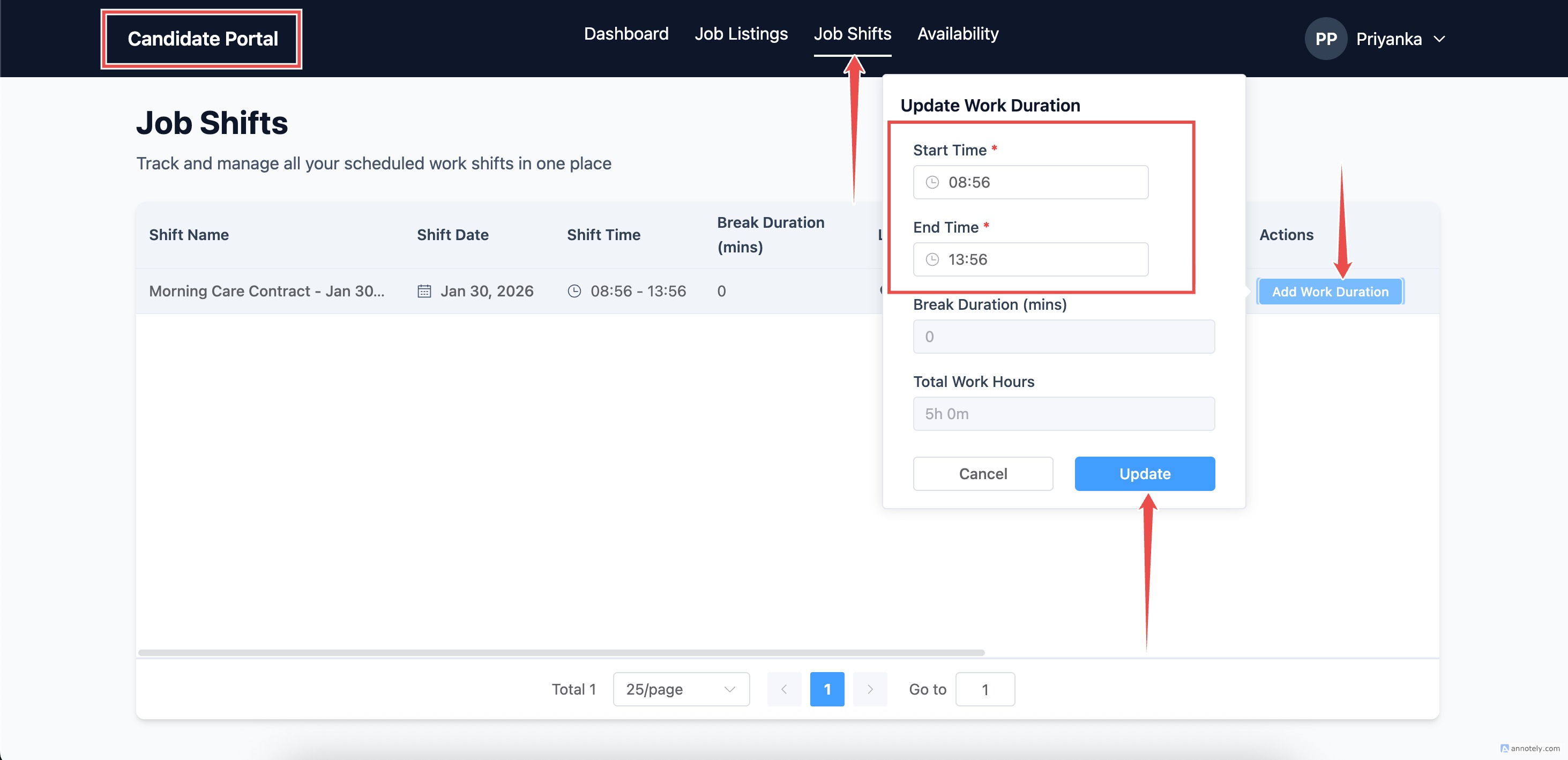
Candidates submit actual hours from the Candidate Portal.
Review Monthly Timesheets
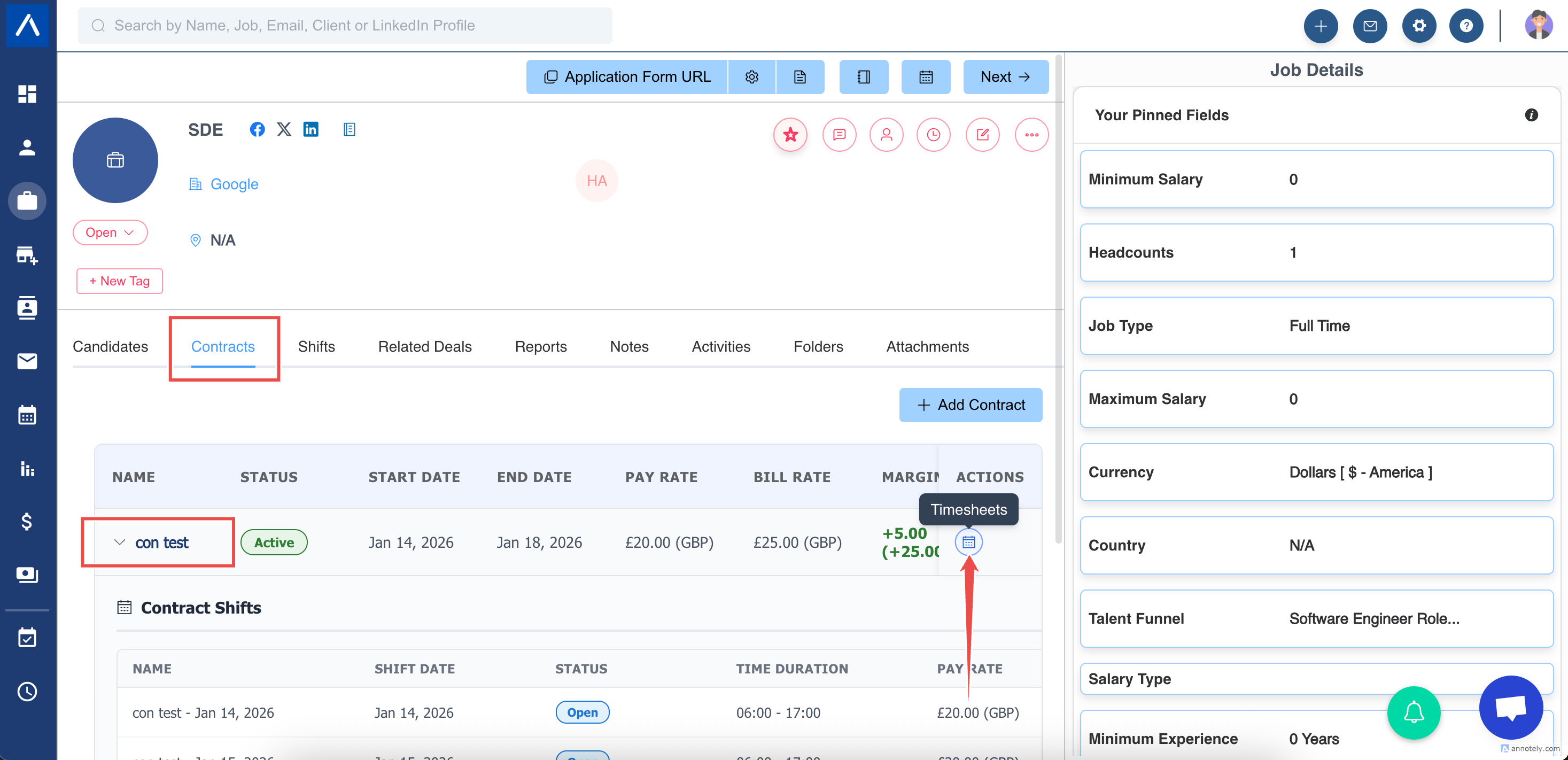
Monthly timesheets summarize completed bookings for a contract.
- Open the Contracts tab in the job detail page.
- Select Timesheets for a contract.
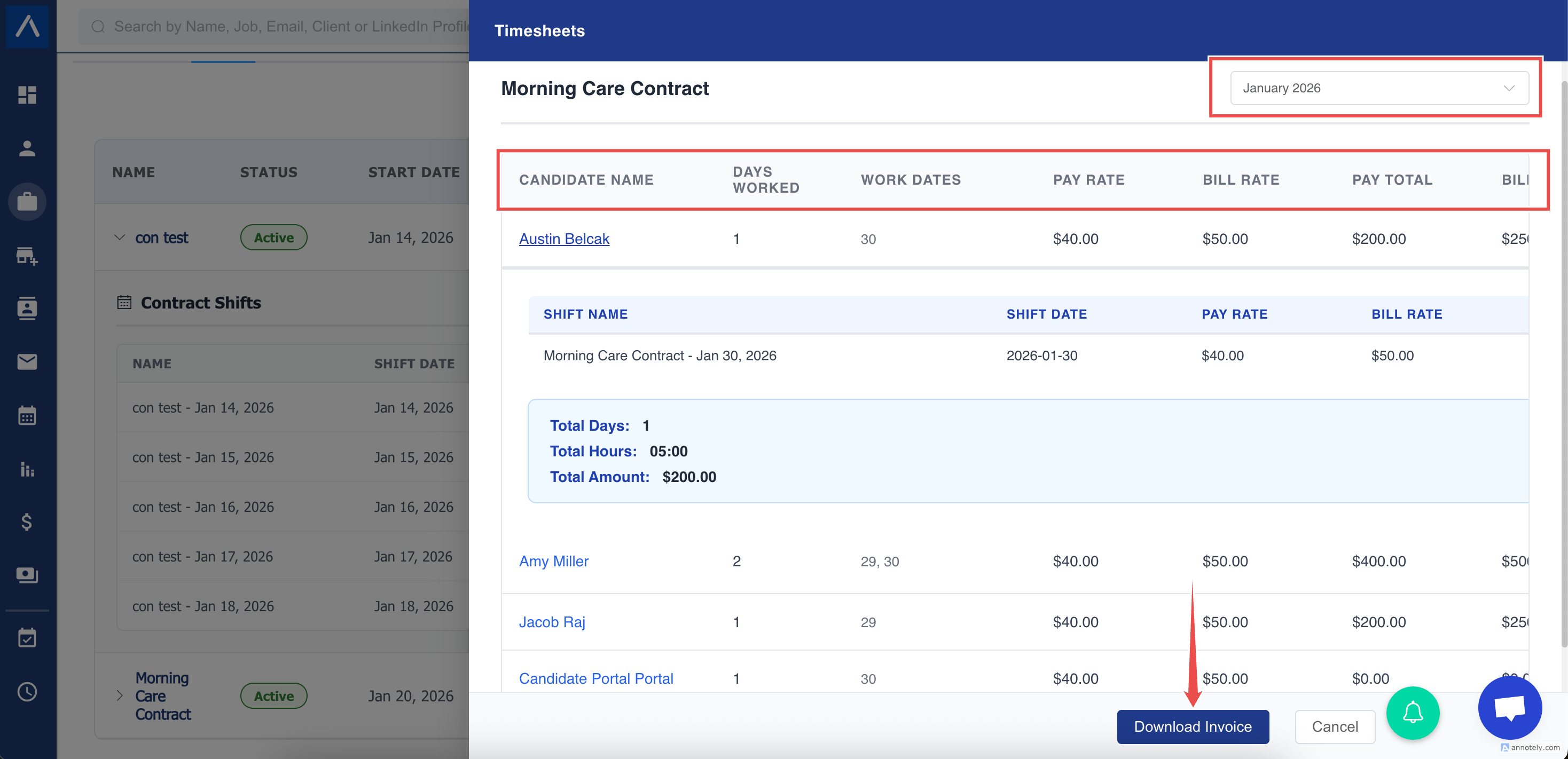
Monthly timesheets can show:
- Candidate
- Period
- Days worked
- Bill amount
- Status
You can filter by month, approve or reject candidate timesheets, download a timesheet summary, and download invoices for approved timesheets.
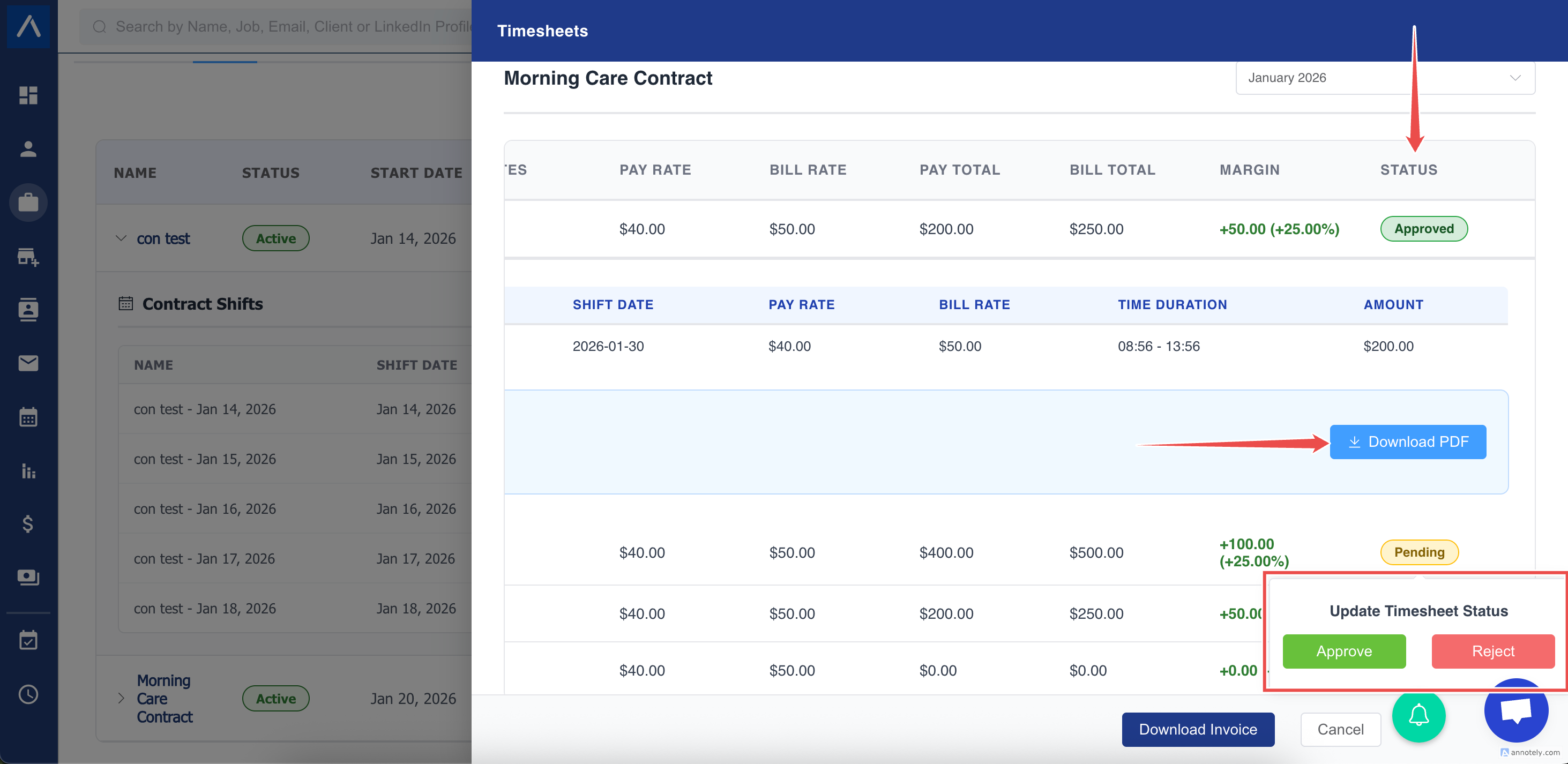
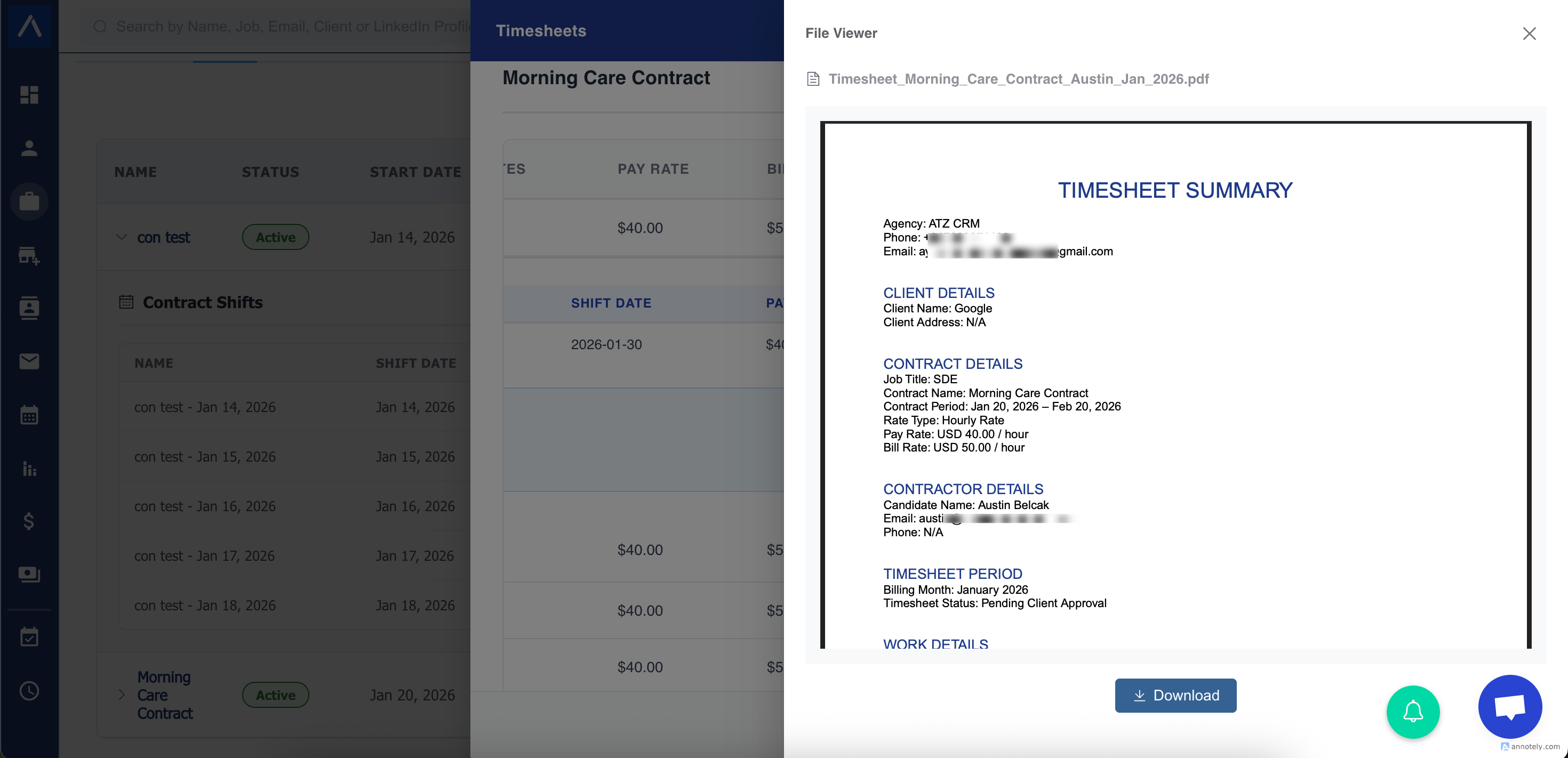
Download Timesheet Summary and Invoice
Recruiters can download a timesheet summary PDF for proof of work.
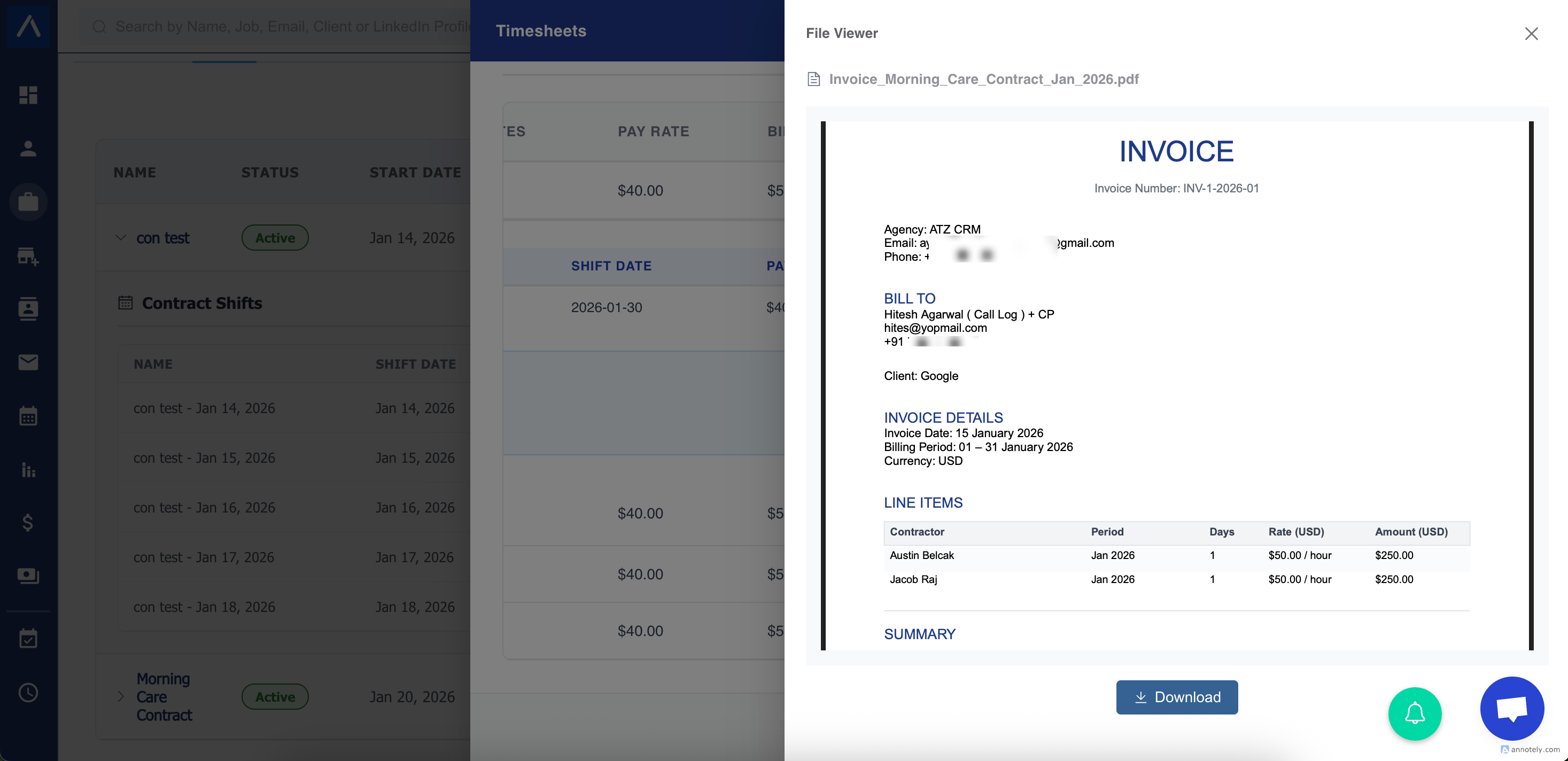
Approved timesheets can be used to download an invoice.
Client Approval
When ready, ATZ CRM can email one pending submitted timesheet or a selected timeframe to the appropriate job contacts. The recruiter previews the number of timesheets, jobs, and separate emails before sending.
Emails show actual submitted hours and provide Review and approve all for a batch. Existing approvals and rejections remain unchanged if the client later opens another batch request.
See Email Timesheets for Client Approval for scope, date-range, recipient, and preview guidance.
Margin Visibility
ATZ CRM can calculate:
- Pay total
- Bill total
- Gross margin
- Margin percentage
This helps recruiters understand contract profitability without separate spreadsheets.
Common Scenarios
Multiple Candidates on One Contract
Each candidate is tracked separately and can be billed together.
No-Show
Mark no-show so no timesheet or billing is generated.
Candidate Leaves Early
Candidate submits actual hours and the client approves adjusted time.
Client Rejects a Timesheet
The status changes to rejected, the candidate can resubmit, and the audit trail remains available.
Use Cases
Day-Rate Contractors
Manage contractors by contract, shift, daily timesheet, and monthly billing period.
Temp Staffing Billing
Turn approved worked time into invoices more reliably.
Margin Management
Review pay and bill totals at contract and monthly levels.
Troubleshooting
Shifts Were Not Generated
Review the contract schedule, working days, start/end settings, and times. For an open-ended contract, confirm the account is active and the contract is still active.
Timesheet Cannot Be Approved
Confirm shifts are completed and candidate hours have been submitted.
Invoice Is Missing
Check whether the related timesheets are approved.
Frequently Asked Questions
Does ATZ CRM force clients into a portal?
The source article notes that client approval can happen from email without a login.
Can monthly approval replace daily approval?
Use the timeframe email workflow to group eligible pending submitted timesheets for client review. The client can review and approve the eligible items together.
Is the timesheet summary an invoice?
No. The summary is proof of work. The invoice is generated separately from approved time.