
Why Export ATZ CRM Data
Exporting helps teams analyze records, share filtered lists, create reports, back up selected data, or work with data outside ATZ CRM.
Export Data
- Open the entity or list you want to export.
- Select the records or fields you need.
- Click the export option at the top.
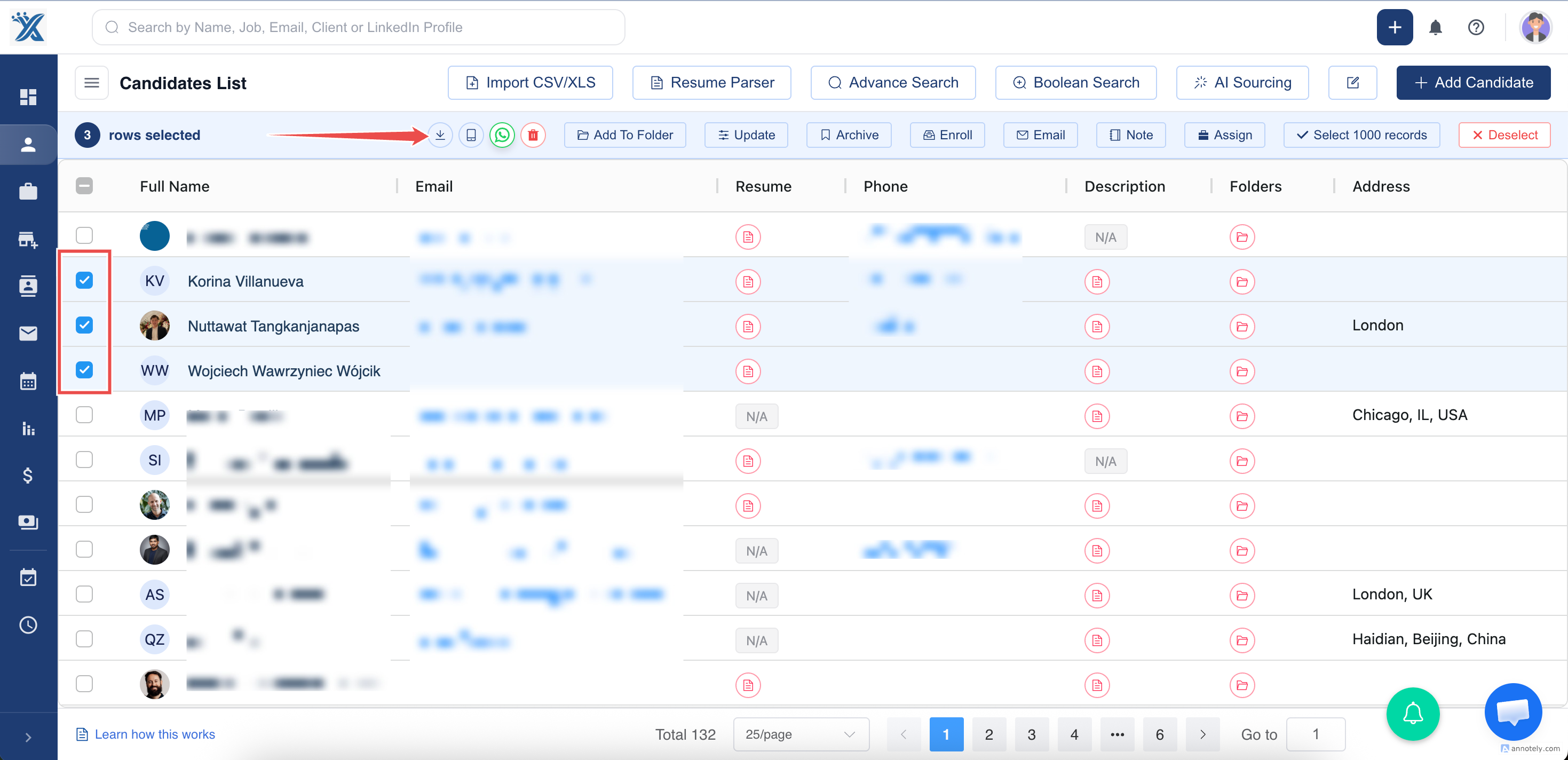
Choose Export Columns
When prompted:
- Choose Yes to export all standard and custom columns for the entity.
- Choose No to export only the visible columns in the table.
Download the Export
ATZ CRM downloads the data in Excel and CSV format.
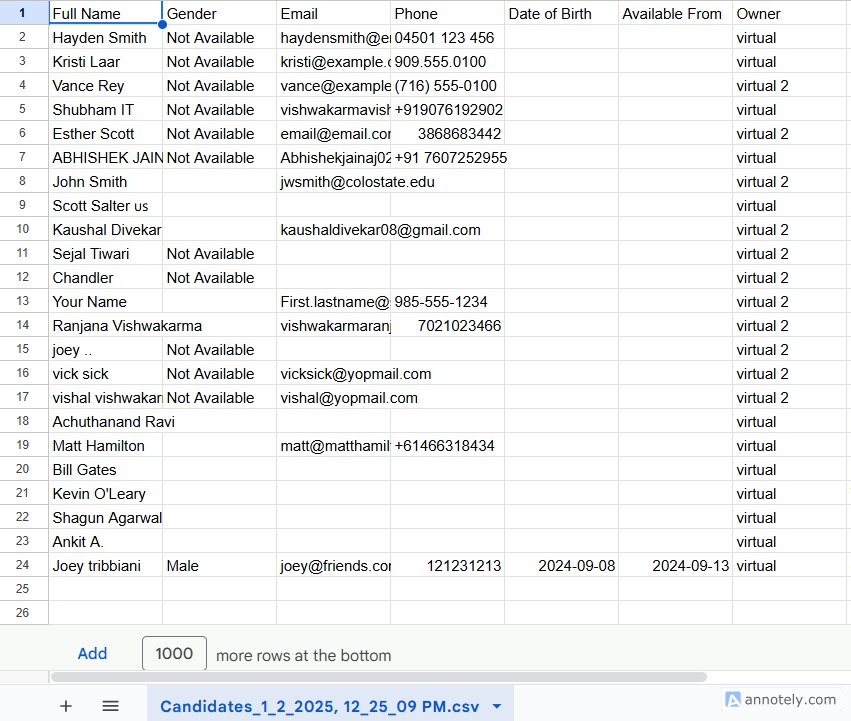
Use Cases
Reporting and Analysis
Export records for spreadsheet analysis, leadership updates, or campaign review.
Clean Data Review
Export visible columns after filtering a list to review only the fields you need.
Operational Handoff
Share selected candidate, contact, or job data with approved internal stakeholders.
Troubleshooting
Export Has Too Many Columns
Choose visible columns only, or customize the table columns before exporting.
Export Is Missing Fields
Make sure the fields are visible if you selected visible columns only.
File Does Not Download
Check browser download permissions and try again after refreshing the page.
Frequently Asked Questions
Can custom fields be exported?
Yes. Choose all entity columns when you need standard and custom fields.
Can I export filtered results?
Use filters or advanced search first, then export the resulting list.
Is export useful before a bulk update?
Yes. Exporting a list before major updates can give you a review copy of the current data.