
The AI Candidate Submission Agent helps recruiters draft polished client submission emails for candidates already assigned to jobs.
Quick Answer
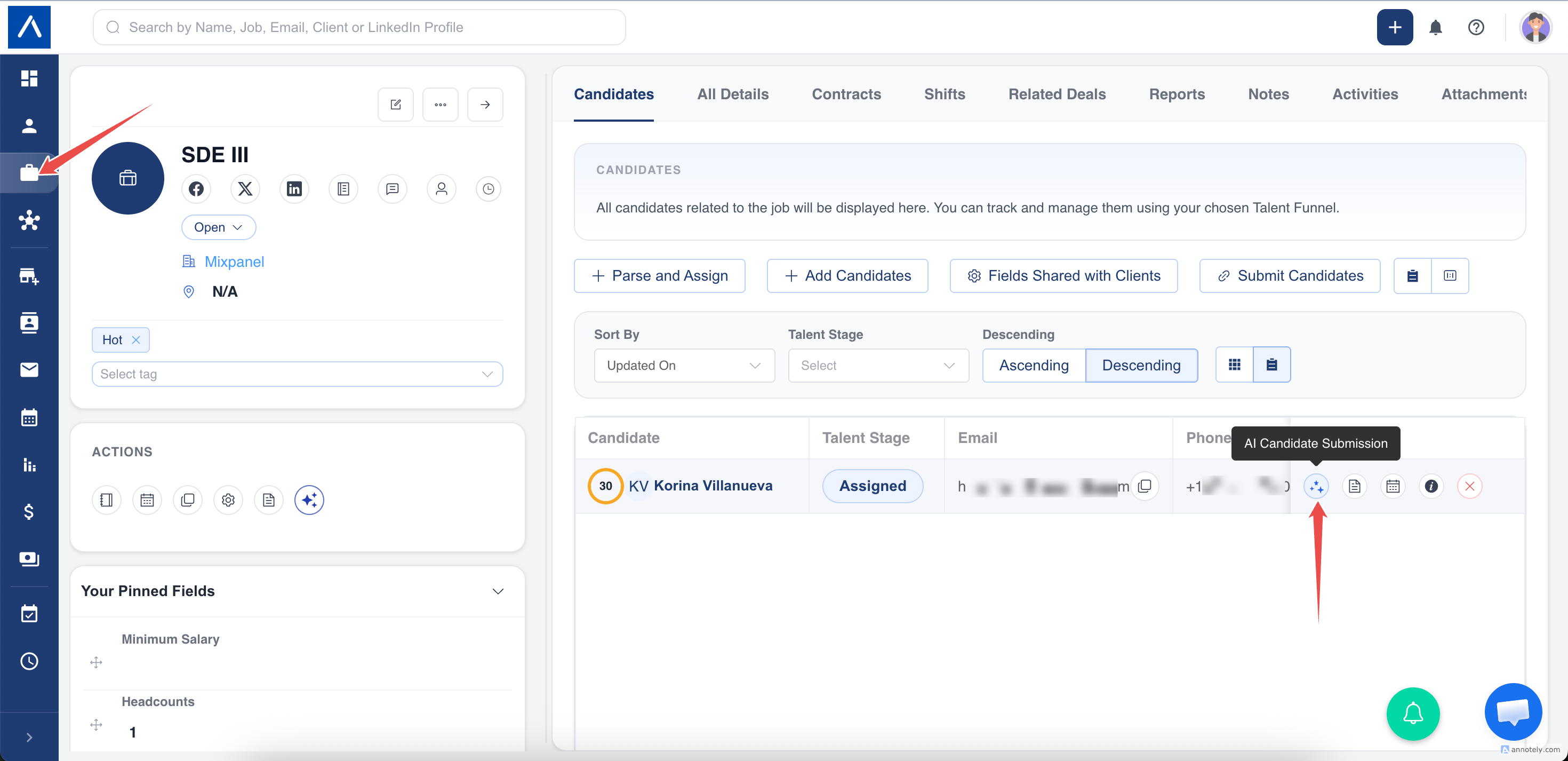
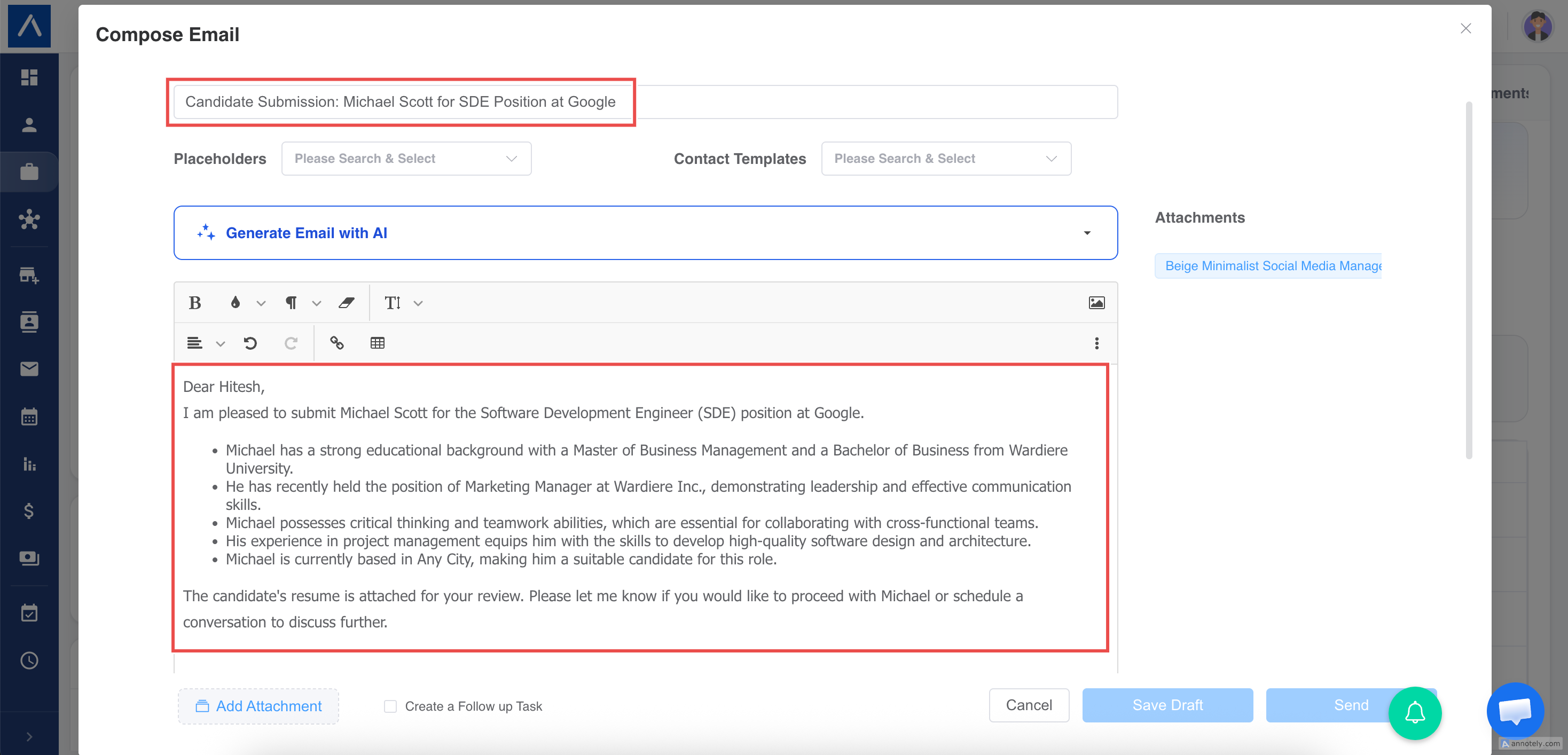
Click AI Candidate Submission from a job candidate row or candidate assigned-job row. ATZ CRM generates a submission email for the job’s primary contact, attaches the resume when available, and opens the email composer for review.
Before You Start
Confirm:
- The candidate is assigned to the job.
- The job has a primary contact.
- The primary contact has an email address.
- Your email account is connected.
- You have permission to view contacts.
- The candidate has a resume uploaded if you want it attached.
Generate from a Job
- Open the job.
- Go to the job’s Candidates section.
- Find the candidate.
- Click AI Candidate Submission.
- Review the generated subject, body, recipient, and attachment.
- Click Send when ready.
Generate from a Candidate
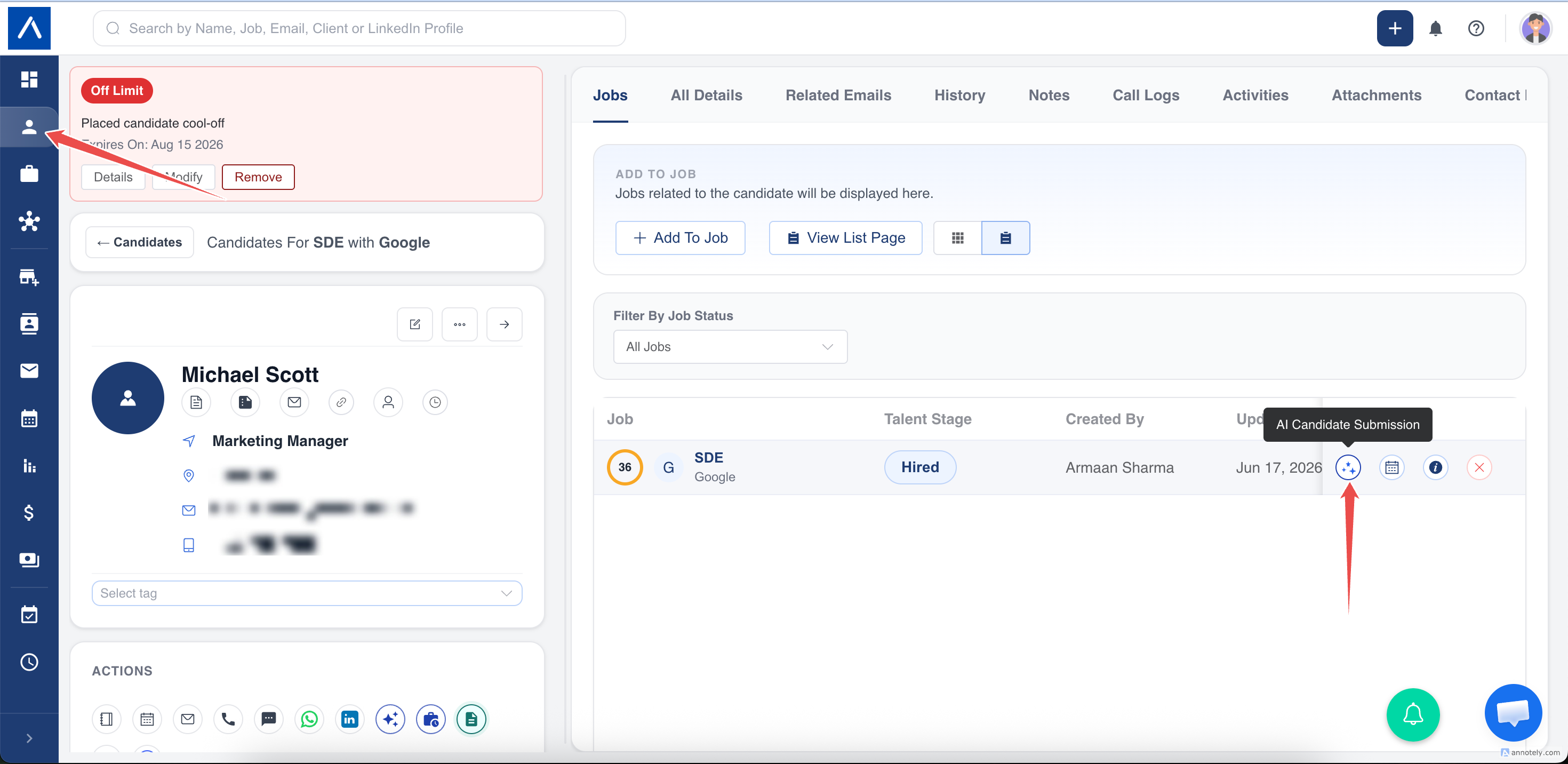
- Open the candidate profile.
- Go to assigned jobs.
- Find the relevant job.
- Click AI Candidate Submission.
- Review and send the draft.
What Gets Pre-Filled
The email composer includes:
- To: job primary contact.
- AI-generated subject.
- AI-generated body.
- Candidate resume attachment, if uploaded.
- Your saved email signature.
- Your saved font style and size.
Best Practices
- Keep candidate work history, education, skills, notice period, availability, and salary details updated.
- Add a clear job description and required skills.
- Review every AI-generated email before sending.
- Replace the attached resume if you want to send a different version.
Troubleshooting
Primary Contact Is Missing
Open the job and add a primary contact.
Email Is Not Generated
Check that the primary contact has an email and that you can view contact details.
Resume Is Not Attached
Confirm the candidate has a resume uploaded.
FAQs
Is this the same as pitching a candidate?
No. This is for candidates already assigned to a job. Candidate pitching is a separate contact workflow.
Does AI generate my signature?
No. The email composer applies your saved signature.
Can I change the recipient?
Yes. The email composer is editable before sending.