
What the Chrome Extension Does
The ATZ CRM Chrome Extension helps recruiters source candidate, contact, and company data from supported web pages without switching between tabs and manually copying fields. It is most useful when you are reviewing candidate profiles on LinkedIn or other recruiting sources and want to create a candidate record quickly.
Use the extension when you want to:
- Add sourced candidates to ATZ CRM from a browser page.
- Reduce manual data entry during sourcing sessions.
- Review and edit captured fields before saving a profile.
- Keep candidates, contacts, and companies connected to your recruitment CRM workflow.
Install the ATZ CRM Chrome Extension
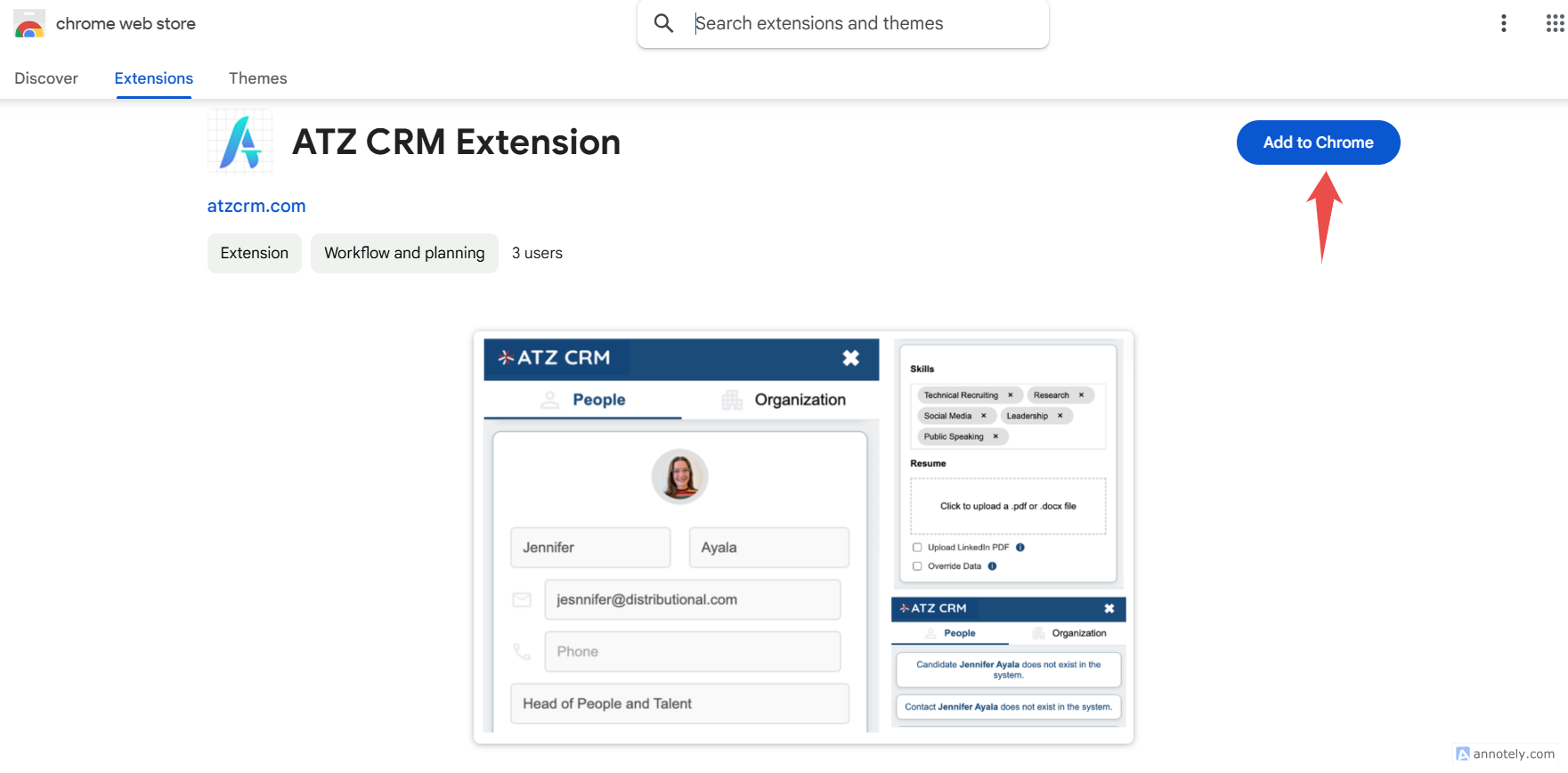
- Open the ATZ CRM Chrome Extension listing.
- Select Add to Chrome.
- Confirm by selecting Add Extension.
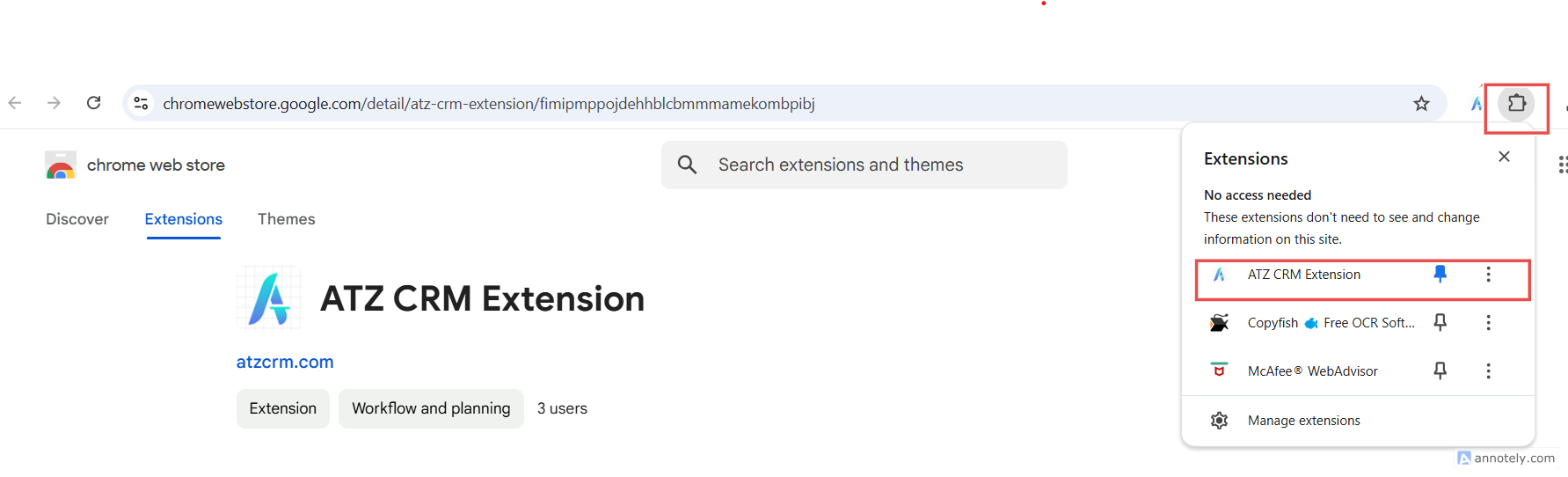
- Pin the extension in your browser toolbar so it is easy to access while sourcing.
Add a Candidate with the Extension
Open the Candidate Source Page
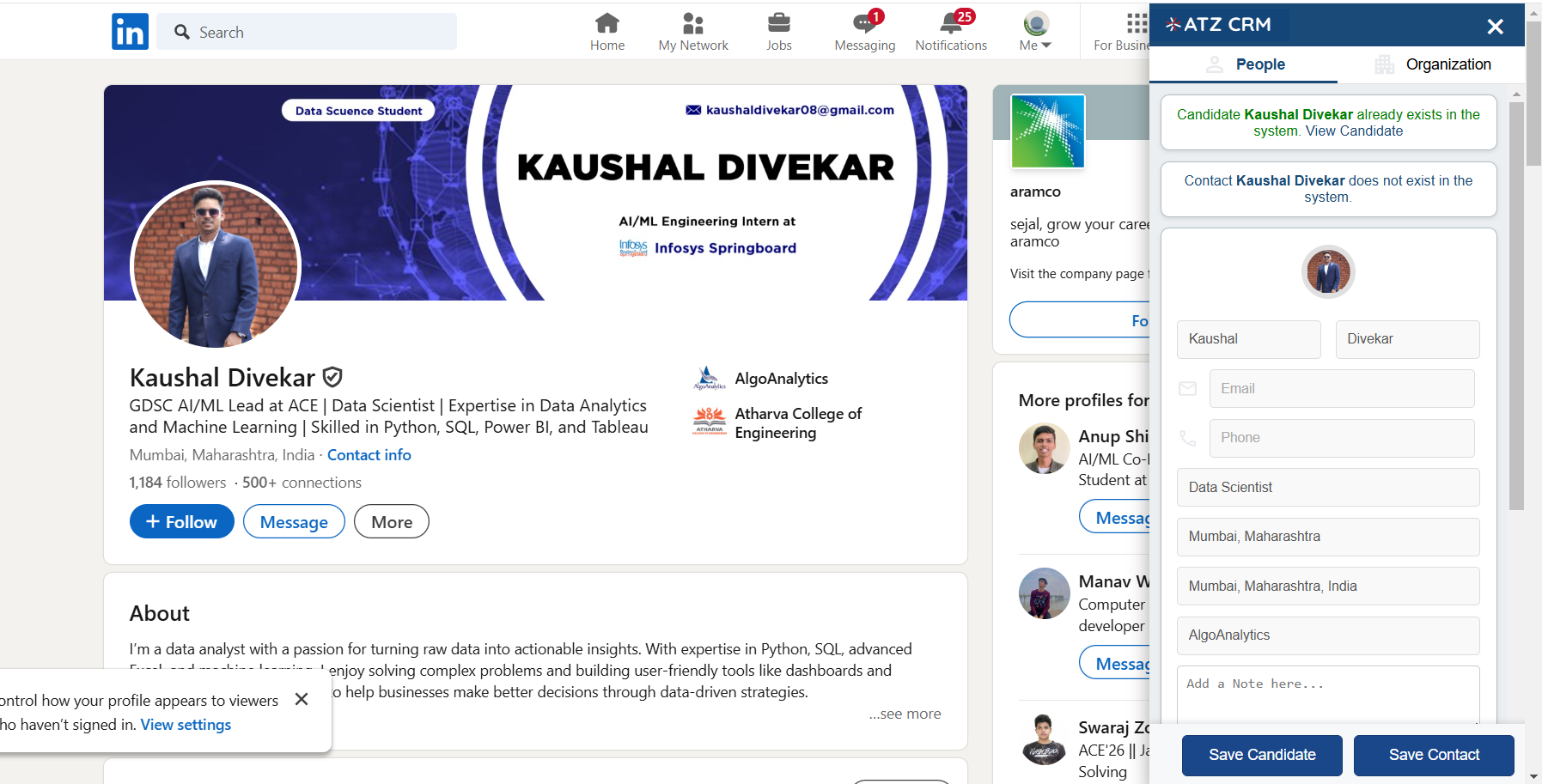
Open the candidate profile, resume page, or sourcing page you want to capture. Wait until the page is fully loaded so the extension can read available candidate details.
Open the Extension and Sign In
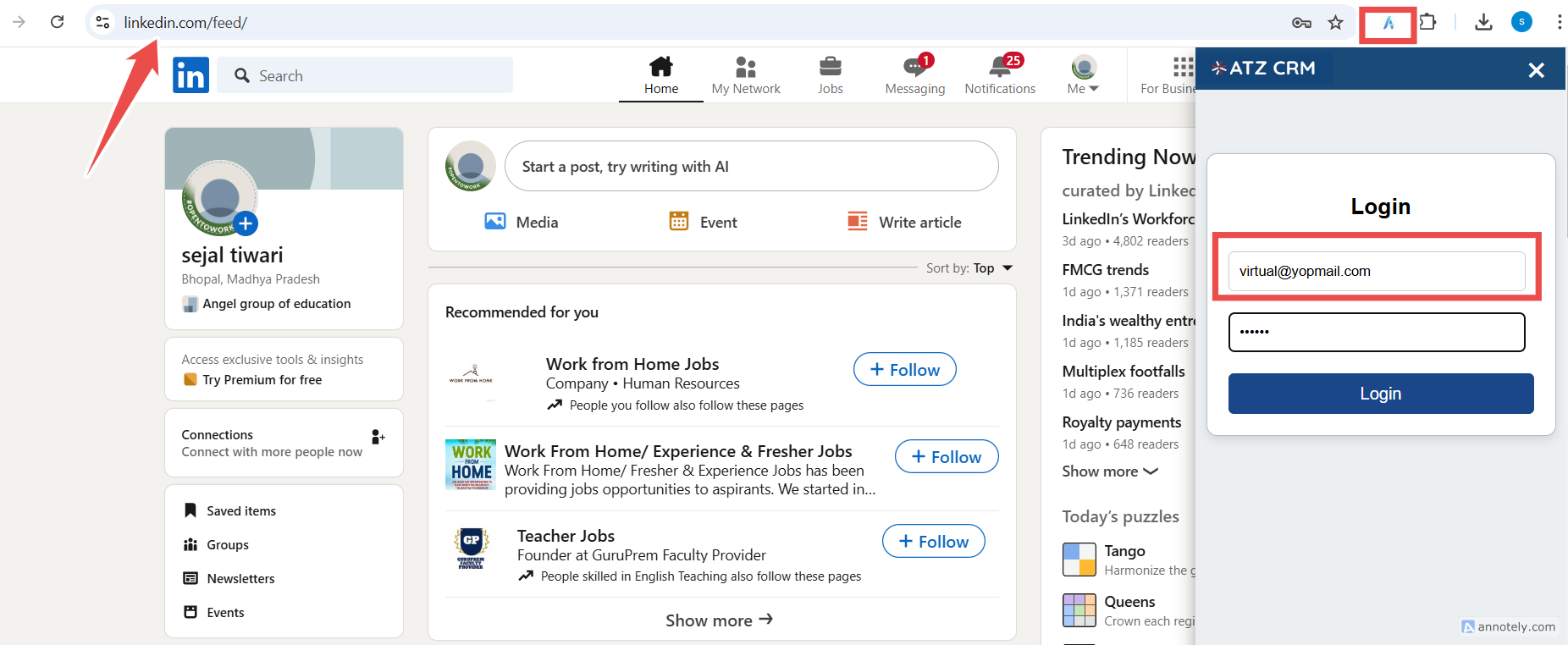
Click the ATZ CRM Extension icon in your browser toolbar and sign in with your ATZ CRM credentials.
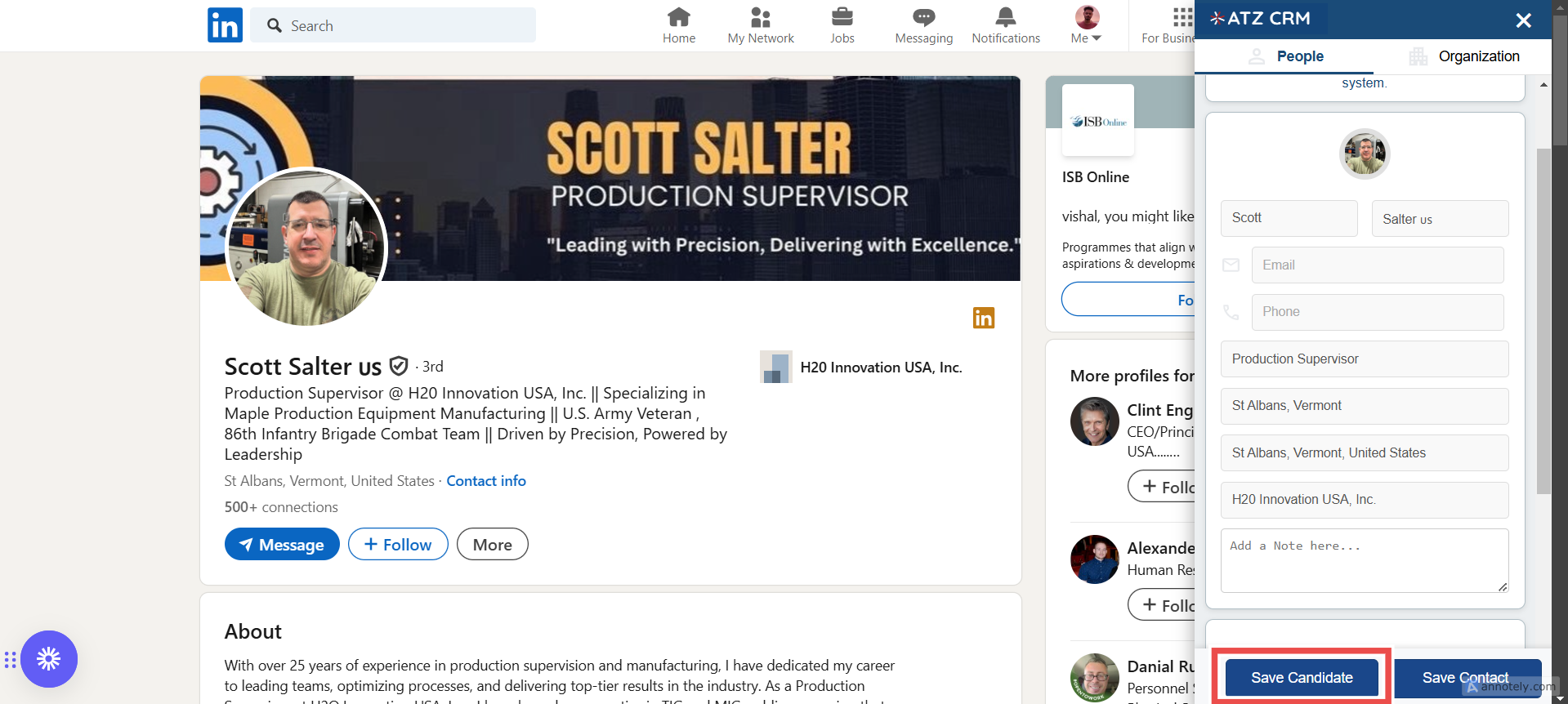
Review Captured Candidate Data
The extension attempts to detect candidate information from the active page. Depending on the source page, fields such as name, email, phone number, skills, and current role may be pre-filled.
Note: Contact information is only available when the source page exposes it. Private LinkedIn email or phone fields cannot be captured if the candidate has hidden them.
Save the Candidate
Review the fields, make any corrections, and select Save or Add Candidate in the extension.
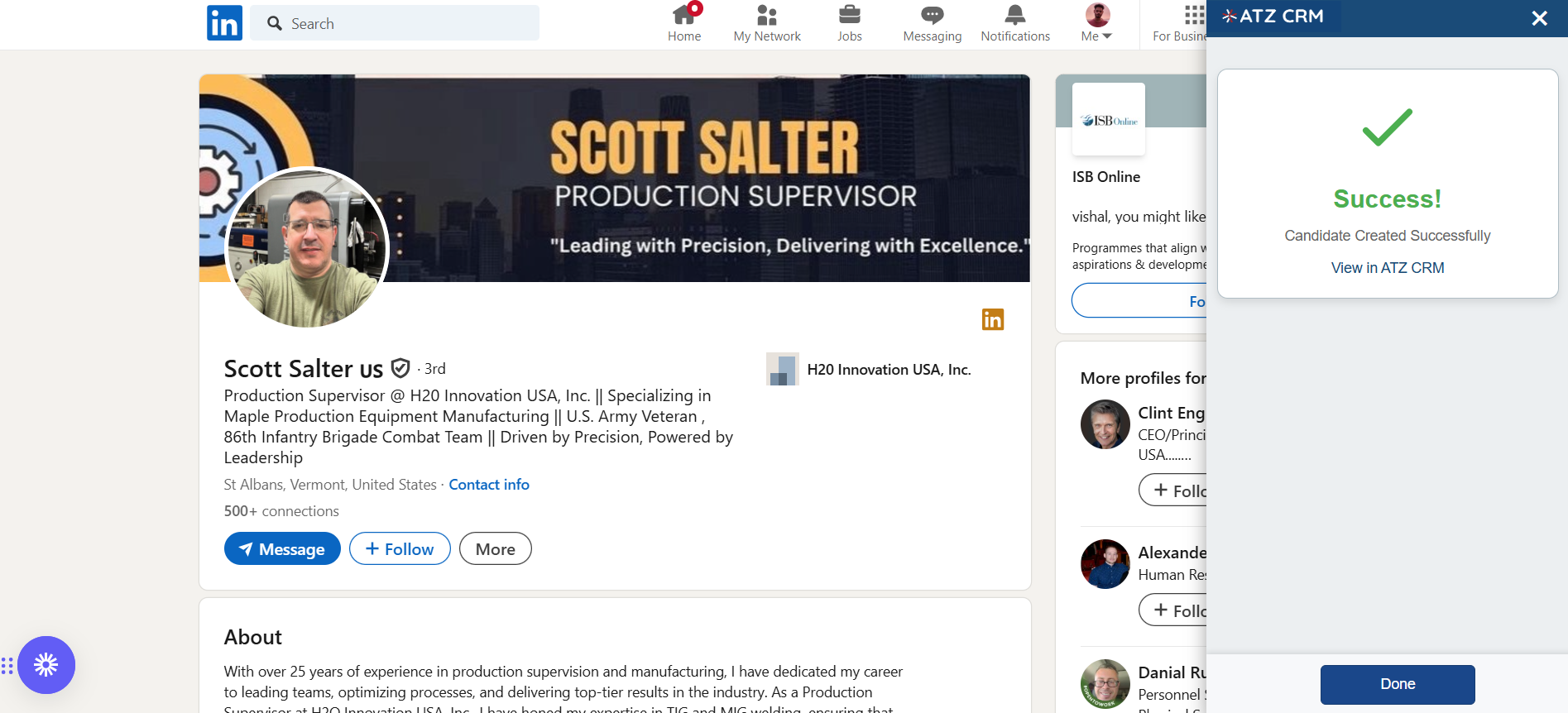
After the save is complete, the extension shows a confirmation message.
Use Cases
LinkedIn Candidate Sourcing
Use the extension when you are reviewing profiles and want to create candidate records without manually copying each field.
Fast Database Building
During active sourcing campaigns, the extension helps you add records faster while keeping candidate data inside ATZ CRM.
Recruiter Handoff
Once a candidate is saved, your team can assign the candidate to jobs, update stages, add notes, or parse and attach resumes from the candidate profile.
Troubleshooting
The Extension Does Not Appear
Confirm that you installed the extension in a Chromium-based browser and pinned it to the toolbar.
The Extension Captures Limited Data
Open the candidate page fully before running the extension. If fields are still missing, the source page may not expose that information.
I Cannot Save the Candidate
Check that you are signed in with the correct ATZ CRM account and that your user role has permission to create candidates.
Frequently Asked Questions
Can I use the extension outside LinkedIn?
Yes. The extension can be used on supported web pages, although the fields it captures depend on the structure and visibility of the source page.
Does this replace manual candidate creation?
No. It is a faster sourcing option. You can still add candidates manually when you need more control or when the source page has limited data.
What should I do after saving a sourced candidate?
Review the profile, add missing details, attach or parse the resume if available, and assign the candidate to the relevant job.