
Why Use Screening Questions
Screening questions help recruiters collect job-relevant information before manually reviewing every candidate. You can use them to ask about skills, certifications, notice period, salary expectations, work authorization, availability, or role-specific requirements.
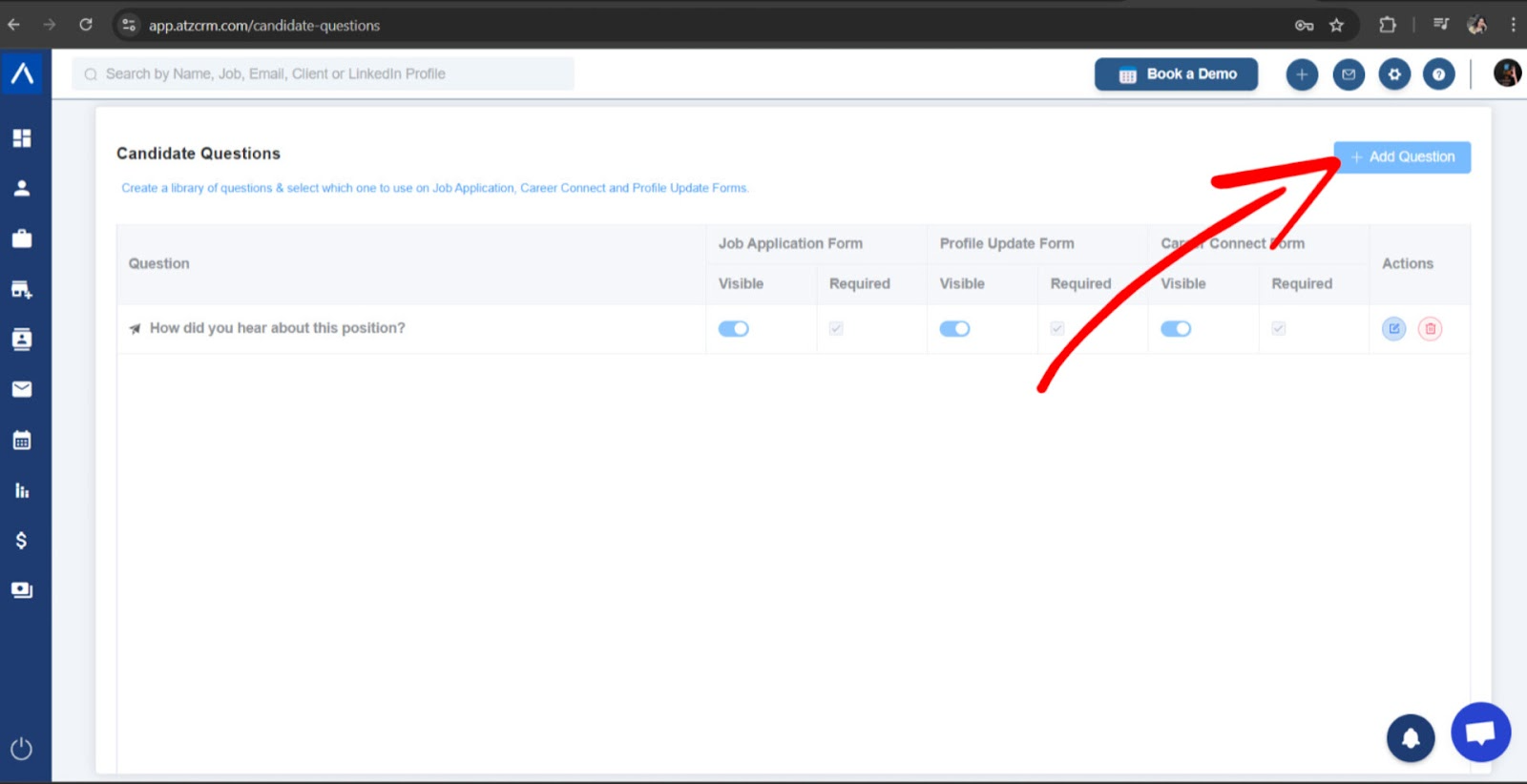
Step 1: Open Candidate Questions
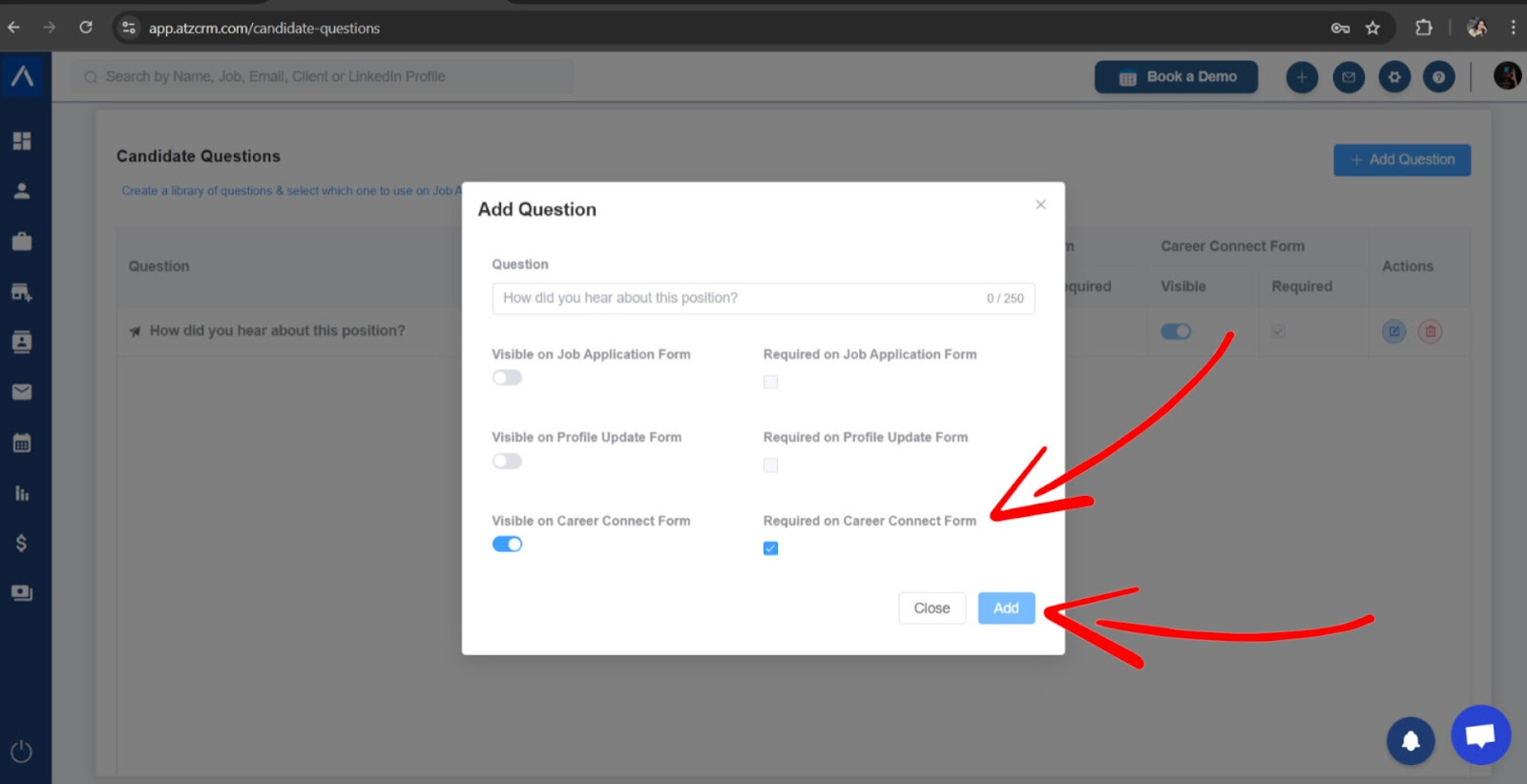
Log in to ATZ CRM, go to Settings, and open Candidate Questions. Select Add Question.
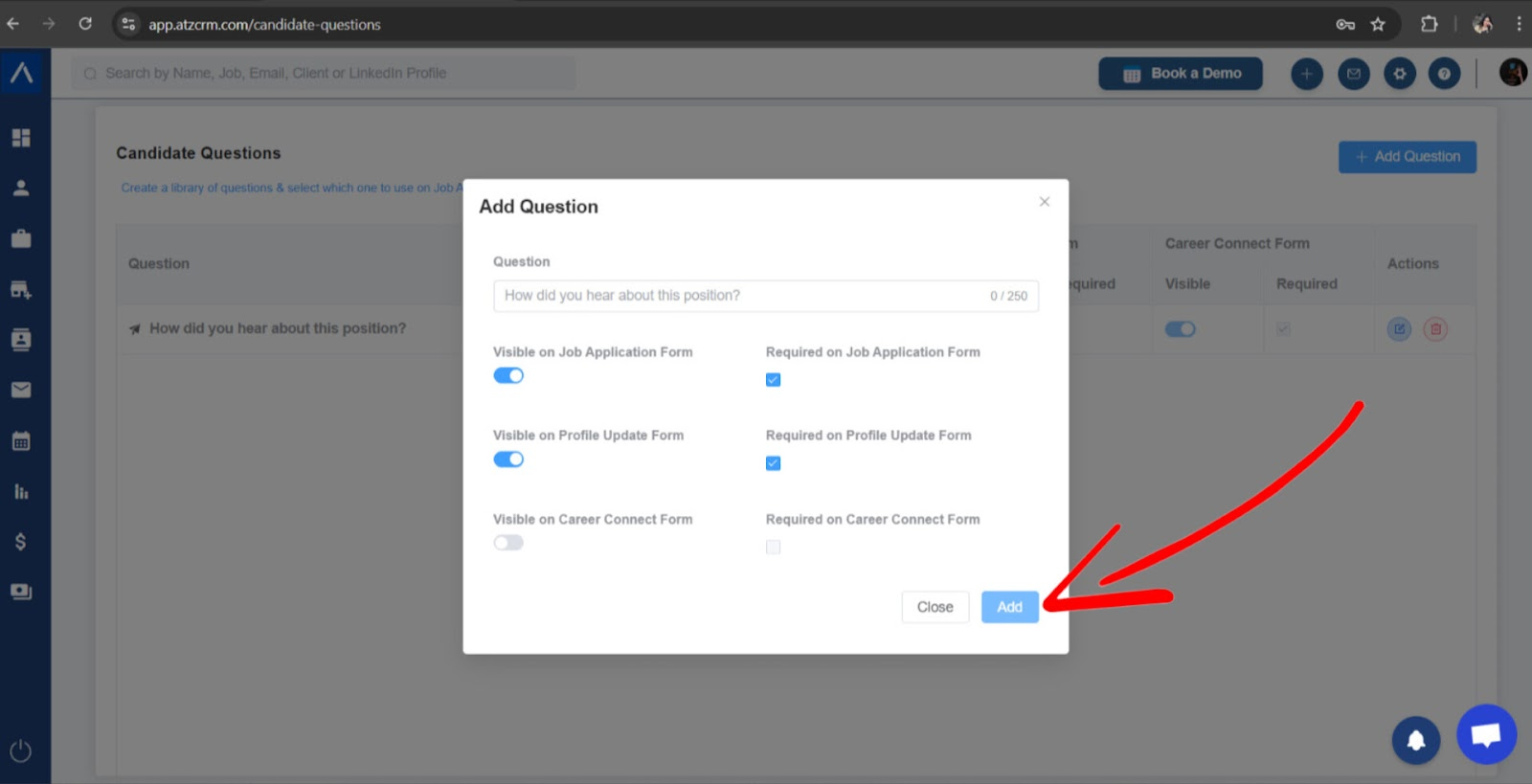
Step 2: Add the Question
Enter the question text, select where it should appear, choose whether it is required or optional, and save.
Step 3: Choose Question Visibility
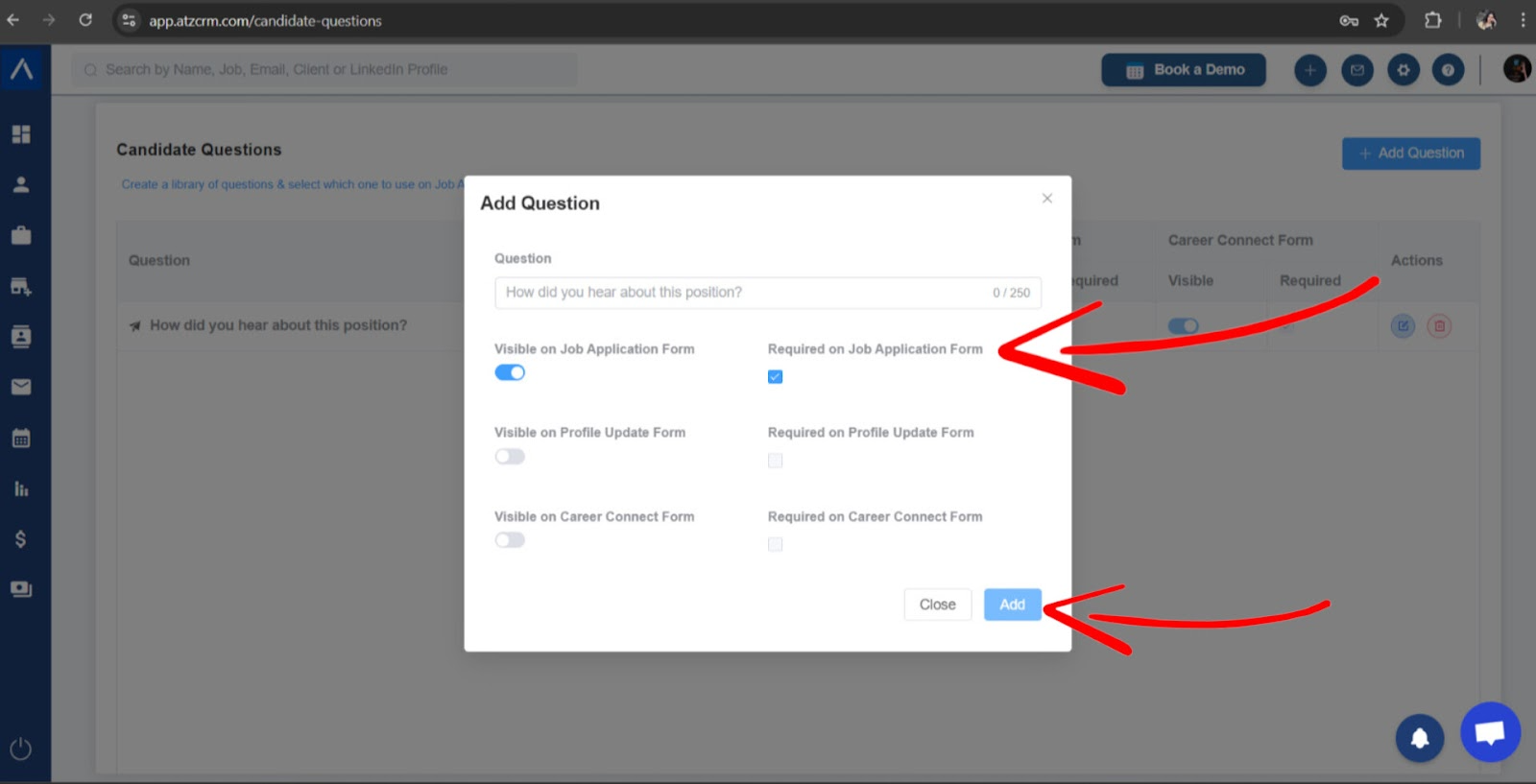
Job Application Form
Enable visibility on job application forms when candidates should answer the question while applying for a role.
Note: Job-specific application forms can override questions for individual jobs.
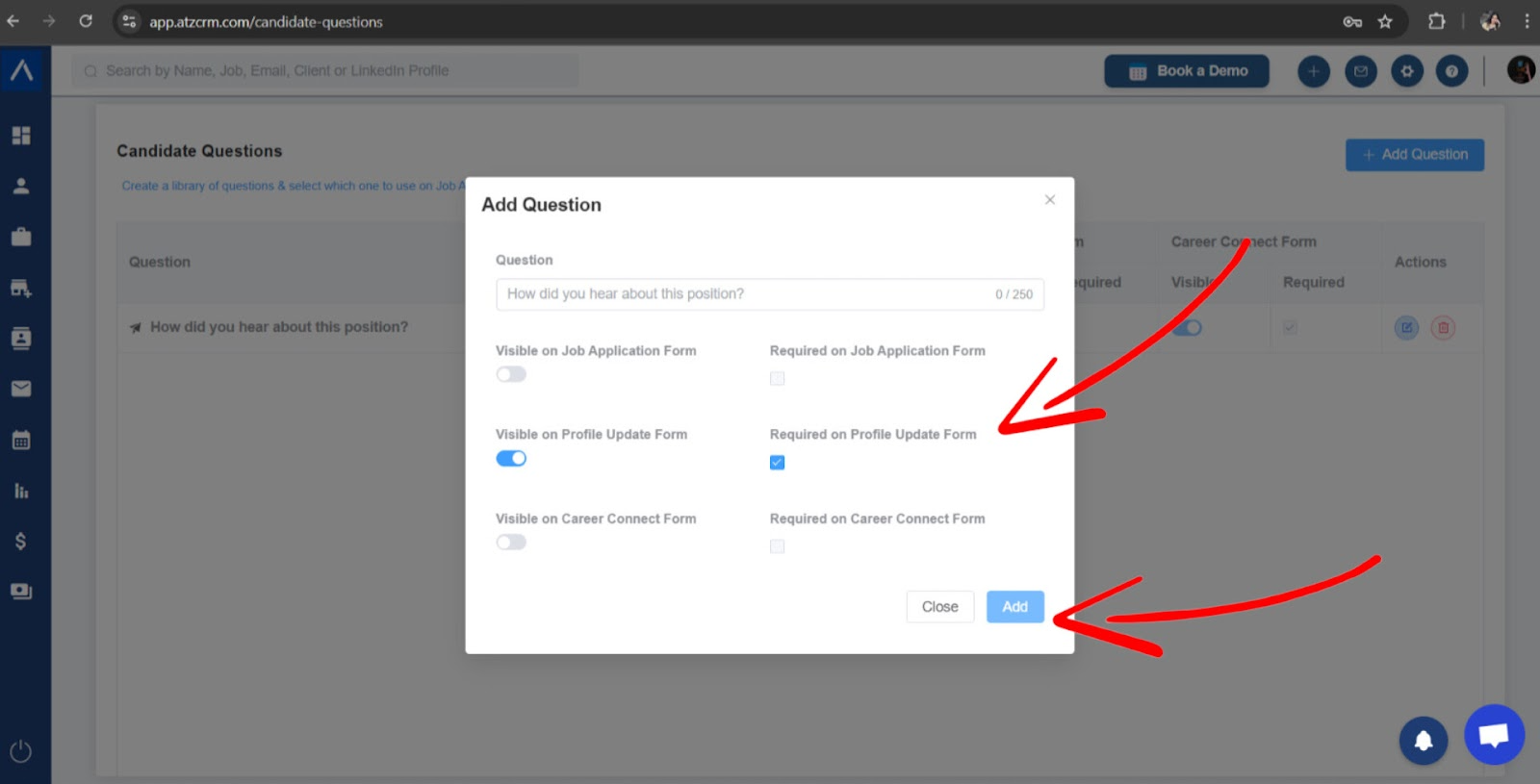
Profile Update Form
Enable visibility on profile update forms when candidates should provide updated or additional information while refreshing their profile.
Career Connect Form
Use Career Connect visibility when candidates are submitting details without applying to one specific job.
Step 4: Review Candidate Responses
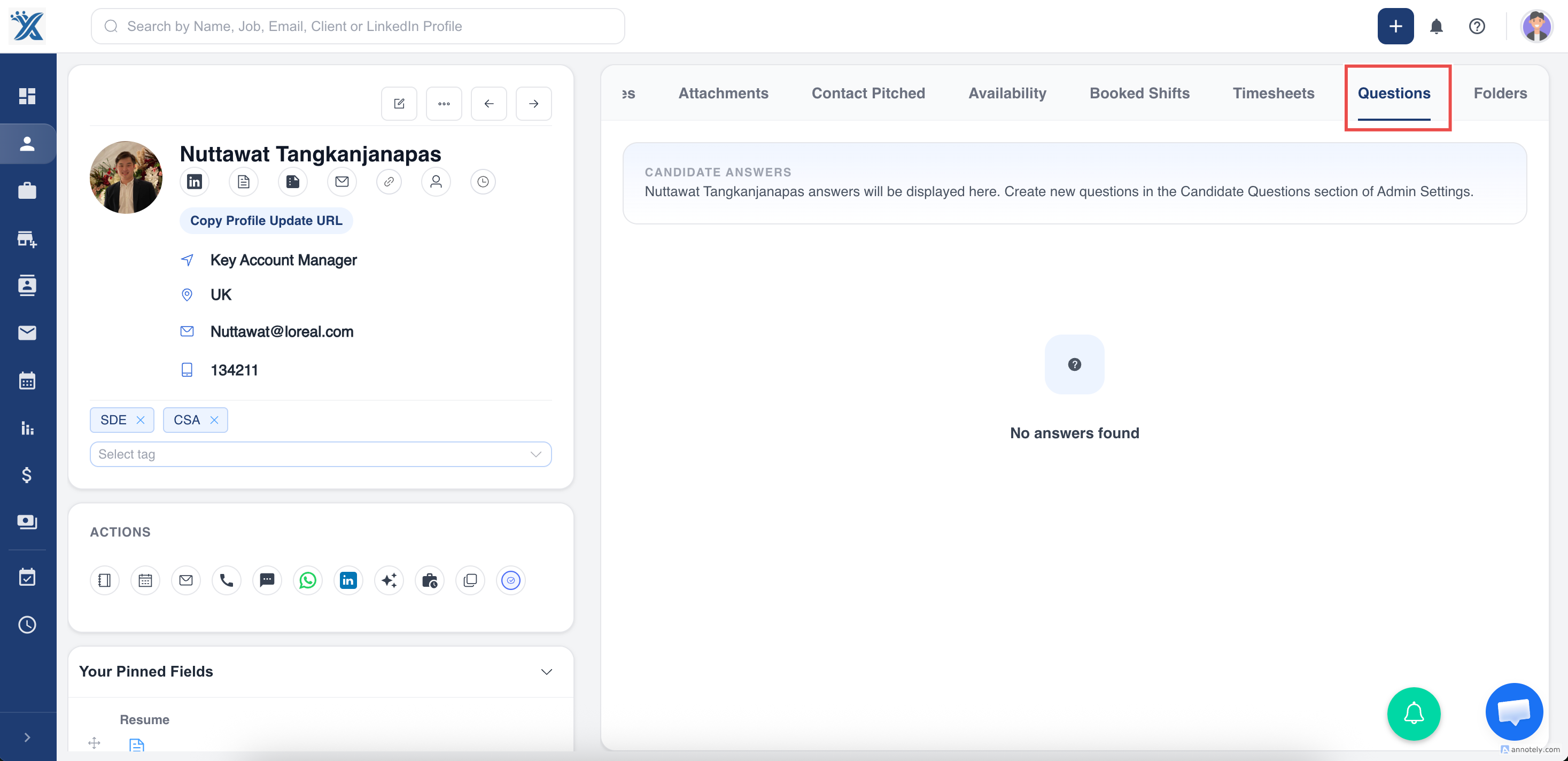
Open the candidate profile and go to the Questions tab to review responses.
Use Cases
Prequalifying Candidates
Ask must-have questions before recruiters spend time on manual review.
Compliance and Eligibility
Collect work authorization, certification, or availability details in a structured way.
Better Job Matching
Use answers to understand candidate fit before moving them through the pipeline.
Troubleshooting
Candidates Do Not See the Question
Check that visibility is enabled for the correct form type.
Candidates Can Submit Without Answering
Make sure the question is marked required if an answer is mandatory.
Recruiters Cannot Find Responses
Open the candidate profile and check the Questions tab or the job application context.
Frequently Asked Questions
Can I use the same question in multiple forms?
Yes. Configure the visibility settings for each form where the question should appear.
Can questions be job-specific?
Yes. Job-specific application form settings can be used to tailor questions for individual jobs.
Should I ask many questions?
Keep questions focused. Too many required questions can reduce completion rates.