
A useful dashboard does not need every report at the top. Arrange Home around your recruitment workflow, then give each report the filters it needs.
Show or Hide Reports
- Open Dashboard.
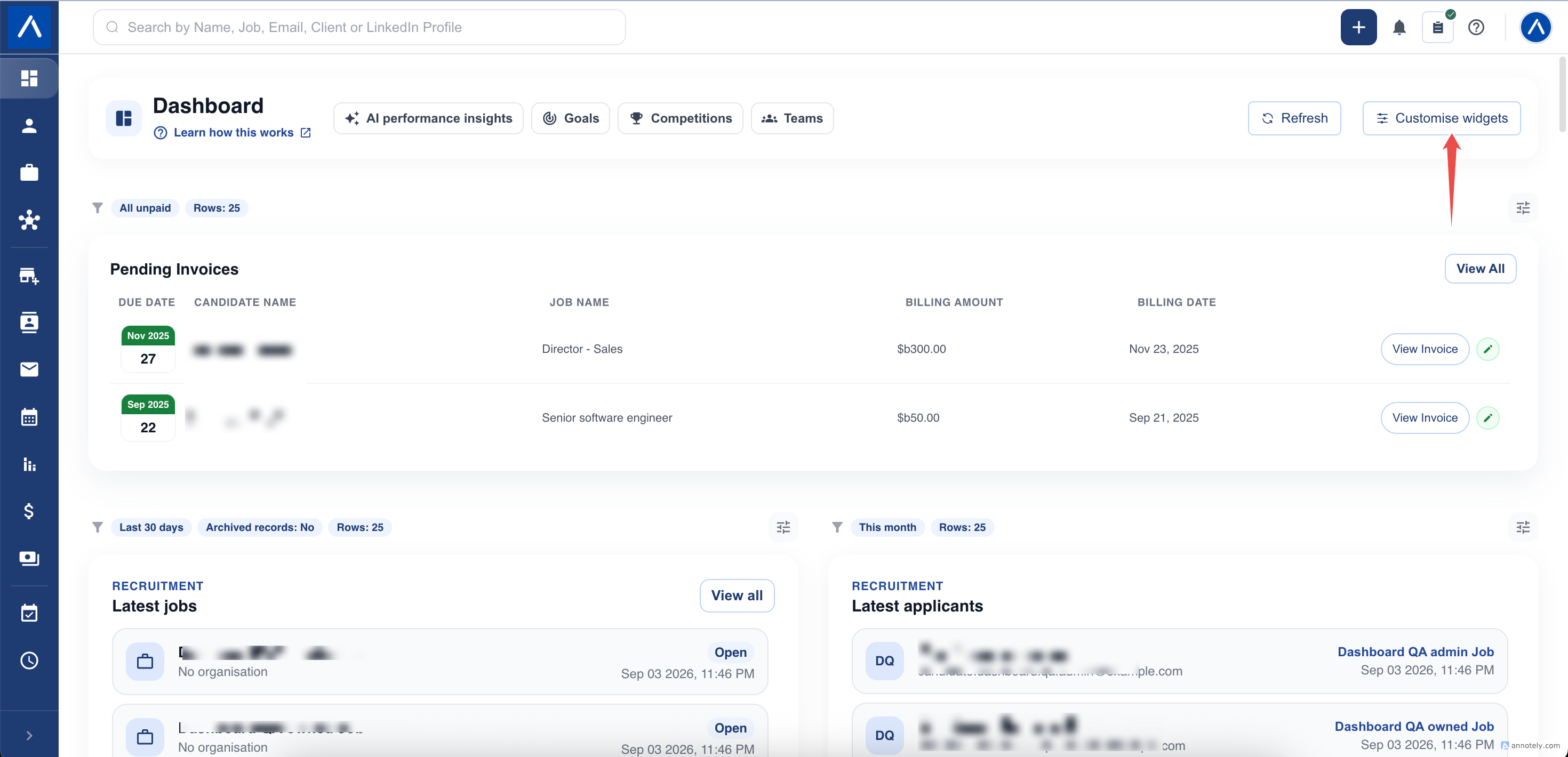
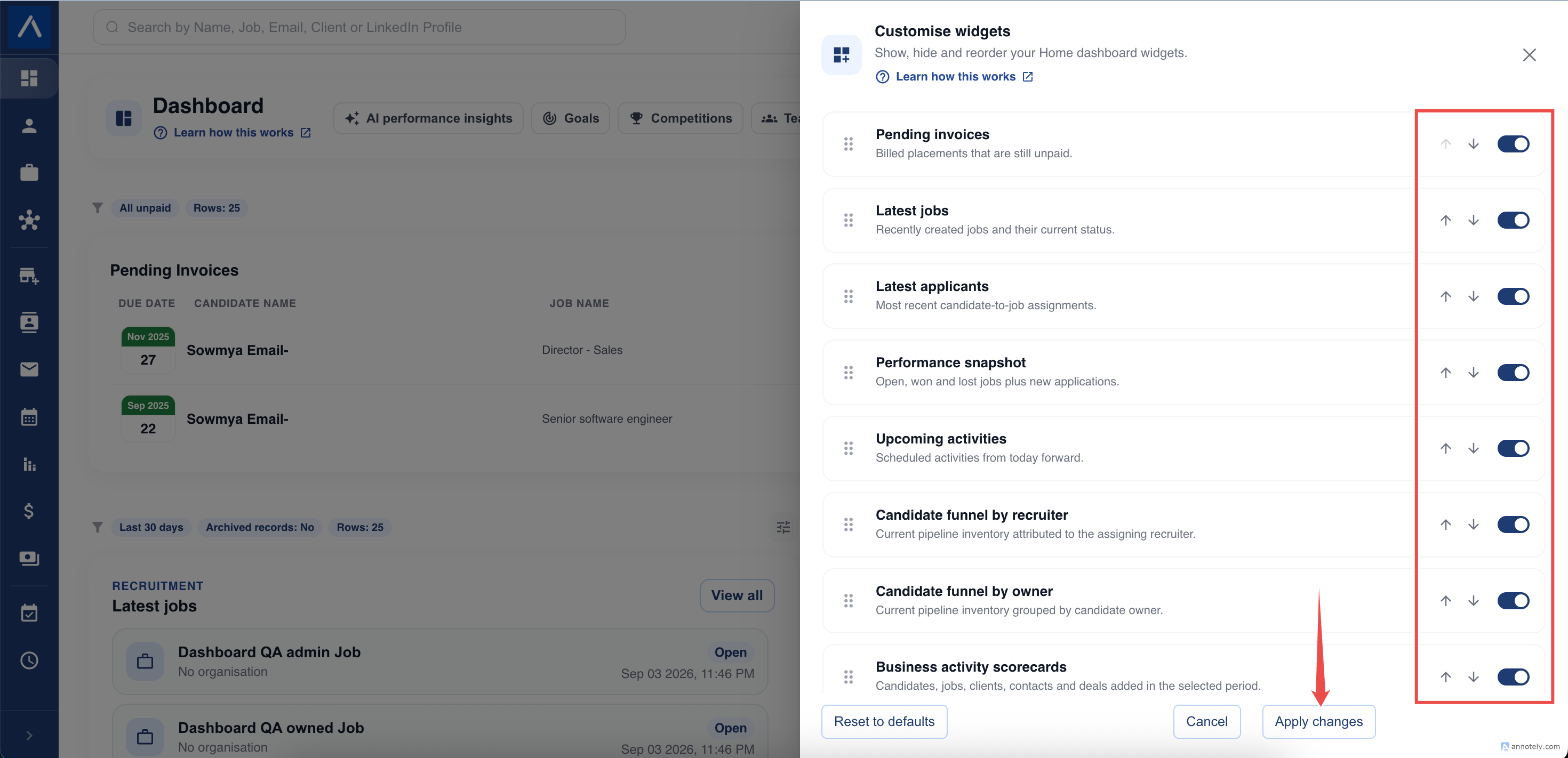
- Select Customise widgets.
- Find the report you want to change.
- Turn its switch on to show it or off to hide it.
- Select Apply changes.
Hiding a widget does not delete records, goals, competitions, or saved reports.
Change the Order
In Customise widgets, drag a report using its handle. You can also use the up and down arrows where displayed. Select Apply changes to save the new arrangement.
Your layout is personal. It does not change another recruiter’s Home dashboard.
Set Filters for One Report
- Open the settings control on the report.
- Choose the available filters, such as date range, team, stage, status, or number of rows.
- Save the settings.
- Check the applied filter labels on the report.
Available filters depend on what the report measures. A current-pipeline report does not need the same filters as a report counting records added last month.
For Goal progress, choose the goal to follow. For Competition podium, choose the competition.
Return to Your Saved View
Home remembers report choices for your account and user. Your browser also remembers report filters and applies them when you return. If you clear browser storage or use another browser, review the filters again rather than assuming the same local choices are present.
A rolling period, such as the last 30 days, moves forward with time. A custom date range stays on the dates you chose.
Restore the Default Layout
Use Reset to defaults in Customise widgets when you want to return to the standard dashboard arrangement. Review the resulting reports and their settings before continuing.
This is a layout action, not a way to delete CRM data.
Troubleshooting
If a widget is not available in the customizer, your plan or role may not permit it. If a saved team, goal, or competition is no longer accessible, choose another permitted item.
If a report looks different after changing filters, first compare its displayed date range, archive setting, and team selection. A row limit can shorten a list without representing every matching record.
FAQs
Can I resize a report?
No. Reports use predefined responsive sizes. You can show, hide, and reorder them.
Is there one filter for the whole dashboard?
No. Filters belong to individual reports. Changing one report does not change the filters on another.