
AI Insights brings recorded recruitment facts, comparisons, forecasts, and suggested next actions into a readable report. Use it to prepare for a client review, team conversation, or individual desk review.
The feature is available on Free, Business, and Enterprise plans, subject to role permissions. Pro accounts see a locked sample preview without loading live insight data.
Choose the Subject
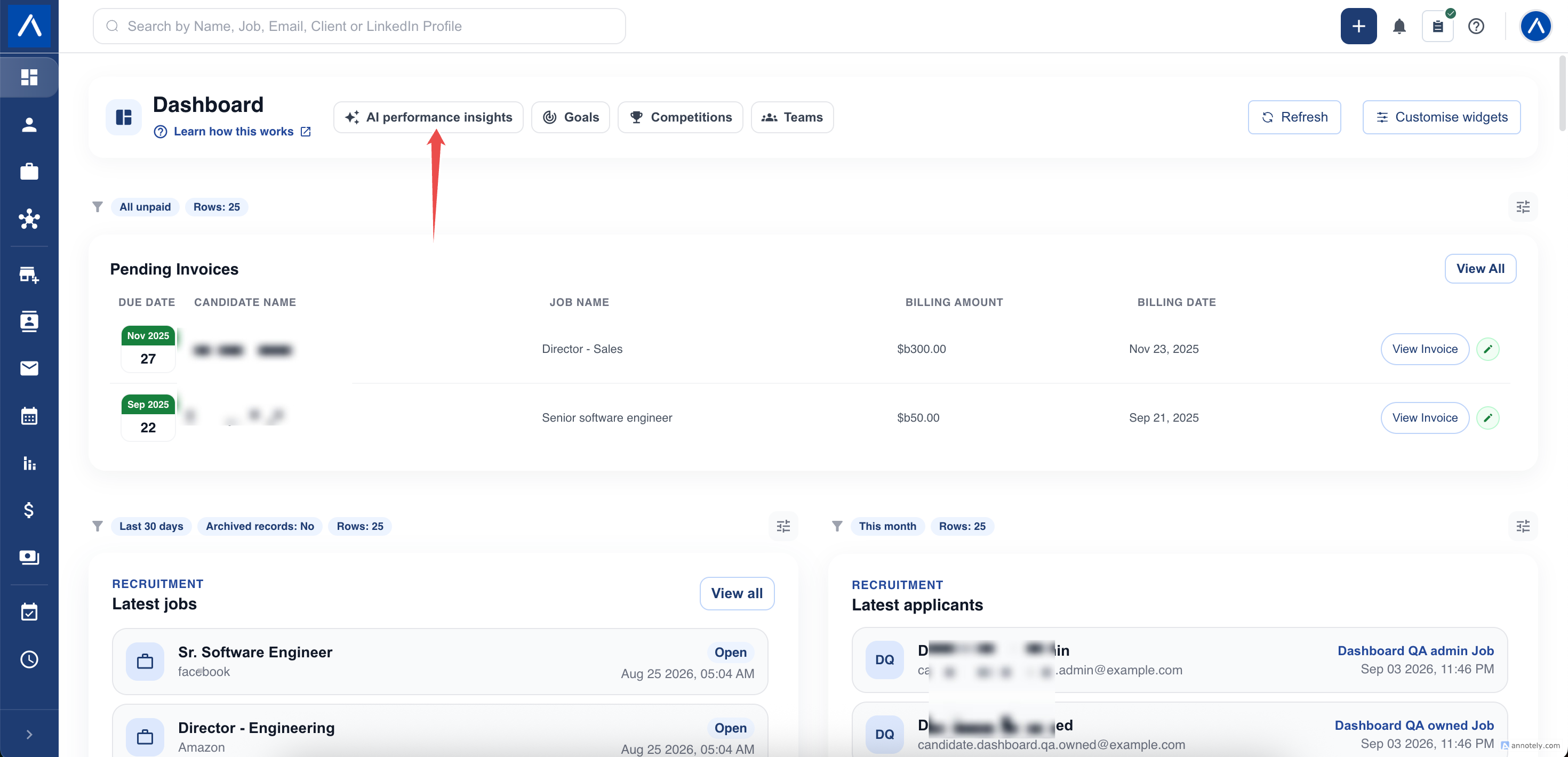
Open AI Insights from Dashboard.
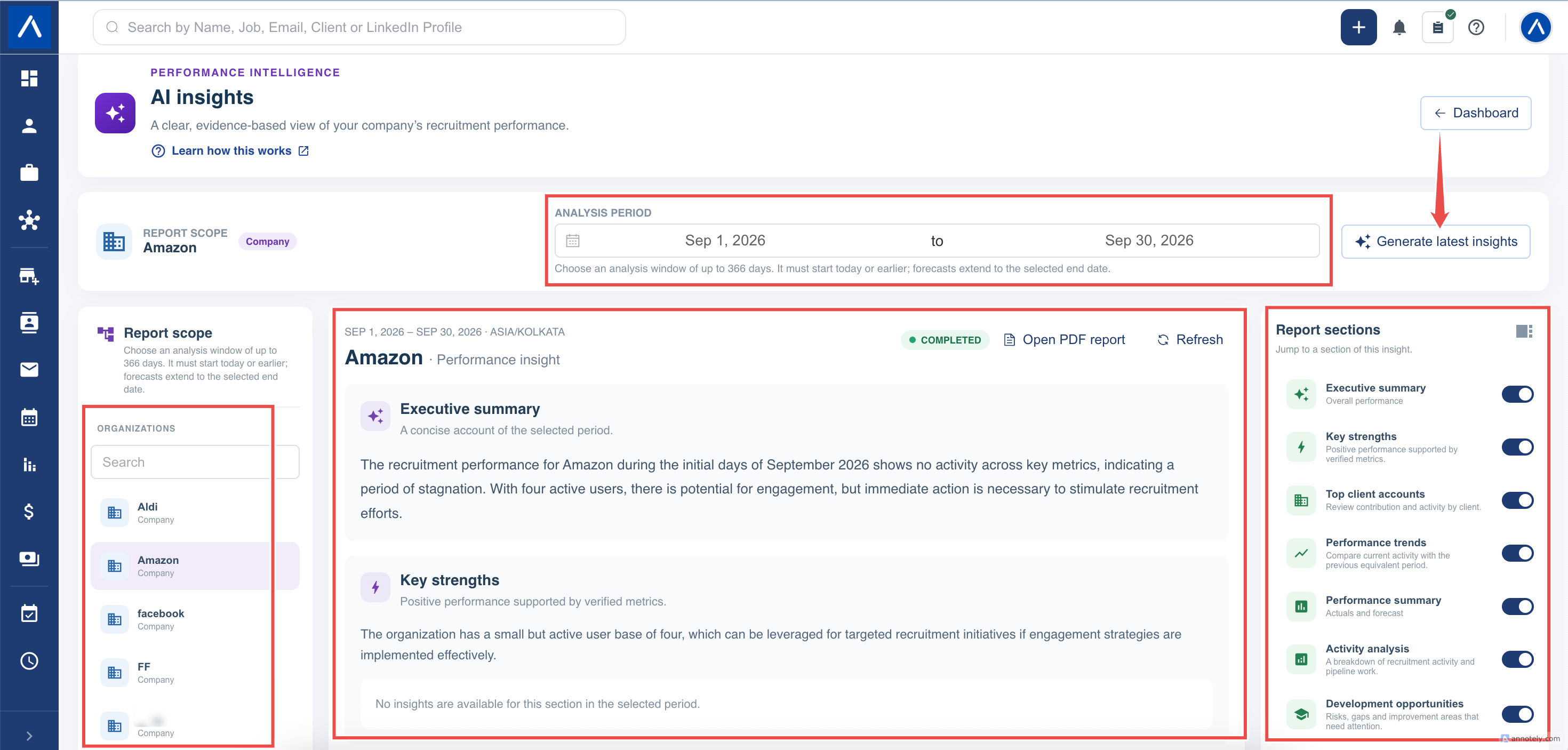
In Report scope, choose the available Company, Team, or User you want to review. The subject list is limited by your access.
Company means a client Organization inside your account. For example, selecting Amazon generates insight about your CRM work linked to that Organization, not an internet research report about Amazon and not a summary of every client.
Choose the Analysis Period
Select the start and end dates. The period can cover up to 366 days and must start today or earlier. A supported future end date lets the report include a forecast toward that date.
Check the selected subject and dates before generating. A report for one client and one month does not automatically update when you later select a different client or period.
Generate and Follow Progress
Select Generate insights for a new report, or Generate latest insights when reviewing an existing one.
The request can be queued, processing, completed, or failed. Recorded facts may appear before the AI commentary is ready. You do not need to keep the page open.
Only one request can be active for you at a time. Finish that request before generating another subject or period. Changing subjects does not cancel the existing request.
When the same available facts already have a reusable report, ATZ CRM may return that report instead of generating identical commentary again.
Reopen a Report
Use Report history to reopen your generated reports. Check the subject, period, and status rather than assuming the first item is the report you wanted.
History is not a shared folder of every colleague’s reports. Current permissions still apply to older reports, so a report can become unavailable after an access change.
Troubleshooting
If Generate latest insights is disabled, check for an active request, missing generation permission, no supported metrics, an invalid date range, or a locked plan preview.
If a Company is missing, search for the Organization and check that it is active and within your access. For a missing Team or User, ask your administrator to review membership and performance-report permissions.
For a queued or processing report, refresh its status or history. If it remains pending for an unusually long time, give support the subject, date range, and request time. Repeatedly submitting the same request will not make it complete faster.
For a failed report, review the error and try again when the issue is resolved. Do not mistake missing AI commentary for confirmed zero activity.
FAQs
What does Company mean in AI Insights?
It means an Organization record in your ATZ CRM account, such as a client you recruit for. It does not mean all data across your ATZ account.
Can I generate insights for another company, team, or user?
Yes, when your permissions allow the subject and its supported metrics. Select that subject and date range before generating.
Can I leave the page while a report is being generated?
Yes. Generation continues in the background. Return to Report history to check its status; an eligible requester also receives an in-app alert when the report is ready.