
What Career Page Embedding Does
The ATZ CRM career page lets you show open jobs and collect applications. Embedding it with an iFrame lets you display your live ATZ CRM job listings on your own website.
Customize the Career Page
Step 1: Open Jobs
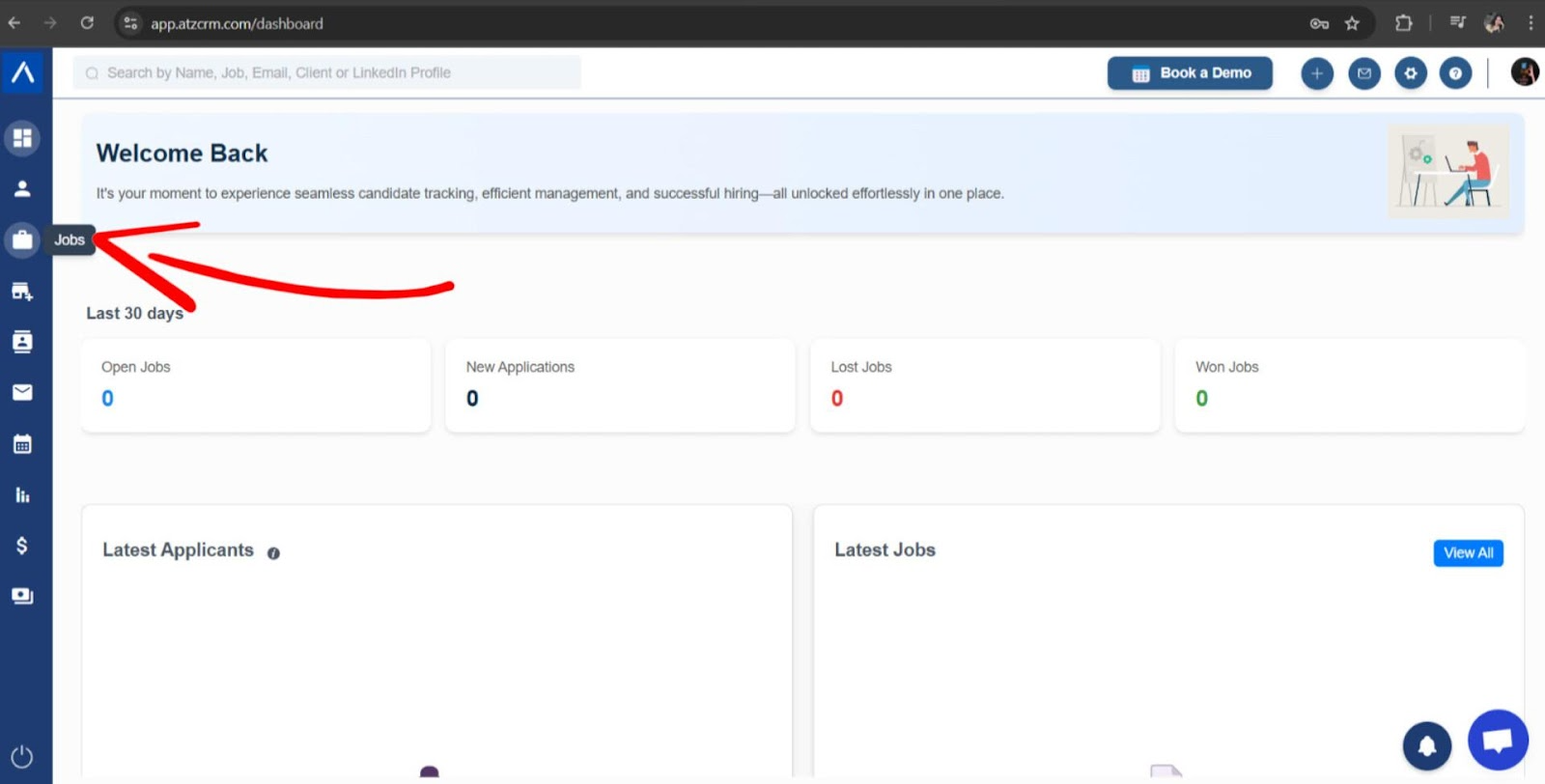
Log in to ATZ CRM and go to Jobs.
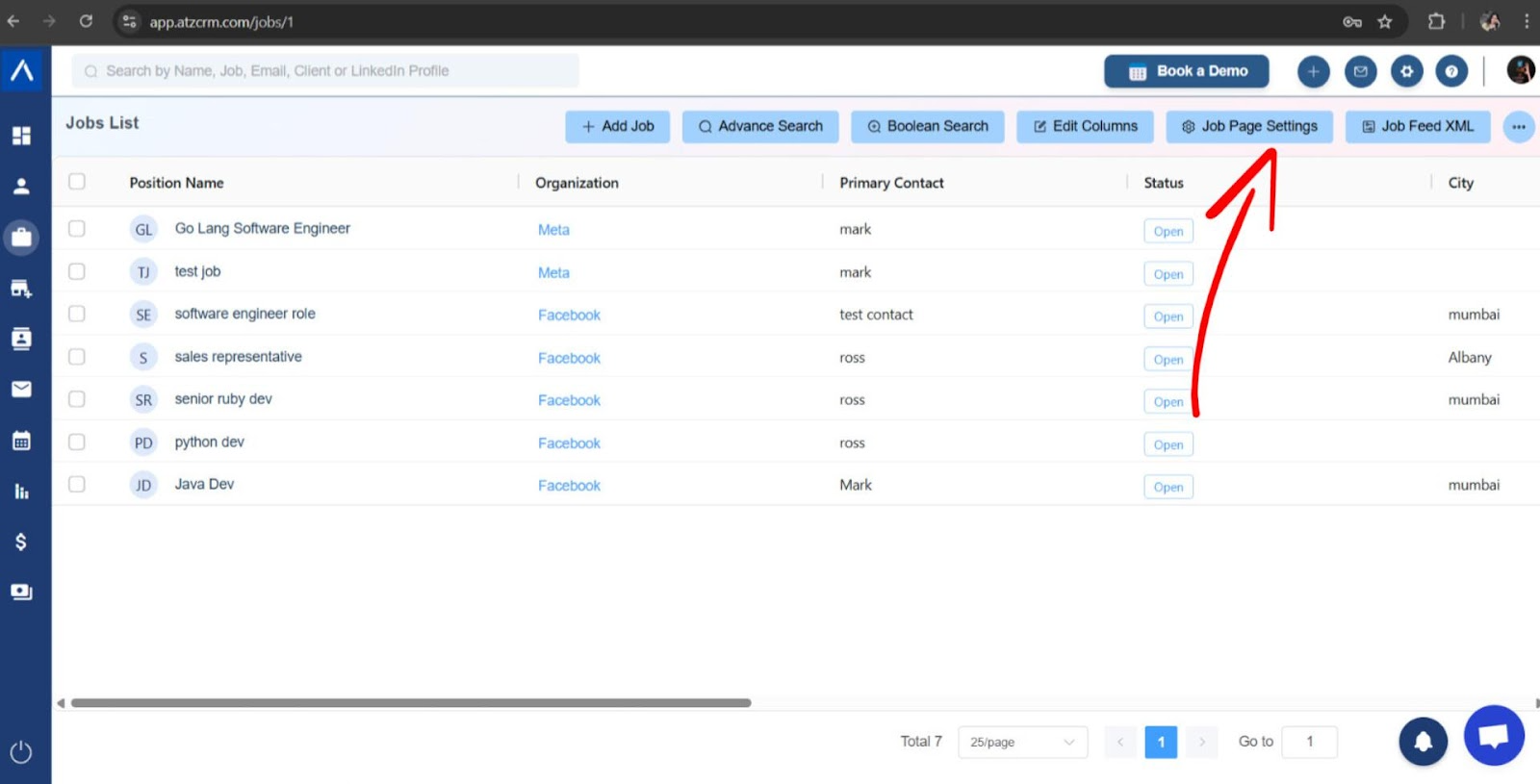
Step 2: Open Job Page Settings
Select Job Page Settings.
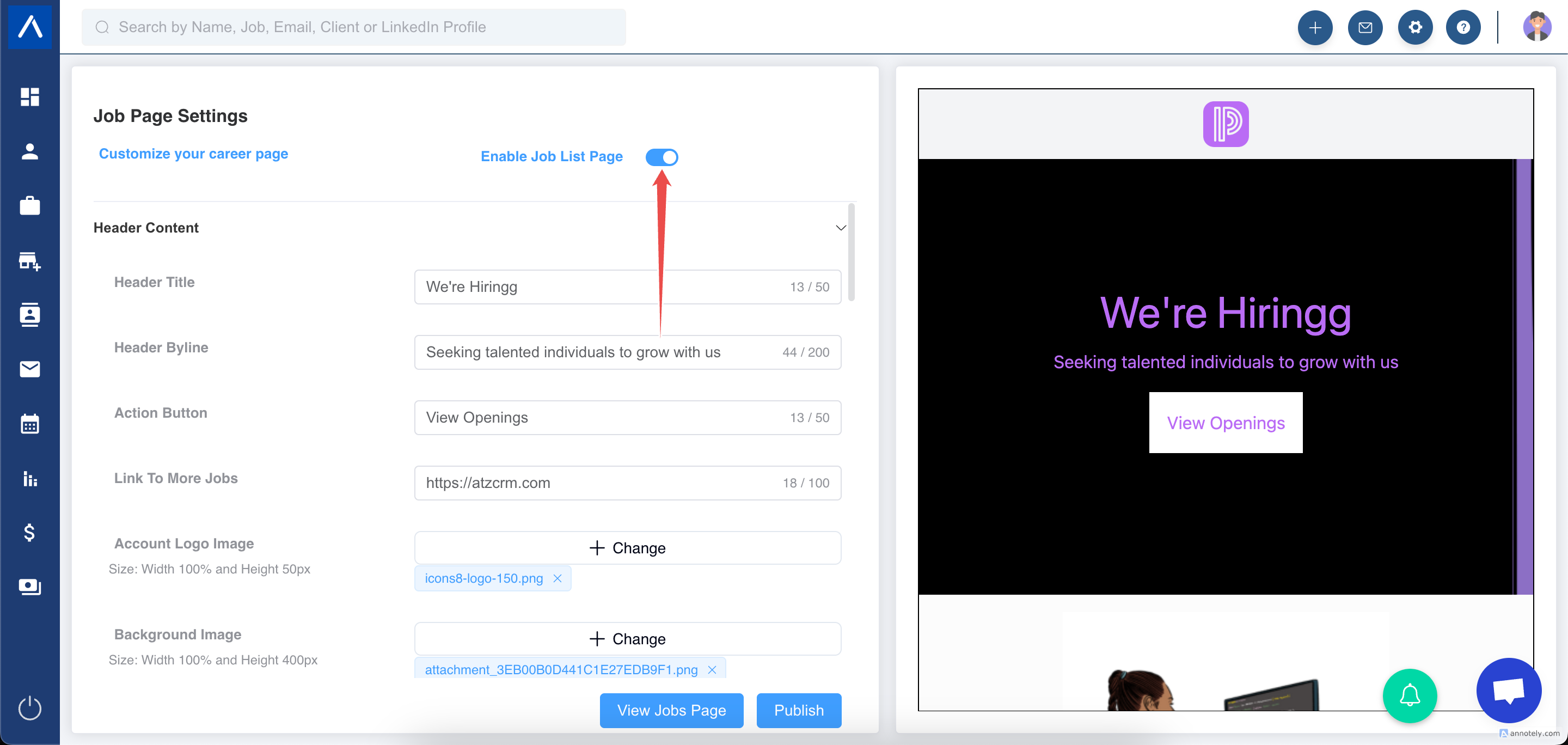
Step 3: Enable the Job List Page
Make sure job listings are visible on the career page.
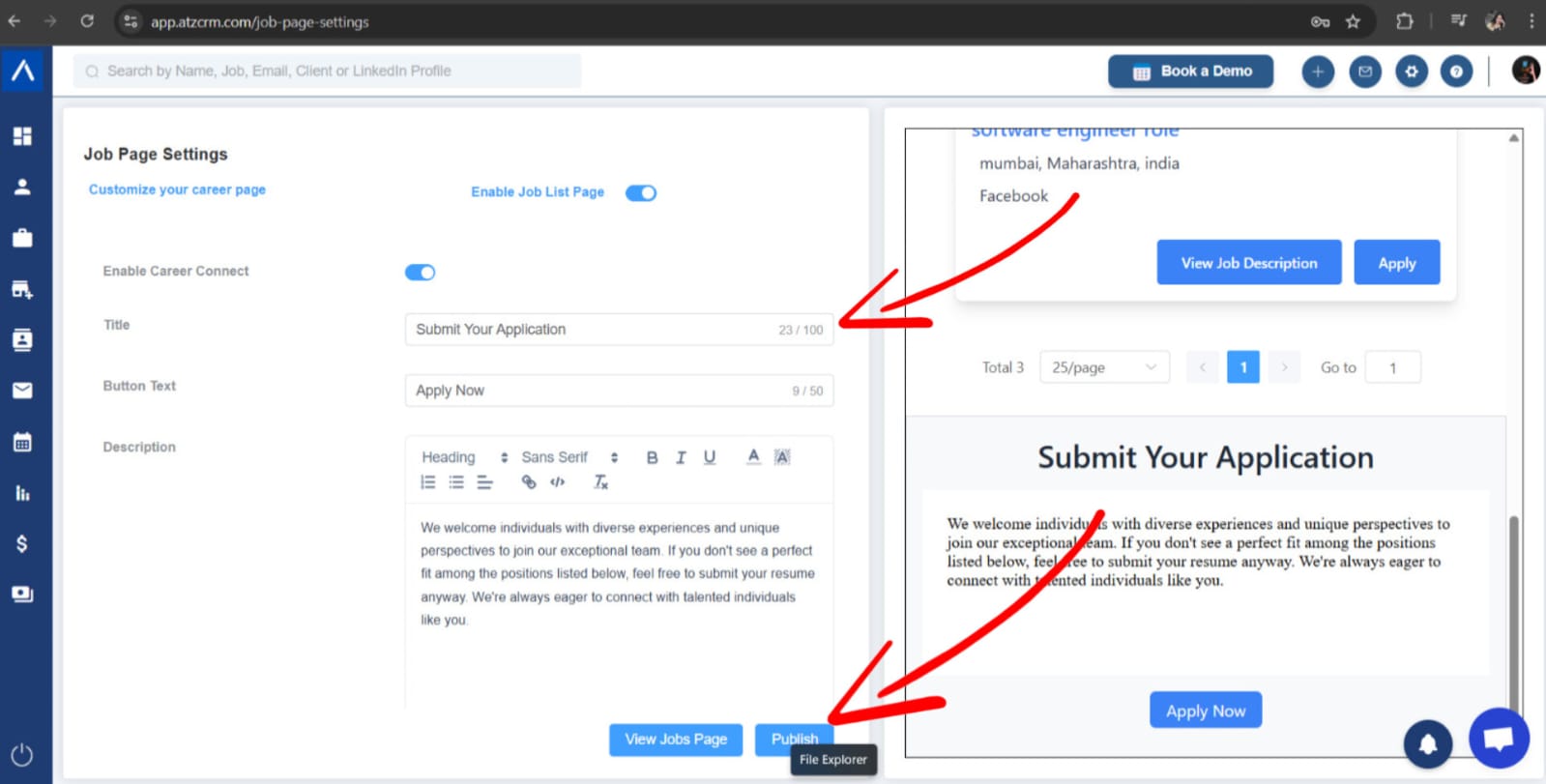
Step 4: Customize Page Content
Set the page title, description, and apply button text.
Step 5: Customize Branding
Upload a logo, choose a background image, and set colors.
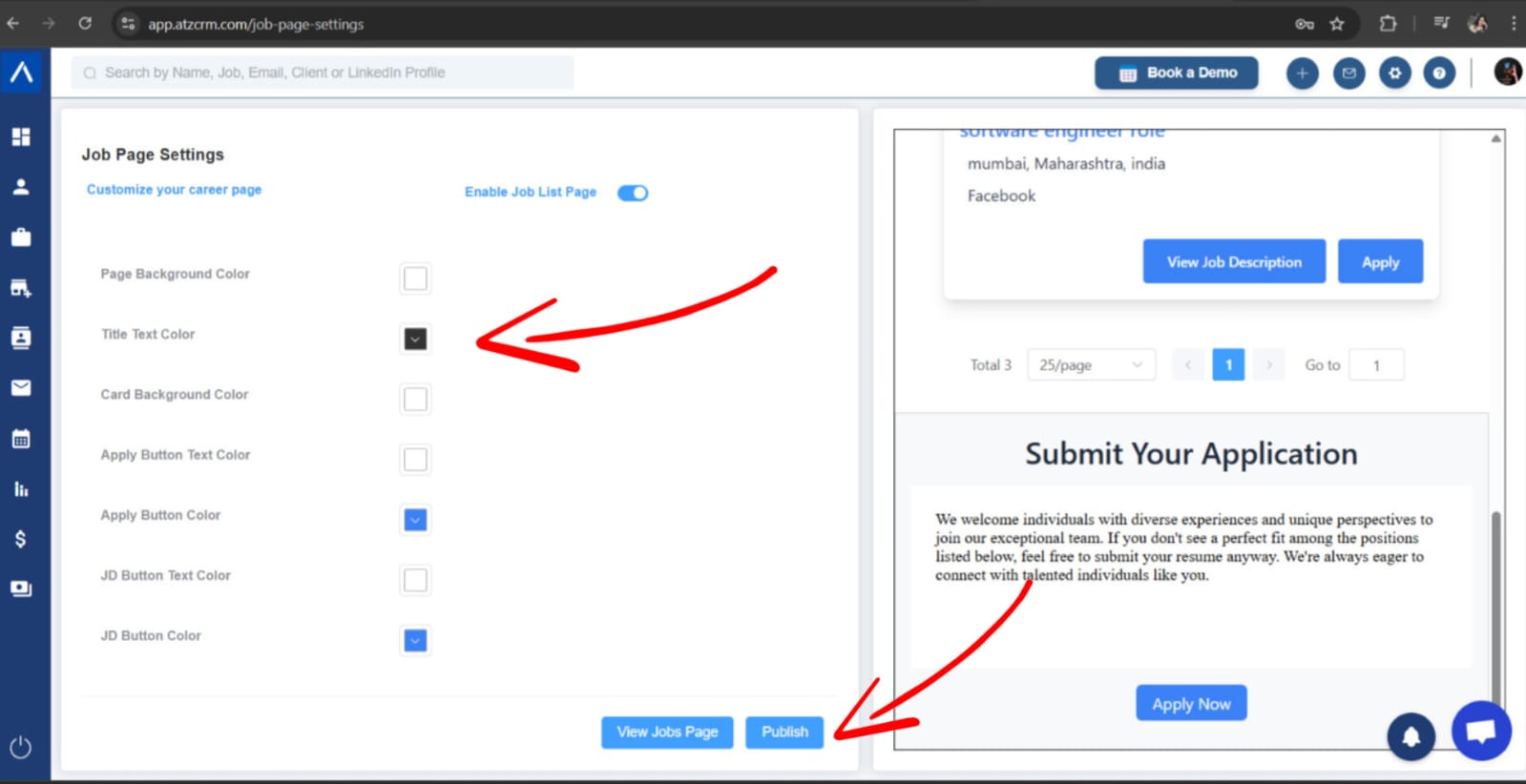
Step 6: Publish the Career Page
Save and publish the page.
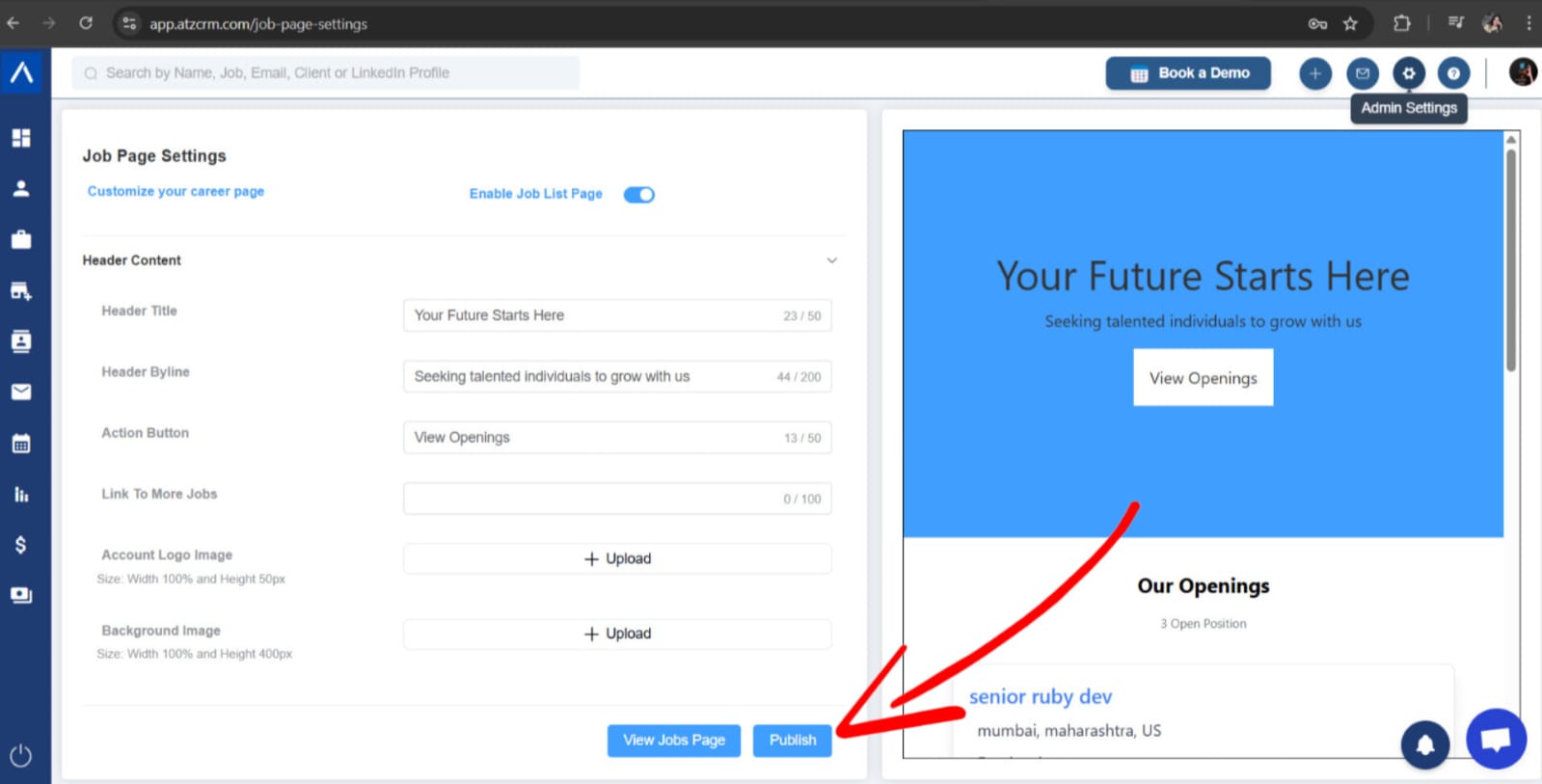
Embed the Career Page on Your Website
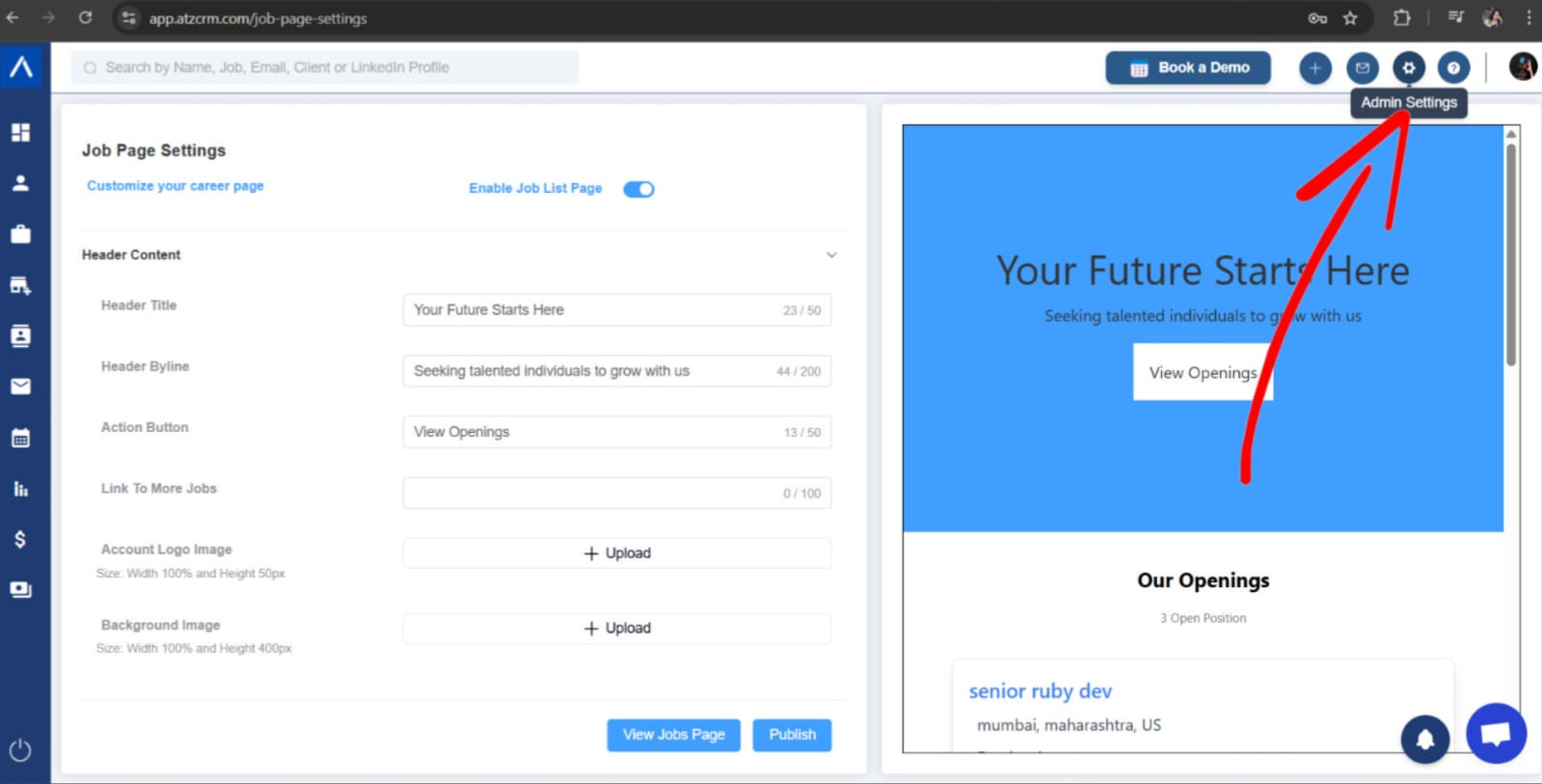
Step 1: Open Admin Settings
Open Admin Settings.
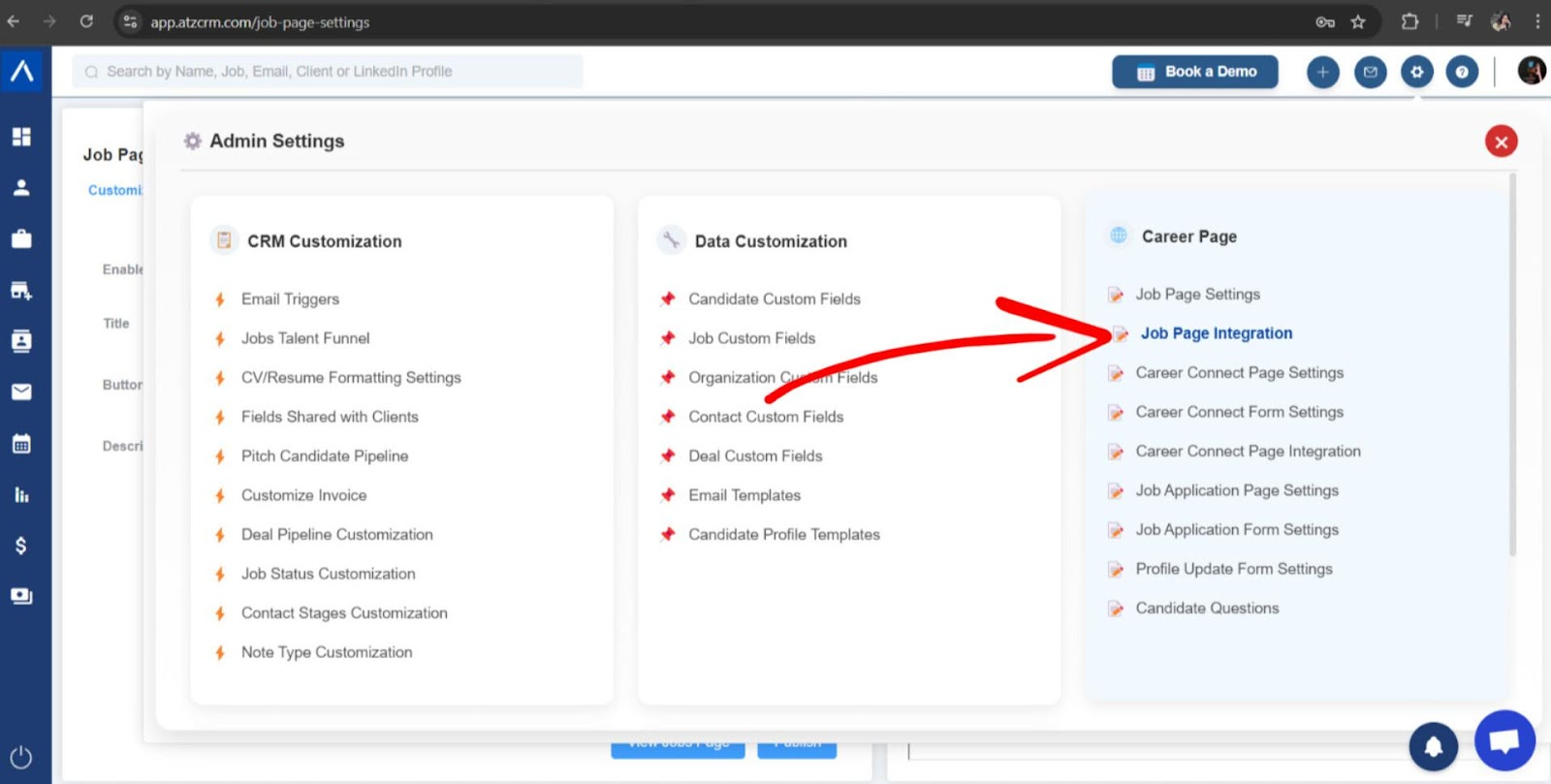
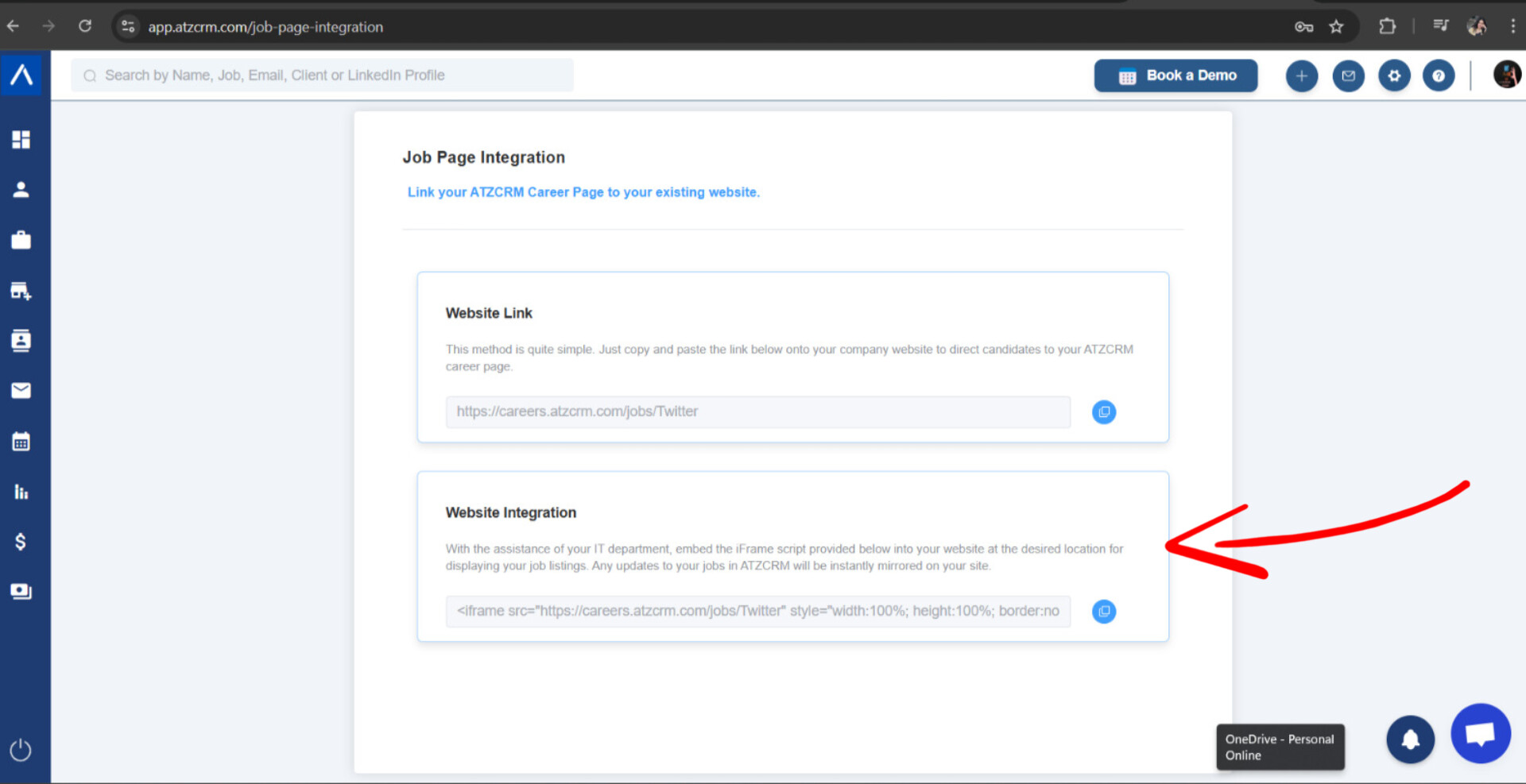
Step 2: Open Job Page Integration
Select Job Page Integration.
Step 3: Copy the iFrame Link
Copy the provided iFrame link and add it to your website.
Use Cases
Website Careers Page
Embed ATZ CRM job listings directly on your company website.
Live Job Updates
Update jobs in ATZ CRM and let the embedded career page reflect current openings.
Candidate Conversion
Use a branded career page to send candidates into ATZ CRM application workflows.
Troubleshooting
Career Page Shows No Jobs
Check job status, job application form visibility, and whether the job list page is enabled.
iFrame Does Not Display Correctly
Review your website’s iFrame support, allowed embed settings, and page dimensions.
Branding Looks Wrong
Update logo, background, colors, title, and button text in Job Page Settings, then republish.
Frequently Asked Questions
Can candidates apply from the embedded page?
Yes, if job application forms are enabled for the jobs.
Do I need a developer to embed the iFrame?
Many websites require editing page HTML or CMS embed settings. Ask your website admin if needed.
Does the embedded page update automatically?
The embedded page displays ATZ CRM career page content, so published changes can reflect without rebuilding your website.