
What Client Feedback Does
Client feedback lets hiring stakeholders review submitted candidates and share decisions or remarks directly through the shared candidate list. This keeps feedback connected to the candidate record.
Feedback Workflow
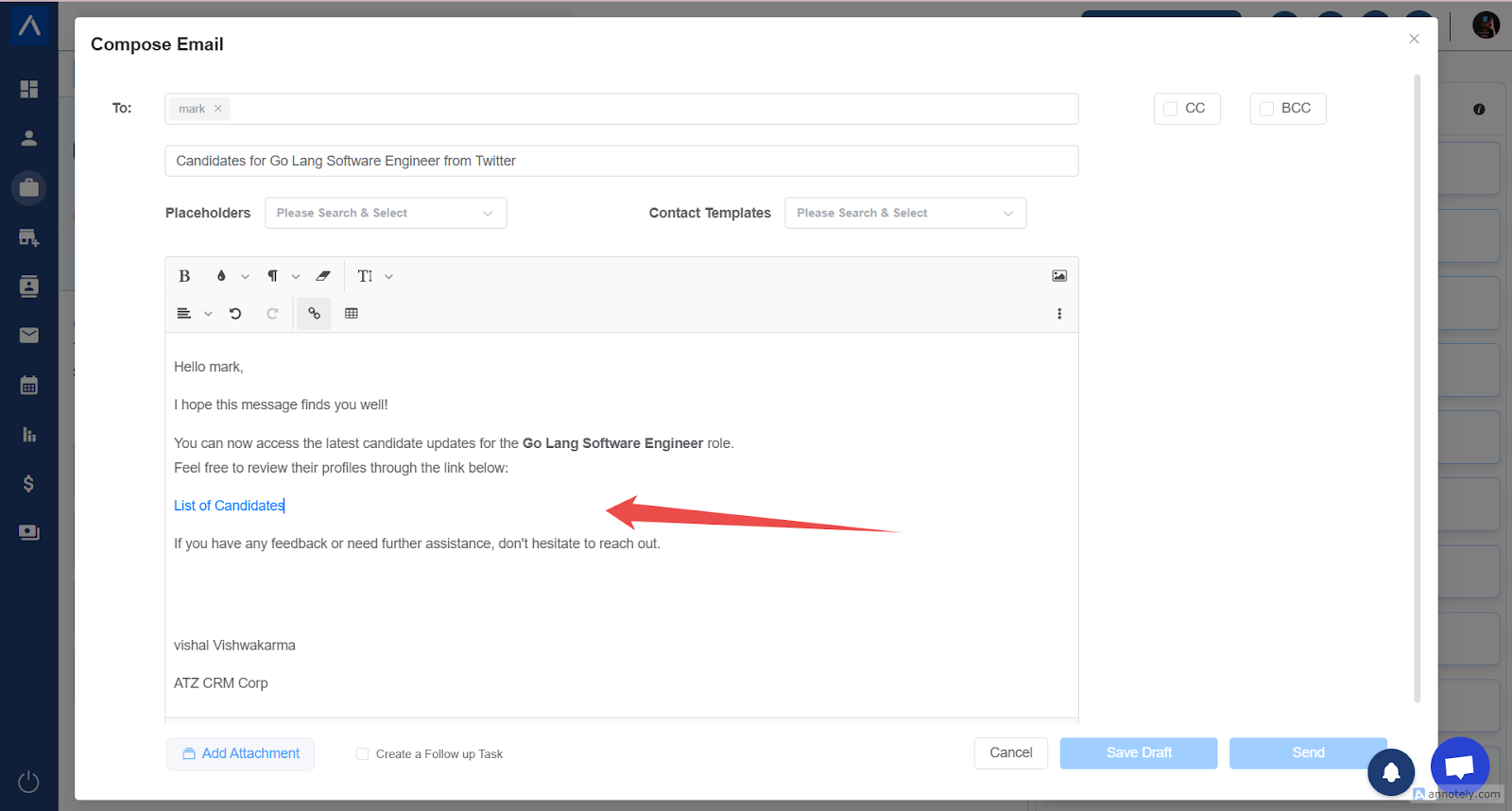
Step 1: Client Receives the Link
The client receives an email with a link to the submitted candidate list.
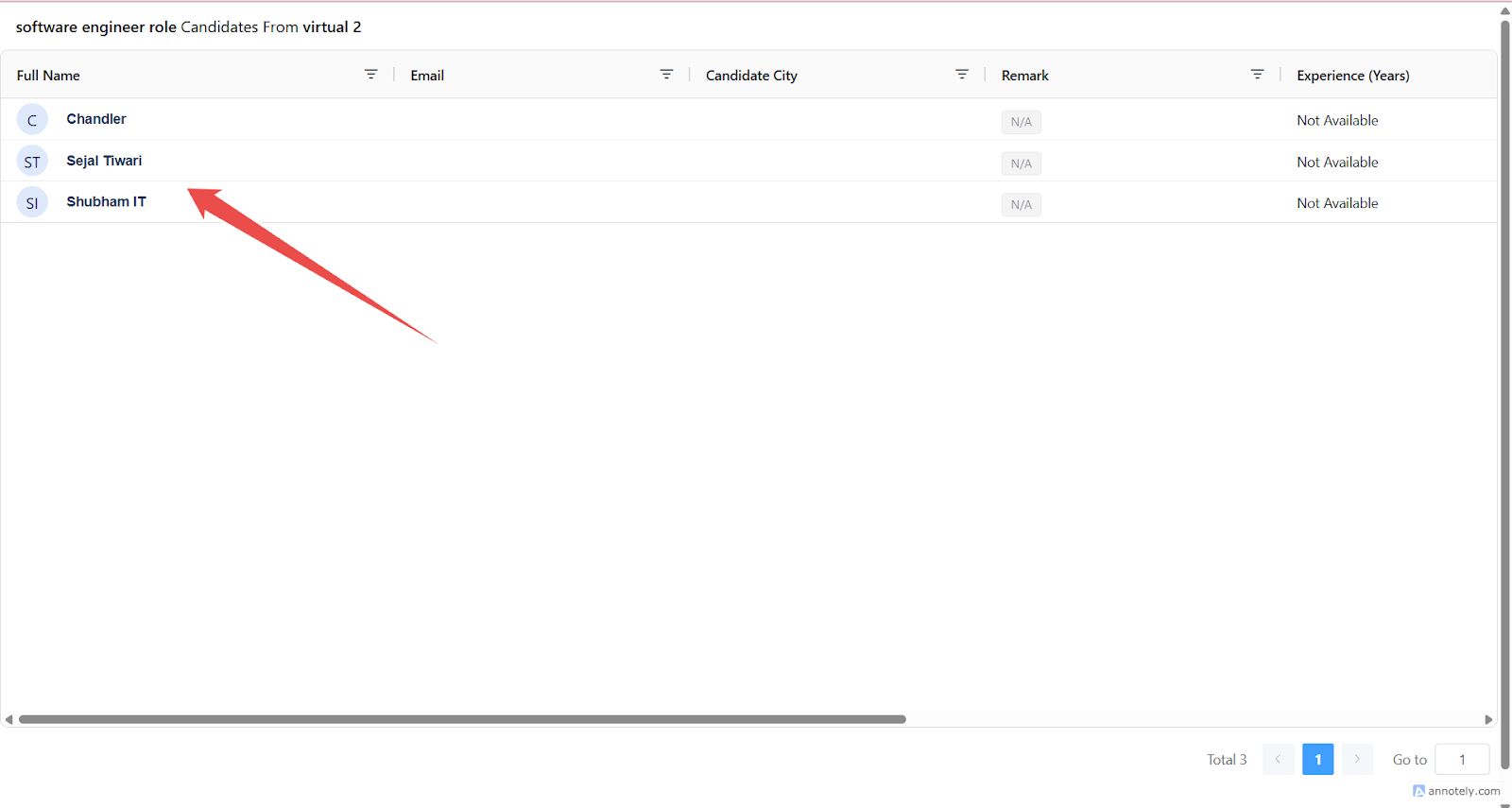
Step 2: Client Opens the Candidate List
The link opens the shared candidate list for the relevant job.
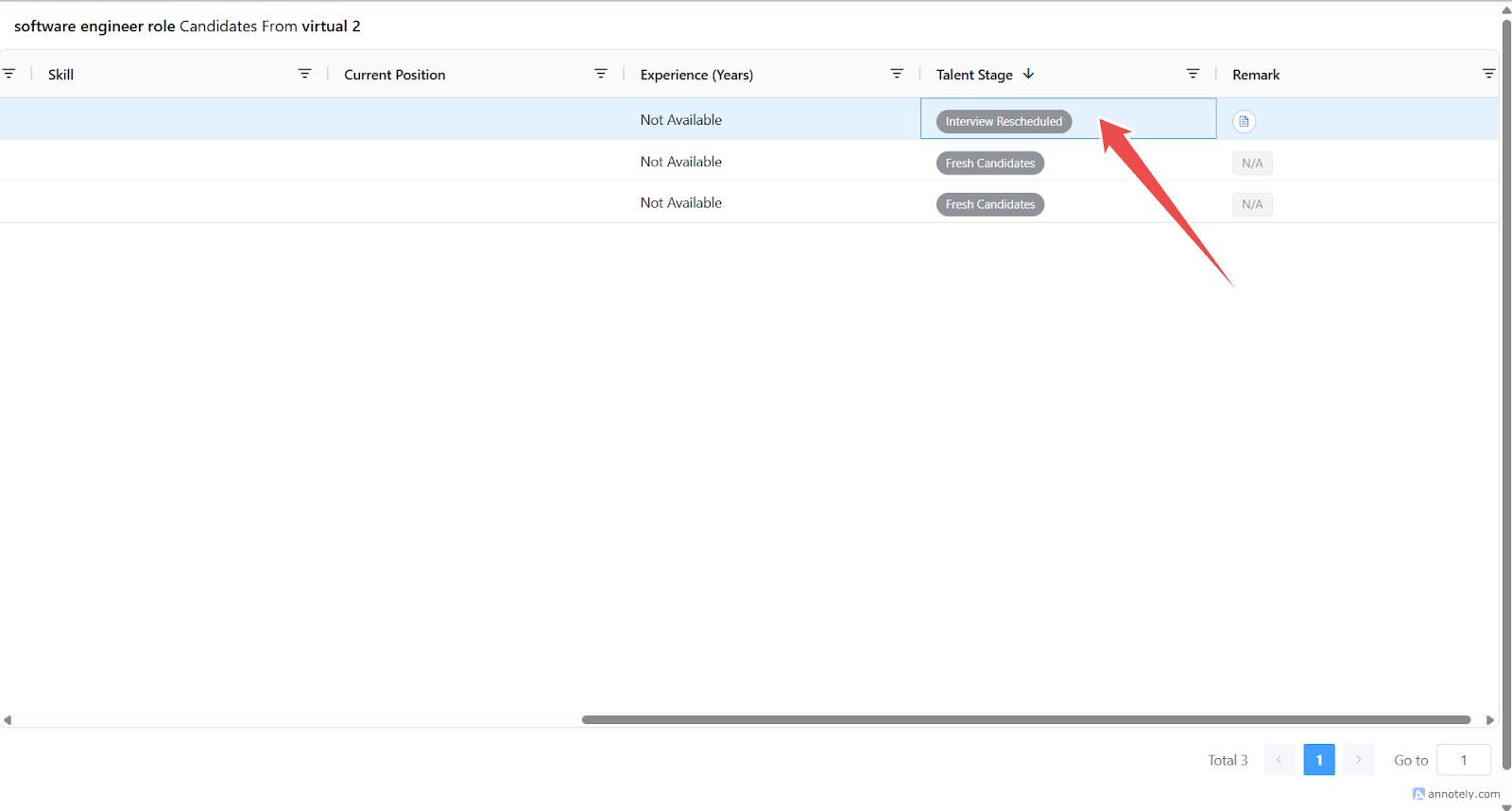
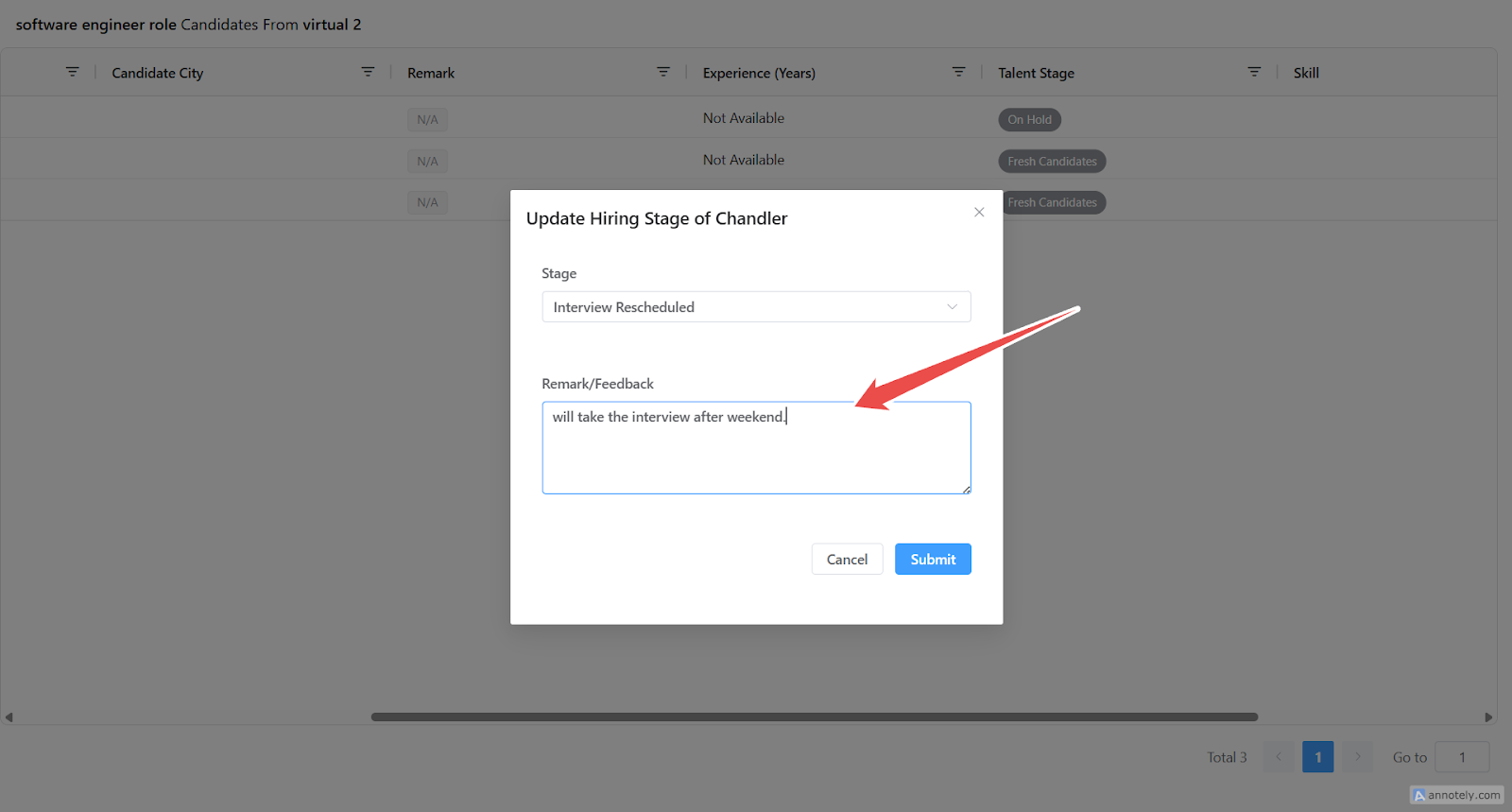
Step 3: Client Adds Feedback
The client can update the candidate stage and add remarks.
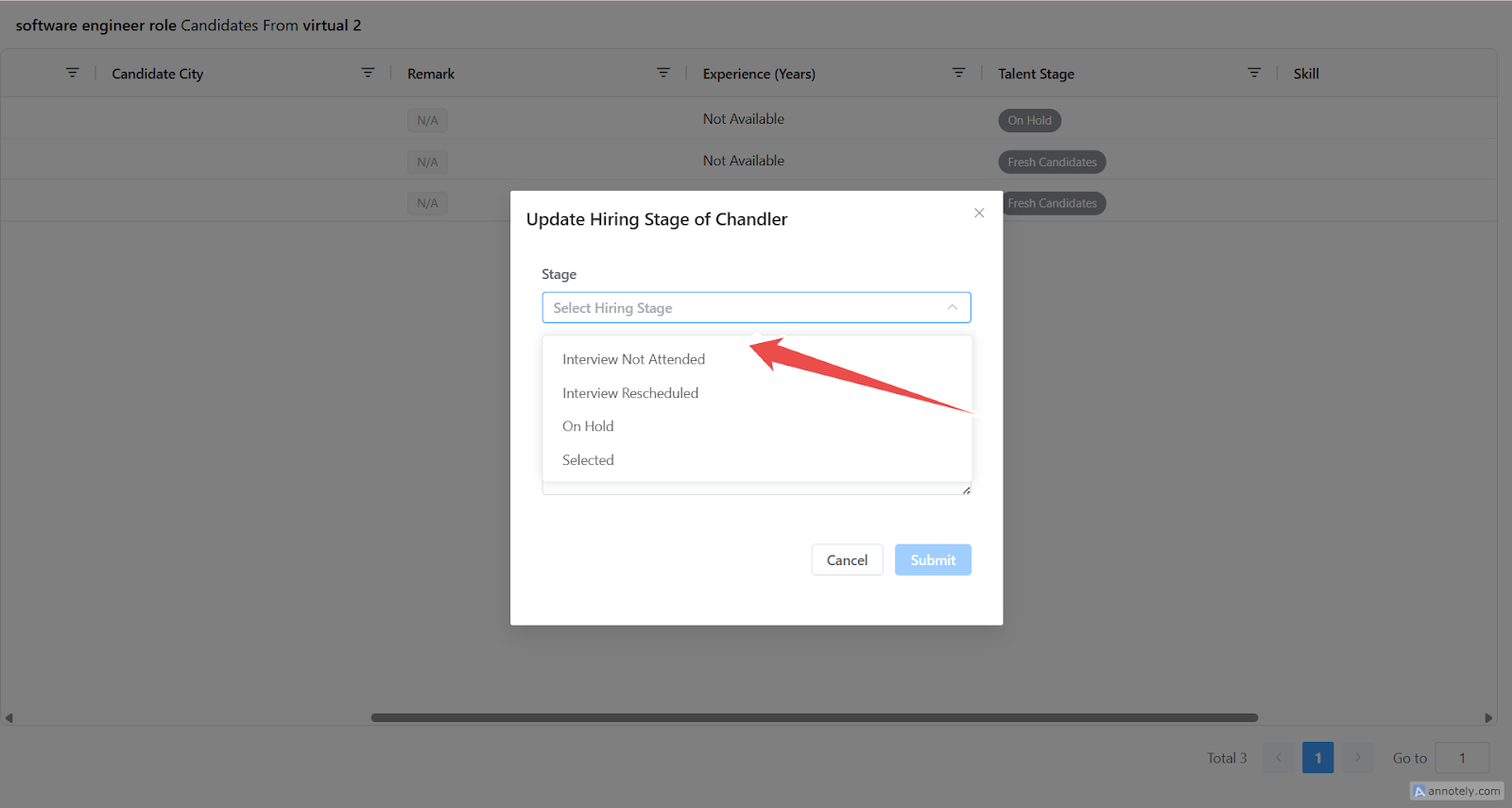
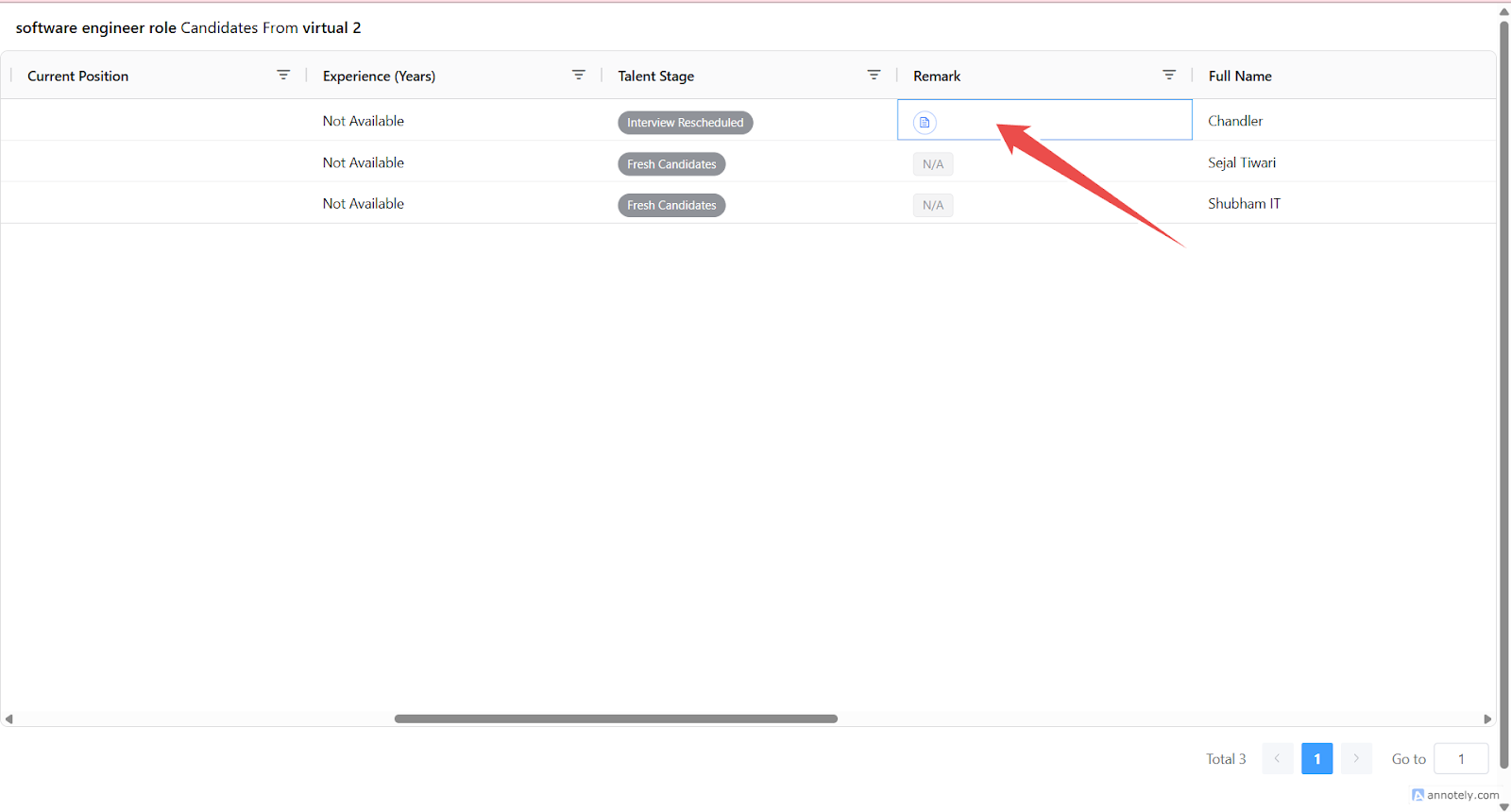
Step 4: Feedback Syncs to ATZ CRM
Stage changes and remarks are recorded for the recruiting team.
Use Cases
- Collect interview feedback from clients.
- Record rejection reasons.
- Move candidates through client-approved stages.
Troubleshooting
Client Cannot Move Candidate to a Stage
Check which stages are enabled for clients.
Feedback Does Not Appear
Refresh the candidate profile and confirm the client submitted the remark.
Client Cannot Access the Link
Check public page passcode and candidate list visibility.
Frequently Asked Questions
Can clients see all candidate data?
Only fields configured as shared with clients are visible.
Are list and Kanban updates synced?
Yes, client-side updates sync back to ATZ CRM workflows.
Can feedback be used without Client Portal login?
Shared candidate links can support feedback workflows depending on how the list is shared.